
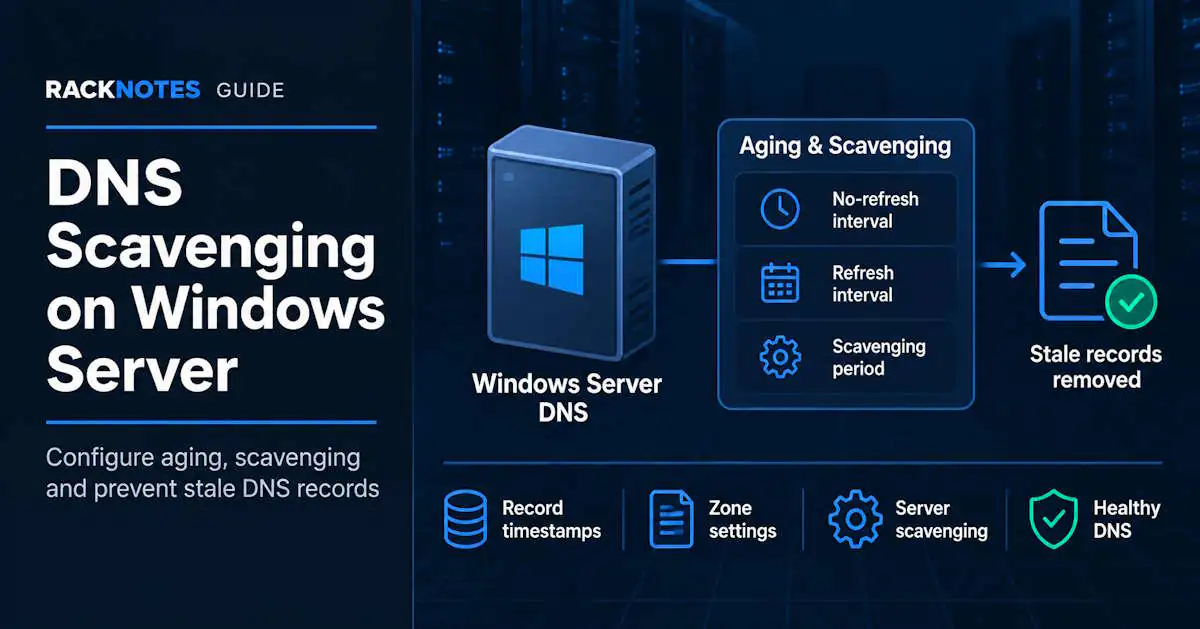
DNS scavenging removes stale dynamic DNS records automatically, but it isn’t a single checkbox. Three settings (record timestamp, zone-level aging, server-level scavenging) must align with a timing window that reflects how often records are actually refreshed. Get that alignment right and stale records are removed predictably. Get it wrong and records still in use can be deleted. This guide covers DNS aging and scavenging configuration and best practices on Windows Server: how the timers interact, how to enable scavenging safely, and how to verify that it actually ran. It’s a configuration and prevention guide, not a recovery guide; if scavenging has already removed a valid record, there’s a dedicated page for that later in this article.
- Aging controls when a dynamic record becomes stale; scavenging removes eligible stale records on its own separate cycle – eligibility and deletion are two different points in time
- Three settings must all be correct: record timestamp, zone-level aging, server-level scavenging – miss one and nothing gets removed, with no error shown
- Static records (timestamp 0) aren’t touched by scavenging – but certain actions can convert them into scavengeable records, sometimes without an obvious cause
- Interval choices must reflect how records are actually refreshed in your environment (client re-registration, DHCP-driven updates, or both) – not a single memorized formula
- Restrict scavenging to one designated DNS server per zone to simplify troubleshooting, and verify with PowerShell and event logs before trusting a broad rollout
- If a valid record has already been deleted, use the dedicated recovery guide instead of treating this as a configuration problem
What Is DNS Aging and Scavenging?
Aging is the timestamp mechanism: Windows DNS tracks when a dynamic record last refreshed and uses that, plus two configured intervals, to decide when a record counts as stale. Scavenging is the separate cleanup process that actually deletes records once they’re stale and a scavenging cycle runs. Per Microsoft’s own DNS aging and scavenging documentation, aging alone never deletes anything – it only tracks timestamps; scavenging is what removes records, and only in zones where aging is actually enabled.
The two are often described as one feature because DNS Manager groups the related settings together, but they’re separate mechanisms and both must be configured for scavenging to work.
How DNS Aging and Scavenging Work Together
Two intervals control aging, both 7 days by default:
No-refresh interval – the window right after a record’s timestamp is set, during which the DNS server ignores refresh attempts from the owning client. This exists to cut down on AD replication traffic; without it, every client re-registering every 24 hours would generate constant directory writes.
Refresh interval – opens once the No-refresh window closes. During this window the owning client is expected to re-register and reset the timestamp. A record becomes eligible for scavenging only after both windows pass without a refresh.
The scavenging period (also 7 days by default) is a separate timer on top of that. Eligibility doesn’t mean immediate deletion – deletion happens on the next scavenging cycle. Worst case at default settings, a stale record can persist up to the No-refresh interval plus the Refresh interval plus the scavenging period before it’s actually removed – about 21 days with all defaults, per Microsoft’s documented timeline.
| Timeline | Phase | What happens |
|---|---|---|
| Day 0 | Record created / refreshed | Timestamp set, record protected |
| Days 0-7 | No-refresh interval | Server ignores refresh attempts from the client |
| Days 7-14 | Refresh interval | Client is expected to re-register; timestamp resets if it does |
| Day 14+ | Eligible for scavenging | Record qualifies for removal but isn’t deleted yet |
| Next scavenging cycle | Deletion | Record is actually removed (up to 7 more days at default settings) |
The console makes scavenging look like one toggle, but three separate settings have to align. The interval choices then determine whether an eligible record is genuinely stale or still in active use.
DNS Scavenging Settings: Record, Zone, and Server
Alignment is required at three levels:
- Record level – the record must have a non-zero timestamp. Dynamically registered records get one automatically. Manually created static records have timestamp 0 and are excluded, unless something later converts them (see the timestamp trap below).
- Zone level – aging must be enabled on the specific zone. For an AD-integrated zone this setting replicates with the zone data to every DC hosting it. For a standard primary zone, it’s configured on that primary server only.
- Server level – at least one DNS server must have automatic scavenging turned on under the server’s Advanced properties. Unlike zone aging, this setting is per-server and does not replicate.
A common gap is enabling the server-level checkbox and assuming that’s sufficient, or enabling zone aging without ever turning on server-level scavenging. Either mistake means nothing gets scavenged, often without an obvious error.
Get-DnsServerScavenging
Get-DnsServerZoneAging -Name "corp.local"
LastScavengeTime (from Get-DnsServerScavenging) matters more than ScavengingState here – a server can report scavenging enabled while never having actually run a cycle.
How to Enable DNS Scavenging on Windows Server
Via DNS Manager: right-click the server > Properties > Advanced > Enable automatic scavenging of stale records. Then, per zone: right-click the zone > Properties > General > Aging, check Scavenge stale resource records, and set the No-refresh and Refresh intervals.
The PowerShell equivalent:
Set-DnsServerScavenging -ScavengingState $true -ScavengingInterval 7.00:00:00
Set-DnsServerZoneAging -Name "corp.local" -Aging $true -NoRefreshInterval 7.00:00:00 -RefreshInterval 7.00:00:00
That’s the mechanical sequence. Operationally, the safer order is audit, enable, then verify, as covered in the rollout sequence below.
Static Records and the Timestamp Trap
A record with timestamp 0 is not touched by scavenging. That covers anything created manually through the DNS console or PowerShell without dynamic registration: manually created service aliases, printer records, manually maintained application/VIP records, and KMS host records (_vlmcs) – not infrastructure in general. A domain controller’s own locator/SRV records, and most server records with a static IP, are still normally registered dynamically and carry a timestamp; a fixed IP address does not by itself make a DNS record static.
That protection lasts only until something assigns the record a timestamp. Two actions can do this:
dnscmd /ageallrecordsassigns timestamps to records and can be scoped to a zone, node, or subtree. Running it broadly against an entire zone can timestamp records that were intentionally static, so use it only after auditing the affected scope – and reversing an unwanted change means deleting and recreating the affected records as static again.- Deleting and recreating a record dynamically to fix something turns a previously static record into a dynamically timestamped one, moving it into scavenging eligibility without an obvious cause later.
Before enabling scavenging on a zone for the first time, audit for records carrying a timestamp that shouldn’t have one:
Get-DnsServerResourceRecord -ZoneName "corp.local" | Where-Object {$_.Timestamp -ne $null}Review timestamped infrastructure records individually rather than by category. The relevant question is whether each record is intentionally registered and refreshed dynamically or is meant to remain static. Convert only records in the second group; do not convert a legitimate dynamically registered server or domain-controller record simply because it belongs to infrastructure.
DNS Scavenging, DHCP Lease Time, and Aging Intervals
Getting this relationship wrong is the most common way scavenging ends up deleting records still in active use. The mechanism: a record only survives if its owning client refreshes it before the combined No-refresh + Refresh window closes. Static-IP Windows machines re-register roughly every 24 hours by default, independent of DHCP – that’s a practical floor for the combined window regardless of lease length.
Not every dynamic record is refreshed by its own client, either. Depending on the DHCP DNS update settings, the DHCP server can register and refresh A and PTR records on behalf of clients. If DHCP performs secure dynamic updates, also account for the credentials and record-ownership model – DnsUpdateProxy affects record security and ownership in that scenario, but it isn’t the setting that determines whether DHCP performs updates on the client’s behalf in the first place. Confirm who actually owns refresh for a given record type before assuming client-side behavior explains its timestamp pattern.
Do not choose aging intervals from DHCP lease duration alone. First determine who refreshes each record and at what interval. For client-registered records, the combined No-refresh + Refresh window must be longer than the longest normal registration gap so an active client can refresh before becoming stale. For DHCP-managed records, also account for the DHCP lease duration, DHCP DNS update settings, and which system owns the record’s refresh. Microsoft’s current configuration guidance and scavenging troubleshooting guidance use different interval relationships for different scenarios, so validate the chosen values against the actual registration model rather than relying on one memorized formula. The default 7+7 is a practical starting point for many environments; shorten it only for a measured reason and test on one zone before a broad rollout.
One documented exception worth knowing regardless of the general debate: Azure VMs use a DHCP lease of roughly 136 years, per that same troubleshooting documentation, so lease-driven refresh never triggers in practice. Without a separate Registration Refresh Interval Group Policy (Computer Configuration > Administrative Templates > Network > DNS Client > Registration Refresh Interval, set to roughly 24 hours), their records age out and get scavenged regardless of interval settings.
Safe Rollout Sequence for DNS Scavenging
Enabling scavenging on a zone that’s never had it before is a sequence, not a single action:
- Export the zone before touching anything:
Export-DnsServerZone -Name "corp.local" -FileName "corp.local-backup.dns" - Audit for timestamped records that should be static (see the timestamp trap above); convert anything found
- Confirm AD replication health before enabling anything:
repadmin /replsummary - Enable zone aging with default or longer intervals first, not tighter ones
- Restrict server-level scavenging to one designated DNS server and pin it:
dnscmd /zoneresetscavengeservers corp.local <designated-DC-IP> - Wait for the first natural cycle rather than triggering a manual scavenge immediately
- Confirm a disposable test record ages out on the predicted timeline before trusting the configuration on production zones
Microsoft’s current guidance recommends restricting scavenging to one DNS server per zone for simpler troubleshooting and a more predictable audit history. Multiple servers can scavenge, but independent cycles make unexpected deletions harder to trace even though AD-integrated zone data replicates regardless of which server performs the scavenging. This is an operational recommendation, not a hard Windows limit.
Check DNS Scavenging with PowerShell
Beyond the enable/audit commands already covered, two checks confirm what’s actually configured versus what’s actually run:
Get-DnsServerScavenging
Get-DnsServerZoneAging -Name "corp.local"
Check ScavengingState and NoRefreshInterval/RefreshInterval for configuration, and LastScavengeTime to see whether a cycle has actually executed. A server can show scavenging enabled without a completed cycle if the server- and zone-level settings were never both active. Full parameter reference for both cmdlets is in Microsoft’s DnsServer PowerShell module documentation.
DNS Scavenging Event IDs and Verification
Configuration appearing enabled doesn’t confirm a cycle actually ran. These DNS Server event log entries do:
| Event ID | Meaning | What to do |
|---|---|---|
| 2501 | Scavenging cycle completed and deleted one or more records (count included) | Confirm the count matches expectations before the next cycle |
| 2502 | Scavenging cycle completed and deleted nothing | Check whether that’s expected, or a sign nothing is actually eligible yet |
| 521 | Individual record deletion by scavenging (audit/analytic log) | Enable audit logging first if per-record detail is needed |
| 552 / 554 | Scavenging cycle started / ended | Use to confirm a cycle’s actual run window |
Get-WinEvent -LogName "DNS Server" | Where-Object {$_.Id -in @(2501,2502)}Events 521, 552, and 554 require audit/analytic logging; 2501/2502 appear in the main DNS Server log. For the full DNS Server event reference, see Windows Server DNS Event IDs Explained. For a test record, calculate eligibility from that record’s timestamp plus the configured No-refresh and Refresh intervals, then compare it with the server’s scavenging-cycle schedule. Do not assume every pre-existing record follows the same timeline when aging is first enabled on a zone. An unexpectedly high deletion count in Event 2501 is a reason to stop and re-check the intervals before the next cycle.
DNS Scavenging Best Practices and Common Misconfigurations
- Intervals set too aggressively relative to how often records actually refresh, scavenging valid records before they get a chance to re-register
- Valid dynamic records not refreshing because DHCP/DNS update ownership wasn’t understood, or a GPO is blocking dynamic update
- Static records unintentionally timestamped via
dnscmd /ageallrecordsor a delete-and-recreate that bypassed the static setting - Scavenging enabled at only one of the three levels – server without zone aging, or zone aging without server-level scavenging ever turned on
- No verification after rollout – never checking 2501/2502, so a misconfigured cycle runs silently for months
- Azure/cloud VMs without a Registration Refresh Interval policy, aging out on schedule despite being actively in use
One important pattern: if a domain controller stops refreshing its locator records, those records can eventually age into scavenging eligibility and be removed on schedule. That can surface as missing _msdcs SRV records even when the zone otherwise appears healthy.
Why DNS Scavenging Isn’t Removing Old Records
Work through this in order:
- Does the record actually have a timestamp? (Static records never qualify.)
- Is aging enabled on the zone?
- Is scavenging enabled on the server?
- Have the No-refresh and Refresh intervals actually elapsed since the last refresh?
- Has a scavenging cycle actually run since eligibility? (Check
LastScavengeTimeand 2501/2502 events.)
Most “scavenging does nothing” cases trace to a missing zone-level or server-level setting. Confirm all three levels before assuming a deeper problem.
If Scavenging Deleted a Valid DNS Record
Once a valid record is already gone, move from configuration to recovery. For re-registration, restore, and AD tombstone recovery procedures, see the dedicated DNS Scavenging Deleted Valid Records: Recovery and Prevention guide. Fix the underlying interval or ownership problem first, or the next cycle can delete the record again.
FAQ
What is DNS scavenging?
DNS scavenging is the Windows Server DNS process that automatically deletes stale dynamic records once they’ve gone unrefreshed past the configured aging window and a scavenging cycle has run. It requires record timestamps, zone-level aging, and server-level scavenging to all be configured.
What is DNS aging, and how does it work with scavenging?
Aging is the timestamp tracking mechanism – it marks when a record last refreshed and, using the No-refresh and Refresh intervals, determines when it becomes stale. Aging alone never deletes anything; scavenging is the separate process that actually removes records once they’re stale and a cycle runs.
How do I enable DNS scavenging in Windows Server?
Enable automatic scavenging on the server under DNS Manager > server Properties > Advanced, then enable aging on each relevant zone under zone Properties > General > Aging, setting the No-refresh and Refresh intervals. Both are required – either alone does nothing.
Can DNS scavenging delete static records?
Not directly. A record with timestamp 0 is never scavenged. It becomes vulnerable only if something gives it a timestamp first – running dnscmd /ageallrecords on the zone, or deleting and recreating the record dynamically instead of as static.
How often should DNS scavenging run?
The scavenging period defaults to 7 days, which is a practical starting point for many environments. It is not a fixed requirement. Shortening it speeds up cleanup of already-eligible records, but it does not change the underlying No-refresh/Refresh eligibility window.
Why isn’t DNS scavenging removing old records?
Check all three levels – record timestamp, zone aging, server-level scavenging – and confirm a cycle has actually run via LastScavengeTime or the 2501/2502 events. Most cases trace back to one missing setting, not a deeper fault.
How can I check when DNS scavenging last ran?
Get-DnsServerScavenging returns LastScavengeTime. Cross-check against Event ID 2501 (records deleted) or 2502 (cycle ran, nothing deleted) in the DNS Server event log for confirmation that a cycle actually executed, not just that it’s configured.
Windows Server DNS Series
10 articles — Zones & Configuration · Scavenging · Forwarders · Replication Scope · Split-Brain DNS · Troubleshooting · Dynamic Updates · Event IDs · Scavenging Recovery · Zone Transfers