
Windows Server DNS zone transfer failures are usually one of three things: TCP 53 blocked by a firewall, SOA serial not incrementing on the primary, or the secondary’s IP missing from the transfer ACL. This article covers how windows server dns zone transfer works, how to secure it, and the full diagnostic sequence when secondary zones stop updating. For AD-integrated zones, zone transfers between domain controllers are not relevant – replication goes through Active Directory, not DNS transfer mechanisms. For zone types and general DNS Server role configuration, see Windows Server DNS: Zones, Records, and Configuration Guide.
- Windows Server DNS zone transfer uses TCP port 53 – a firewall allowing UDP 53 but blocking TCP 53 means queries work but transfers fail
- AD-integrated zones replicate through AD, not zone transfers – if both servers are DCs, troubleshoot AD replication, not zone transfer settings
- Never assume inherited transfer permissions are safe – verify each primary zone explicitly and restrict transfers to a named IP list
- SOA serial on primary must be newer than secondary for a transfer to trigger – compare both with Resolve-DnsName before deeper diagnosis
- Force a refresh:
dnscmd <secondary> /zonerefresh <zonename>, then check DNS Server event log immediately on both servers - Do not use
dnscmd /config /SecureSecondaries 0to test AXFR – it changes transfer authorization, not transfer type, and can open the zone to any requester
How Windows Server DNS Zone Transfer Works
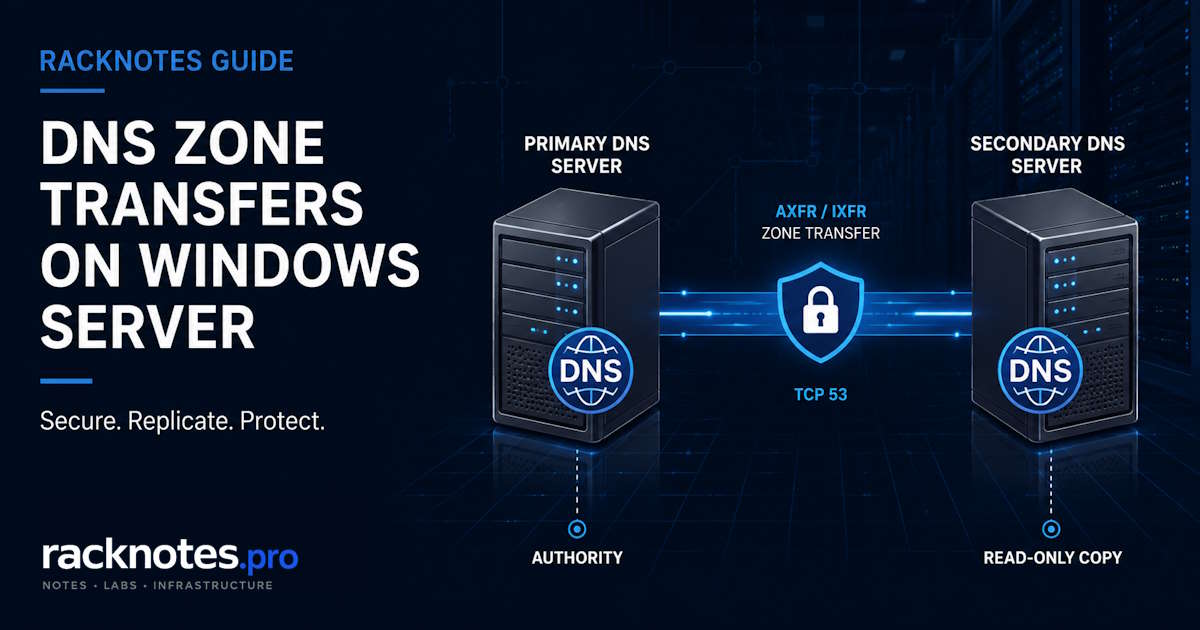
A windows server dns zone transfer replicates zone data from a primary DNS server to one or more secondary servers. The secondary holds a read-only copy and serves authoritative answers from it. The primary hosts the writable copy.
Two transfer types:
AXFR (full zone transfer): transfers the complete zone dataset every time. Bandwidth-heavy on large zones, but unconditionally complete. Required when the secondary has no existing copy of the zone.
IXFR (incremental zone transfer): transfers only records changed since the last successful transfer, identified by SOA serial number comparison. Windows DNS uses IXFR by default and falls back to AXFR when incremental data is not available.
The transfer sequence: the secondary sends an SOA query to the primary and compares serial numbers. If the primary serial is newer, the secondary requests a transfer. The primary sends IXFR (or AXFR if needed). The secondary applies the changes and updates its local SOA serial. This repeats on NOTIFY or on the SOA refresh interval timer.
Zone transfers use TCP port 53. Ordinary DNS queries use UDP most of the time, but DNS also uses TCP for truncated responses and other cases. A firewall rule that allows UDP 53 but blocks TCP 53 will pass standard queries while blocking all zone transfers – resolution appears healthy while secondary zones silently stagnate.
Without NOTIFY configured, the secondary polls based on the SOA refresh interval (default 900 seconds). With NOTIFY, the primary signals secondaries when the zone changes and transfers happen within seconds. NOTIFY carries no zone data – it tells the secondary to check the SOA serial and initiate a transfer if the primary is newer. Microsoft documents the full windows server dns zone transfer architecture in the DNS Server role overview.
First: Is This an AD-Integrated Zone?
Before any zone transfer troubleshooting, determine whether the zone is AD-integrated.
Get-DnsServerZone -ZoneName "contoso.com" | Select ZoneName, ZoneType, ReplicationScopeIf ZoneType returns Primary and ReplicationScope shows Domain, Forest, or Legacy, the zone is AD-integrated. Replication between domain controllers happens through Active Directory replication – not through windows server dns zone transfer mechanisms. All DCs are authoritative. Zone transfer settings in DNS Manager still appear for AD-integrated zones, but they only apply to non-DC secondary servers pulling a traditional copy.
If you have two DCs and DNS records are not appearing on one of them, zone transfers are not the problem. Check AD replication health with repadmin /showrepl and see Active Directory Replication Not Working. For zone replication scope across domains, see Windows Server DNS Replication Scope.
Zone transfers matter for:
- File-backed primary zones with traditional secondary servers
- Secondary zones on non-DC servers pulling from a primary DC
- Stub zones maintaining NS and SOA records from master servers
Windows Server DNS Zone Transfer Security
Older or migrated DNS environments may still contain zones configured to allow transfers to any server. Never assume the current setting is safe – verify each primary zone and restrict transfers to an explicit list of secondary server IP addresses.
Check the current setting:
dnscmd <server> /zoneinfo <zonename>Look for the Zone Transfer line in the output. Or in DNS Manager: right-click zone – Properties – Zone Transfers tab.
| Setting | What it allows | Use in production |
|---|---|---|
| Allow to any server | Any host that can reach the DNS server | Never |
| Allow only to servers listed on the Name Servers tab | DNS servers in the zone’s NS records | Easier to maintain than any-server, but depends on correct NS and address records; can behave unexpectedly in multi-homed configurations – prefer explicit list |
| Allow only to the following servers (explicit IP list) | Named secondary server IPs only | Correct choice – predictable, auditable |
A windows server dns zone transfer exposes your internal infrastructure. Every hostname, every IP, every internal service visible in a zone. An AXFR to an unauthorized server is a reconnaissance tool. Set the explicit IP allowlist, then test from both an authorized secondary (should succeed) and an unauthorized host (should receive a refusal).
Set the allowlist:
dnscmd <primary-server> /zoneresetsecondaries <zonename> /securelist <secondary-IP>Configure a matching NOTIFY list on the primary so secondaries receive change notifications. The NOTIFY list should contain only the authorized secondary IPs:
# In DNS Manager: Zone Properties - Zone Transfers - Notify
# Ensure notify target list matches the transfer allowlist
Why Secondary Zones Stop Updating
In order of actual frequency:
TCP 53 blocked by firewall. The most common cause of a failed windows server dns zone transfer. Test from the secondary server:
Test-NetConnection -ComputerName <primary-IP> -Port 53If this fails, the connectivity or filtering problem must be resolved before any DNS-level troubleshooting can proceed. UDP 53 passing does not prove TCP 53 passes.
SOA serial not incrementing. The secondary compares its serial to the primary’s. If the primary serial has not increased since the last transfer, the secondary concludes nothing has changed. Compare both:
Resolve-DnsName -Name <zonename> -Type SOA -Server <primary-IP>
Resolve-DnsName -Name <zonename> -Type SOA -Server <secondary-IP>
The primary serial must be newer for a transfer to trigger. Serial comparison follows DNS serial arithmetic for 32-bit values – in normal troubleshooting, a higher number on the primary means the primary is newer. Problems arise from manual rollbacks or incorrect serial generation, not from standards-compliant serial progression.
Transfer not allowed by ACL. The secondary is not in the primary’s transfer allowlist, or the allowlist was changed after adding a new secondary. Check:
dnscmd <primary-server> /zoneinfo <zonename>Confirm the secondary’s IP appears in the transfer allow list.
NOTIFY not configured. Without NOTIFY, the secondary waits for the SOA refresh interval before checking. Changes take up to 15 minutes to propagate under defaults – operators read this as a failure. Add the secondary’s IP to the NOTIFY list on the primary.
AXFR/IXFR interoperability. Interoperability issues can occur with legacy DNS software or appliances. If a peer server does not support IXFR or implements it incorrectly, transfers may fail. Confirm the peer’s supported transfer types and inspect server logs before drawing conclusions. To trigger a manual full windows server dns zone transfer from a Windows secondary:
Start-DnsServerZoneTransfer -Name "<zonename>" -ComputerName "<secondary-server>" -FullTransferDiagnosing Zone Transfer Failures
- Confirm this is a traditional secondary or stub zone – run
Get-DnsServerZone -ZoneName <zone> | Select ZoneType, ReplicationScope. If AD-integrated on both servers, troubleshoot AD replication instead. - On the secondary, confirm the zone and its configured master servers:
Get-DnsServerZone -Name <zonename> -ComputerName <secondary> | Format-List * - Test TCP 53 from the secondary to every configured master:
Test-NetConnection -ComputerName <primary-IP> -Port 53– must succeed - Compare SOA serials on both servers:
Resolve-DnsName -Name <zonename> -Type SOA -Server <primary-IP>and the same against the secondary – primary serial must be newer - Verify the secondary’s source IP is in the primary’s transfer allowlist:
dnscmd <primary> /zoneinfo <zonename> - Trigger a refresh:
dnscmd <secondary> /zonerefresh <zonename>– this checks the SOA serial and initiates a transfer only if the primary is newer - Immediately inspect DNS Server event log on both servers – filter by the time of the test and read the full event message and error code
- If interoperability is still suspect, capture the DNS exchange to confirm whether the server attempted IXFR, AXFR, or refused the request
DNS Server event log: Event Viewer – Applications and Services Logs – DNS Server. For a full reference of DNS Server event IDs and what each means, see Windows Server DNS Event IDs Explained.
After forcing a refresh, check the DNS Server log on both primary and secondary. Filter by the time of the test and read the complete event message and error code. The event ID alone is not sufficient for diagnosis – the detail in each event message matters. The DNS troubleshooting guidance on Microsoft Learn covers server-side event log interpretation in detail.
Verifying Transfer Status
dnscmd <server> /zoneinfo <zonename>Output fields to check: Zone Type (Primary, Secondary, Stub, DS for AD-integrated), Zone Transfer setting with any IP allowlist, Notify list, SOA serial. For secondary zones, also note when the last successful transfer occurred.
# Check zone operational state
Get-DnsServerZone -Name <zonename> -ComputerName <server> | Select *

# Verify transfer authorization (primary side)
dnscmd <primary> /zoneinfo <zonename>

# Test transfer from authorized secondary
nslookup
server <primary-IP>
ls -d <zonename>
The nslookup ls -d command attempts a zone listing from the named server. Run this only from an authorized host. A successful result returns zone contents and confirms that the windows server dns zone transfer ACL is permitting the requesting host. An unauthorized host should receive a refused response.
Securing Zone Transfers: Minimum Baseline
For any zone with non-public data:
1. Use an explicit transfer allowlist. Permit transfers only to the IP addresses of authorized secondary DNS servers. This is more predictable than the NS-record option, especially in multi-homed configurations.
2. Match the NOTIFY list to the authorized secondaries. NOTIFY carries no zone data – it tells the secondary to check for a newer SOA serial. Configure the NOTIFY list to contain only authorized secondary IPs and ensure it matches the transfer allowlist.
3. Restrict TCP 53 by source and destination. Internal authoritative DNS zone transfers should not be accessible from untrusted networks. Allow TCP 53 from approved secondary servers to the primary DNS server. Verify the rule covers TCP specifically – UDP 53 alone is not sufficient.
4. Test from both authorized and unauthorized hosts. The authorized secondary should transfer successfully. An unapproved host should receive a refusal. Verify both conditions after any configuration change.
5. Review every primary zone separately. Zone transfer settings are per-zone. Do not assume all zones on a server have the same configuration. Use dnscmd /zoneinfo to audit each primary zone’s transfer settings systematically.
Stub Zones vs Secondary Zones
A question that comes up when choosing between delegation approaches:
Secondary zone: full read-only copy of zone data, served authoritatively. Updates via windows server dns zone transfer (AXFR/IXFR). The secondary DNS server answers queries directly from its local copy.
Stub zone: holds only the zone’s SOA record, NS records, and the glue address records for the zone’s name servers. Does not answer queries directly – delegates to the listed name servers. Updates via transfer, but only for those three record types.
Use stub zones when you need delegation information to stay current automatically but do not want to replicate the entire zone. Common in multi-domain environments where the parent zone should automatically track name server changes in child zones without hosting the full child zone data.
Stub zone transfer failures show the same symptoms as secondary zone failures – TCP 53 dependency, SOA serial comparison, ACL enforcement. The same diagnostic sequence applies.
Common Misconfigurations
Notify list out of sync with transfer ACL. These are configured separately. Adding a new secondary to the NOTIFY list but forgetting to add it to the transfer ACL means the secondary receives the notification, attempts the windows server dns zone transfer, and gets refused. The DNS Server log on the secondary records a refusal. The DNS Server log on the primary may record a transfer denial. Check both.
Zone type mismatch after promotion. When a secondary is promoted to primary (for redundancy or failover), verify it holds a current zone file and that all downstream secondaries are reconfigured to use it as master. A freshly promoted primary that loads from a stale file will serve outdated data until the file is updated.
DNSSEC and zone transfers. When a zone is DNSSEC-signed, zone transfers include the DNSSEC record types (RRSIG, NSEC, DNSKEY). A secondary serving a signed zone must support these record types and preserve the complete signed dataset. After transfer, query the secondary directly for DNSKEY and RRSIG records to confirm it serves the signed zone correctly:
Resolve-DnsName -Name <zonename> -Type DNSKEY -Server <secondary-IP>
Resolve-DnsName -Name <zonename> -Type SOA -Server <secondary-IP> -DnssecOk
FAQ
Why does nslookup resolve correctly from the secondary but zone records are weeks old?
The secondary is serving from its existing copy. Queries work because the secondary holds zone data – it is just stale. The windows server dns zone transfer from primary to secondary is failing silently. Run dnscmd <secondary> /zoneinfo <zonename> and check when the last successful transfer occurred. Then work through the diagnostic sequence to find why transfers are failing.
Can I force an immediate zone transfer without waiting for the refresh interval?
Yes. From the secondary: dnscmd <secondary-server> /zonerefresh <zonename> checks the SOA serial and initiates a windows server dns zone transfer if the primary is newer. To force a full AXFR regardless of serial comparison: Start-DnsServerZoneTransfer -Name "<zonename>" -ComputerName "<secondary-server>" -FullTransfer. In DNS Manager on the secondary: right-click zone – Transfer from Master.
Do AD-integrated zones need zone transfer configuration?
No, for replication between domain controllers. AD-integrated zones replicate through Active Directory, not windows server dns zone transfer mechanisms. Zone transfer settings on an AD-integrated zone only apply if you have traditional (non-DC) secondary servers pulling a copy from that DC. If your only DNS servers are domain controllers, zone transfer settings do not affect DC-to-DC synchronization.
Can I use dnscmd /config /SecureSecondaries 0 to test AXFR?
No. SecureSecondaries controls which hosts are permitted to receive zone transfers, not whether Windows uses AXFR or IXFR. Setting it to 0 can allow transfers to any server that can reach your DNS server – the opposite of the security guidance in this article. To force a full transfer from an authorized secondary, use Start-DnsServerZoneTransfer -FullTransfer instead.
What is the difference between a transfer failure on the primary and on the secondary?
The DNS Server log on the primary records failures related to sending transfers – permission denials, connectivity problems on the primary side, and notifications. The DNS Server log on the secondary records failures related to requesting and receiving transfers. Check both when diagnosing. The full event message and error code in each event provide more actionable detail than the event ID alone.
Is there a performance risk from zone transfers on large zones?
AXFR on a zone with tens of thousands of records consumes meaningful bandwidth and CPU on the primary. IXFR keeps this minimal under normal operation – only changed records transfer. If you are forcing AXFR frequently due to compatibility issues, the underlying interoperability problem is worth solving rather than working around with scheduled transfers.
Can a stub zone be secured the same way as a secondary zone?
Yes. Stub zones use the same transfer mechanism and the same TCP 53 dependency. Restrict the transfer ACL on the master server to include only authorized stub zone holders. The diagnostic sequence for a stub zone not updating is identical to a secondary zone not updating.
Windows Server DNS Series
10 articles — Zones & Configuration · Scavenging · Forwarders · Replication Scope · Split-Brain DNS · Troubleshooting · Dynamic Updates · Event IDs · Scavenging Recovery · Zone Transfers