
- When a GPO is not applying, run
gpresult /rfor the correct user and computer context before opening the GPO editor. - Read the Applied and Filtered GPO sections separately. If the target GPO appears in neither section, verify the report context, scope, links, inheritance, disabled GPO sections, and replication.
- Confirm the object actually sits in the OU the GPO is linked to, and that the relevant Computer or User Configuration section is enabled.
- Security Filtering and WMI Filtering can exclude a GPO without any error dialog.
gpresult, Group Policy Results in GPMC, and the Group Policy Operational log can help confirm whether the GPO was denied and why. - A recent group membership change can make a correctly configured GPO appear broken, because the current security context is stale, not because the policy is wrong.
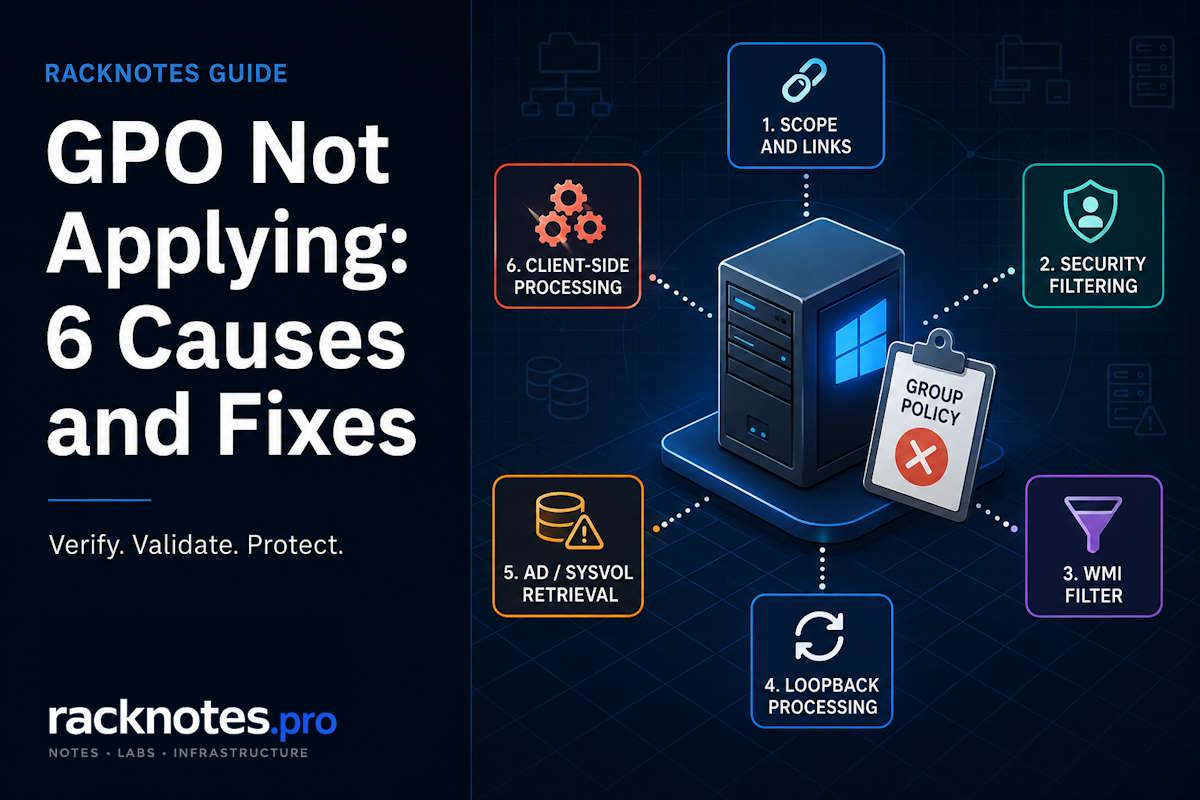
GPO not applying to a specific user or computer does not automatically mean the Group Policy Object itself is broken. The failure usually belongs to one of several layers: scope and links, filtering, loopback processing, AD or SYSVOL retrieval, the current security context, or a client-side extension.
Start With a Fresh gpresult Report
For a missing-setting ticket, the practical starting point is gpresult, because it quickly shows whether the GPO was applied, denied, or never entered the candidate list for that user or computer. Microsoft’s formal troubleshooting guidance for Group Policy uses both the System event log and the Group Policy Operational log as the core diagnostic path, and the same guidance also recommends collecting a gpresult report. In practice, the realistic workflow is: use gpresult for fast routing, then use the event logs to explain the failure in detail once you know roughly where it happened. For the full command syntax, switches, and RSoP error fixes, see the GPResult command guide.
Run the Report for the Correct Context
gpresult /ror, for a reusable browsable report:
gpresult /h "%TEMP%\gpresult.html" /fThe /f switch overwrites the file so the same command works on every rerun. Run it elevated for computer scope, and confirm you’re generating the report against the actual affected user and computer, not just whichever session happens to be open. A report collected for the wrong context looks like a failure even when the real target is processing correctly.
Read Applied and Filtered GPOs Correctly
- Applied means the GPO entered the effective policy set. It does not prove that every setting inside it became the winning value, or that every client-side extension finished successfully.
- Denied (Security) means effective GPO permissions prevented the policy from applying in the evaluated context. Check Read, Apply Group Policy, explicit Deny entries, and the computer account’s ability to read user-side GPOs.
- Denied (WMI Filter) means the attached WMI filter evaluated false or couldn’t be evaluated. Go to the WMI filter.
- Missing from both sections means the report did not show the GPO as applied or filtered for the context being inspected. Verify the user or computer context, object location, links, inheritance, disabled GPO sections, replication, and the target used to generate the report before assigning a cause.
GPO Not Applying: Six Common Causes
Once a fresh gpresult report is in hand, a GPO not applying usually traces back to one of six failure classes: scope and links, security filtering, the WMI filter, loopback processing, AD/SYSVOL retrieval, or client-side extension processing. The sections below provide a practical order for separating scope, filtering, loopback, retrieval, security-context, and client-side extension problems.
1. Wrong Target, OU, Link, or Disabled GPO Section
If the GPO appears in neither the Applied nor Filtered sections, start by verifying scope and context. Computer settings normally require the computer object to be within the site, domain, or OU scope of the link; user settings require the corresponding user scope unless loopback changes the user-side GPO list. The default Computers container is not an OU, so a GPO cannot be linked to it directly. A computer left in that container still receives domain-linked policies, but not policies linked to the OU where an administrator expected the computer to be.
If the object was recently moved between OUs, first allow the AD object-location change to replicate to the domain controller used by the client. Then run or trigger a fresh policy processing cycle and generate a new GPResult report. Restart or sign out only when the affected extension requires foreground processing or when the security context also changed.
2. Security Filtering Denies the Target
If gpresult shows Denied (Security), effective permissions are preventing the GPO from applying. Check both Read and Apply Group Policy, including explicit Deny entries and the computer account’s Read access for user-side GPOs. One common configuration mistake is removing Authenticated Users from the Scope tab to target a narrower group, which can also remove the computer account’s Read permission on user-side GPOs.
3. The WMI Filter Does Not Evaluate as True
A GPO can be linked to only one WMI filter, although that filter can contain multiple WQL queries. gpresult reports a WMI-related denial when the linked filter doesn’t evaluate as true or can’t be evaluated. Possible causes include an incorrect query, a timeout, an unavailable WMI provider or namespace, or a WMI service problem on the target. Keep the filter as simple as possible and test the query directly on the target computer. Do not assume that Win32_OperatingSystem.BuildNumber is numeric: WMI exposes it as a string, so naive greater-than comparisons can return unexpected results.
4. Loopback Changes the User-Side GPO List
On RDS hosts, kiosks, and shared VDI machines, loopback processing changes how the user-side GPO list is built. Verify that loopback is enabled through a computer-side GPO linked to the computer’s OU, and confirm whether Merge or Replace is the intended mode. Then review the effective permissions on the user-side GPOs involved. Do not try to filter loopback user settings simply by denying or removing Read or Apply Group Policy from the computer object; that specific scenario needs a dedicated loopback troubleshooting flow for principal-specific filtering.
5. The Client Cannot Retrieve AD or SYSVOL Data
A GPO has an Active Directory component and a file-based template in SYSVOL. The client can pass link and filtering checks and still fail when it cannot contact a domain controller, authenticate, read the policy path, or retrieve a consistent copy of the GPO. Use the event ID and its paired error code to choose the next branch, since the three most common IDs in this area point to meaningfully different problems:
- Event ID 1058 commonly points to a failure reading a policy file such as
gpt.ini. - Event ID 1129 indicates a lack of connectivity to a domain controller.
- Event ID 1030 is broader and should be interpreted together with its paired event and detailed error code, not treated as identical to 1058 or 1129.
If the logs already show a retrieval or domain-controller connectivity error such as Event ID 1058 or 1129, follow that evidence immediately. Otherwise, confirm scope and filtering before expanding the investigation into DNS, DC reachability, SYSVOL availability, and DFSR replication, since that path takes longer to work through. This branch usually requires broader infrastructure checks, so leave it until scope and filtering are verified unless the event log already points to retrieval or connectivity.
6. The Setting Is Deferred or Skipped by Its Client-Side Extension
A GPO can show Applied while a specific setting is still missing because client-side extensions have their own processing requirements. Folder Redirection is processed at user sign-in, while Software Installation is processed at computer startup or user sign-in. For Group Policy Preferences such as Drive Maps, check the preference item’s targeting, action, and Application-log events instead of assuming that the GPO itself failed.
Windows uses a default Group Policy slow-link threshold of 500 Kbps, but a slow link doesn’t produce one universal outcome for every extension. Check whether the connection was classified as slow, whether policy ran in the foreground or background, and whether the relevant extension is configured to process across slow links at all.
Use the Group Policy Operational log for the overall processing instance and client-side extension timeline. For Group Policy Preferences items such as Drive Maps, also check the Application log, where item-level success, targeting, and failure events are recorded.
Check Whether the Security Context Is Stale
A large share of “not applying” tickets aren’t GPO failures at all. A GPO not applying can look like a broken policy when the target’s group membership changed after the current security context was already built, even though the GPO or filter is configured correctly.
User Group Membership
For a user-group change, sign out and sign back in so Windows builds a new user security context. Purging Kerberos tickets alone does not rebuild the current local access token.
Computer Group Membership
For a computer-account group change, a restart is the most reliable way to refresh the machine security context. Advanced troubleshooting can use klist purge -li 0x3e7 to clear the LocalSystem Kerberos ticket cache, but this targets the computer session specifically and shouldn’t be presented as a universal replacement for sign-out or restart.
After sign-in or restart rebuilds the correct security context, generate a fresh GPResult report and confirm the new group membership and effective GPO set. Run gpupdate /force only when another refresh is still needed; remember that foreground-only extensions may require the next sign-in or startup rather than another background refresh.
Capturing a GPResult report before editing the GPO helps prevent policy-content changes when the real problem is scope, filtering, context, or retrieval.
The table below summarizes common gpresult and event-log signals for a GPO not applying, and where to check next.
Symptom-to-Next-Check Table
| What You See | Most Likely Direction | Next Check |
|---|---|---|
| Denied (Security) | Permissions / security filtering | Delegation tab: Read and Apply Group Policy |
| WMI-related denial | Filter evaluated false or errored | Test the WQL query directly on the target |
| GPO missing from both sections | Context, scope, enumeration, or replication | User/computer target, OU, links, disabled sections, inheritance, replication |
| Applied, but setting missing | Client-side extension or precedence | Operational/Application logs, winning GPO in the report |
| Event ID 1058 | Policy file retrieval failure | gpt.ini path, SYSVOL, DNS, replication |
| Event ID 1129 | No connectivity to a domain controller | DNS, LDAP/DC reachability |
Practical Takeaway
Most tickets involving a GPO not applying resolve in roughly the same order:
- Start every ticket about a GPO not applying with
gpresult /rfor the correct context, not the GPO editor. - A filtering reason routes you toward security permissions or the WMI filter. If the GPO is missing from both sections, verify context and scope first, but do not treat absence alone as proof of one cause.
- Security group changes may require a new user or computer security context. An OU move usually needs only a fresh policy processing cycle, while a user-group change normally needs sign-out/sign-in and a computer-group change may require a restart.
- Settings tied to specific client-side extensions can lag behind a GPO showing Applied, particularly for foreground-only extensions and slow-link scenarios.
- Escalate to DNS, SYSVOL, and replication only after link, filtering, and security-context timing are ruled out, unless the event log already points there directly.
FAQ
Why does gpresult show a GPO as Applied but the setting still isn’t visible?
Applied means the GPO entered the effective policy set, but it doesn’t prove that every setting inside it became the winning value or that every client-side extension completed successfully. Check precedence, the winning GPO named in the HTML report, and the relevant CSE events.
Does gpupdate /force fix “GPO not applying” issues?
It reapplies the current policy set, but it doesn’t fix scope, permissions, broken retrieval, or a stale security token. If gpresult shows Denied (Security) or Denied (WMI Filter), forcing an update just reprocesses the same denial.
How long does it take for a new GPO link to apply?
By default, Group Policy refresh occurs every 90 minutes with a randomized offset of up to 30 minutes, or immediately with gpupdate /force. A targeted gpupdate can trigger an immediate refresh, but settings that require foreground processing may still wait for the next startup or sign-in.
GPO Not Applying When Linked to an OU: What Should You Check?
First confirm that the affected user or computer object is actually inside that OU and that the correct half of the GPO is enabled. Then check the link status, inheritance, security filtering, WMI filtering, and the gpresult report for the correct user or computer context. Remember that the default Computers container is not an OU, so a GPO cannot be linked directly to it.
Why is a GPO not applying to one computer?
When one computer misses a GPO that applies to comparable computers, start with machine-specific and context-specific checks. Confirm the computer object’s OU and site, the enabled GPO section, GPResult output, security filtering, WMI evaluation, stale computer-group membership, DNS, the domain controller used for processing, and SYSVOL access from that machine.
Do Microsoft Entra joined devices receive on-premises GPOs?
No. Microsoft Entra joined-only devices are not joined to on-premises Active Directory Domain Services, so they do not process AD-based Group Policy. They normally use Intune or another MDM for policy management. Microsoft Entra hybrid joined devices remain joined to on-premises AD DS and can continue to process Group Policy when they have the required domain connectivity.
Final Thoughts
Most tickets involving a GPO not applying resolve faster once gpresult replaces guesswork as the first step, since the report usually narrows the failure to one of a handful of classes before a single event log is opened. For most SMB and homelab environments, the practical sequence is scope and link first, filtering second, and DNS/SYSVOL/replication only if the first two check out clean or the logs don’t already point there directly. Skipping straight to SYSVOL or recreating the GPO is where hours get lost on tickets that were a permissions checkbox, or a session that just needed a restart.
For the complete logs-and-tools workflow, including the Operational log and Activity ID method, use the Group Policy troubleshooting guide. This page covers the broad symptom of group policy not applying because the expected policy appears to be missing entirely, not the full diagnostic methodology.
Group Policy Troubleshooting Series
8 articles – Workflow · Precedence · GPResult · GPUpdate · Filtering · Loopback · Events