
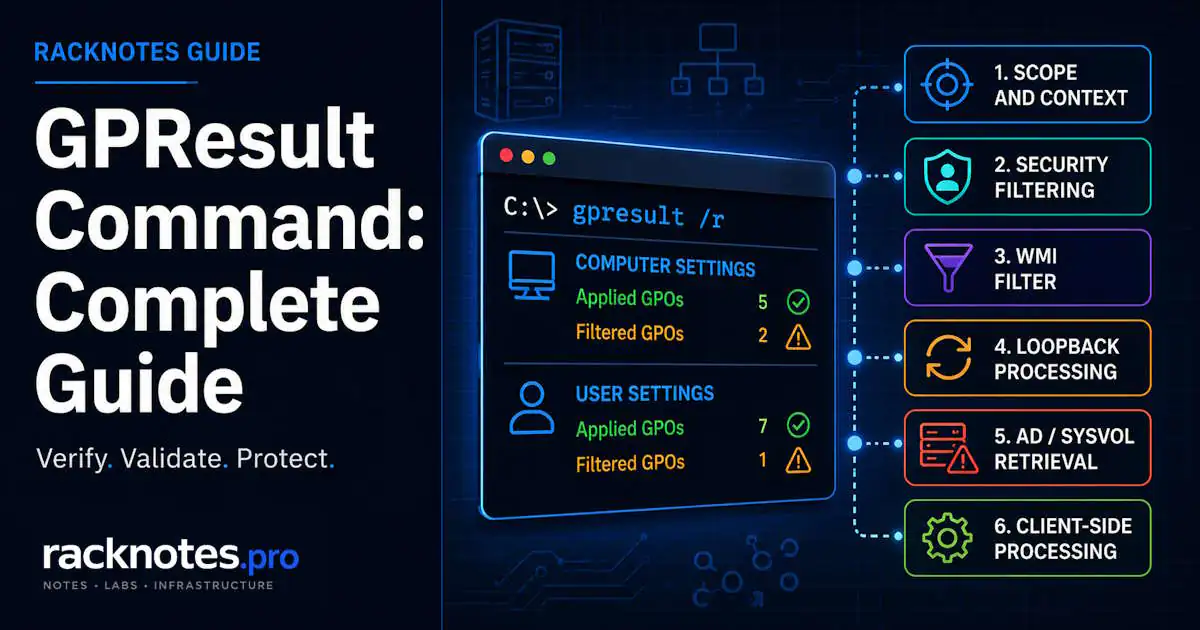
gpresult /rprints a quick RSoP summary: applied and filtered GPOs for the current user and computer.gpresult /h "%TEMP%\gpresult.html" /fwrites a browsable HTML report and overwrites it on every rerun, so the same command works repeatedly.- Run GPResult from an elevated prompt when you need computer-scope data; otherwise the computer section may be unavailable or return Access Denied.
/scope computeror/scope usernarrows the report to one side when you only need one.- “ERROR: Access Denied” and “INFO: The user does not have RSOP data” are two different problems with two different fixes, not the same failure.
The GPResult command shows the Resultant Set of Policy for a user or computer: which GPOs applied, which were filtered out, and which settings became effective. If an expected GPO appears in neither the applied nor filtered lists, that absence is a clue to check the report context, OU scope, links, inheritance, and disabled GPO sections. For the broader set of causes behind a missing policy, see GPO Not Applying: 6 Causes and Fixes; this article stays focused on the GPResult command itself: its switches, its output, and the errors it returns.
Quick Command Reference
The GPResult command takes one output mode plus optional scope, target, and remote switches. The most common combinations are:
| Command | What It Does |
|---|---|
gpresult /r | Displays summary RSoP data for user and computer scope |
gpresult /h "%TEMP%\gpresult.html" /f | Creates an HTML report and overwrites the previous file |
gpresult /r /scope computer | Displays computer-scope RSoP summary data |
gpresult /r /scope user | Displays user-scope RSoP summary data |
gpresult /user CONTOSO\User /scope user /r | Displays existing RSoP data for a specific target user |
gpresult /s PC01 /r | Queries RSoP data from a remote computer |
gpresult /v | Displays verbose policy information for settings with precedence 1 |
gpresult /z | Displays all available RSoP information, including settings with precedence 1 and higher |
gpresult /z > "%TEMP%\gpresult.txt" | Saves the detailed console output to a text file |
How to Use the GPResult Command
The GPResult command supports several output modes, but the following examples cover the switches used most often during Group Policy troubleshooting.
GPResult is the command that answers a specific question fast: which GPOs actually applied to this user or computer, and which ones were filtered out. gpresult /r is the command to run first on almost any “is this policy actually applied” question. Output splits into a computer settings section and a user settings section, each listing applied GPOs and filtered GPOs.
Run it from an elevated prompt when the ticket is about computer-side settings. Without sufficient rights, computer-scope output may be unavailable or return Access Denied. If elevation does not resolve the error, check local or remote permissions and RSoP/WMI availability instead of assuming that the GPO itself failed.
/u and /user Are Not the Same Switch
/u domain\adminspecifies the account whose credentials are used to run a remote GPResult query./user domain\targetuserspecifies the user whose existing RSoP data you want to display.
gpresult /s PC01 /u CONTOSO\AdminUser /user CONTOSO\TargetUser /scope user /rHere, AdminUser runs the query, while TargetUser is the user whose policy results are returned. The /h and /x report modes cannot be combined with /u, /p, /r, /v, or /z. If alternate remote credentials are required, use /r, /v, or /z, or run the HTML report from an appropriately authorized session without alternate credentials.
gpresult /h: The Report You Can Actually Read
For anything beyond a quick check, generate the HTML report:
gpresult /h "%TEMP%\gpresult.html" /fThe /f switch overwrites the file, so the same command works on every rerun without manually deleting the old report first. The HTML report presents the RSoP data in a more readable format and can show the winning GPO for individual settings, precedence information, and filtering details for GPOs that did not apply. It can route the investigation, but it does not replace the System and Group Policy Operational logs when the filtering status is incomplete or the failure occurred during policy retrieval or client-side processing.
On ARM64 versions of Windows, Microsoft documents that only the gpresult executable in SysWOW64 supports the /h option.
Filtering information is one of the most useful parts of the report. A GPO may be filtered because of effective permissions, a WMI filter, or a disabled configuration section. If the expected GPO appears in neither the applied nor filtered lists, investigate context, scope, links, and inheritance separately.
Reading Applied vs Filtered Correctly
Applied means the GPO entered the effective policy set for that user or computer. It does not mean every setting inside that GPO actually took effect. Software Installation, Folder Redirection, and Group Policy Preferences items use client-side extensions that can fail or be deferred independently of the GPO showing Applied. An Applied entry confirms that the GPO entered the effective RSoP set; it does not confirm that every individual setting completed successfully or became the winning value.
Filtered or denied GPOs usually include a filtering status or reason, although some cases still require the Operational log for a complete explanation:
- Denied (Security) – effective permissions prevented the GPO from applying. Check Read, Apply Group Policy, explicit Deny entries, group membership, and the computer account’s ability to read user-side GPOs.
- Denied (WMI Filter) – the linked WMI filter evaluated false or couldn’t be evaluated.
- Missing from both lists – the GPO may not have entered the candidate set for the context being inspected. Verify the user or computer context, object location, links, inheritance, disabled GPO sections, and replication before assigning a cause.
gpresult /scope: Querying One Side Only
By default GPResult reports both computer and user settings together. /scope computer or /scope user narrows it to just one side, which is useful when a ticket is specifically about, say, a mapped drive (user-side) and the computer-side output is just noise. Scope narrowing doesn’t change what GPResult can see; it only changes what gets printed.
Fixing “ERROR: Access Denied”
When the GPResult command returns “ERROR: Access Denied”, the current account usually does not have enough rights to query the requested scope. Run Command Prompt as administrator and try again. If the error remains, check local or remote permissions, especially when querying another computer with /s, and confirm that RSoP/WMI access is available on the target.
Fixing “INFO: The User Does Not Have RSoP Data”
This message means the target computer does not have RSoP logging data for the user context requested by the command. It is different from Access Denied. Common causes include:
- The target user has not signed in to that computer. GPResult reports actual RSoP data stored on the target system. The
/userswitch selects the user whose existing RSoP data should be displayed; it does not generate a simulated result for a user who has never signed in. - The wrong computer or user context is being queried. Confirm the affected user, the computer on which the problem occurred, and whether the command is running locally or through
/s. - User policy processing did not complete successfully. Check the System log and the
Microsoft-Windows-GroupPolicy/Operationallog for the affected sign-in or refresh instance. - RSoP or WMI data is unavailable. If GPResult and Group Policy Results both fail and the logs show WMI or RSoP provider errors, investigate WMI health. Do not jump directly to re-registering components without log evidence and a backup or rollback plan.
gpresult /user CONTOSO\TargetUser /scope user /rUse this to request existing RSoP data for a specific user on the target computer. The user normally needs to have signed in to that computer so that user-side RSoP data exists. The GPResult command does not calculate simulated policy for an arbitrary AD user; Group Policy Modeling, not GPResult, is the tool for that.
GPResult Against a Remote Computer
gpresult /s PC01 /rRunning the GPResult command against a remote computer requires the target to be online, inbound firewall rules for remote RSoP traffic, and sufficient permissions. Microsoft’s current GPResult documentation confirms the firewall requirement, while Group Policy Results requires either delegated remote-results permission or appropriate local administrator rights with network connectivity. Microsoft’s legacy remote RSoP port reference lists WMI, RPC/EPMAP, Remote Event Log traffic, and TCP 445/SMB; verify the corresponding built-in firewall rules on the Windows versions in your environment.
If the command fails remotely, first verify:
- name resolution and basic reachability;
- WMI and RPC firewall rules;
- TCP 445 where required;
- the account’s local or delegated Group Policy Results permissions;
- whether the target user has signed in and has RSoP data on that computer.
A remote connectivity or authorization failure does not prove that Group Policy processing itself failed.
For delegated administration, grant Remotely access Group Policy Results data on the relevant domain or OU instead of making every operator a local administrator.
What GPResult Does Not Tell You
The GPResult command is primarily an RSoP reporting tool. It can show applied policies, filtering information, effective settings, and some useful error clues, but it does not always identify the underlying cause of DNS, SYSVOL, domain-controller connectivity, replication, or client-side extension failures. Correlate the report with the System and Group Policy Operational logs when the result is incomplete or inconsistent with the visible symptom.
GPResult also reflects a point-in-time snapshot built from the current security context. A recent change to group membership won’t show up correctly until that context refreshes, typically at the next sign-in or restart, so a “stale” GPResult report can look like a policy failure when it’s really just an old token.
Practical Takeaway
- Start with
gpresult /rfor a fast applied/filtered summary; move togpresult /hwhen you need the winning-GPO detail or filtering reasons. - Run GPResult from an elevated prompt when computer-scope data is required. If Access Denied appears, verify elevation and local or remote permissions before treating it as a GPO-processing failure.
/usupplies the credentials to run the query;/userselects whose RSoP data gets displayed. They can be two different accounts.- “No RSoP data” and “Access Denied” are different failures with different fixes. Don’t treat them as interchangeable.
- GPResult tells you what happened, not why an infrastructure-level retrieval failed. Correlate with the System and Operational logs when the report is incomplete or inconsistent with the symptom.
FAQ
What’s the difference between gpresult /r and gpresult /h?
/r prints a quick text summary to the console: applied and filtered GPOs for user and computer. /h generates a full HTML report with additional detail, including the winning GPO for contested settings and filtering information for GPOs that did not apply.
What is the difference between /u and /user in GPResult?
/u supplies the credentials used to run a remote query. /user selects the user whose existing RSoP data should be displayed. They can refer to two different accounts. The /h and /x report modes cannot be combined with /u, /p, /r, /v, or /z.
Why does gpresult say “ERROR: Access Denied”?
Most commonly because the command prompt wasn’t run elevated while querying computer scope. Reopen it as administrator and rerun the same command.
Why does gpresult show “The user does not have RSoP data”?
Usually because the target user has never signed in to that computer, the wrong user or computer context is being queried, or user policy processing did not complete successfully. Query the specific user directly with /user domain\user /scope user, and check the System and Operational logs if the data still doesn’t appear.
Why are computer settings missing from GPResult?
Run the command from an elevated prompt and confirm that computer scope was not excluded. If computer-scope RSoP still cannot be read, check local permissions, WMI/RSoP availability, and the System and Group Policy Operational logs.
Can I run the GPResult command against a remote computer?
Yes, with gpresult /s PC01 /r. It requires the target to be reachable, WMI/RPC and Remote Event Log firewall rules, TCP 445 where required, and sufficient rights on the querying account. Connectivity or authorization failures here are infrastructure problems, not proof that Group Policy processing failed.
Final Thoughts
For most SMB and homelab environments, the gpresult command quickly answers whether an expected GPO appears in the applied or filtered policy set, while the HTML report makes effective settings and precedence easier to inspect. Use it for fast routing, then correlate its findings with the System and Group Policy Operational logs whenever the report shows an error, omits an expected GPO, or cannot explain why an applied setting is still missing.
Group Policy Troubleshooting Series
8 articles – Workflow · Precedence · GPResult · GPUpdate · Filtering · Loopback · Events