
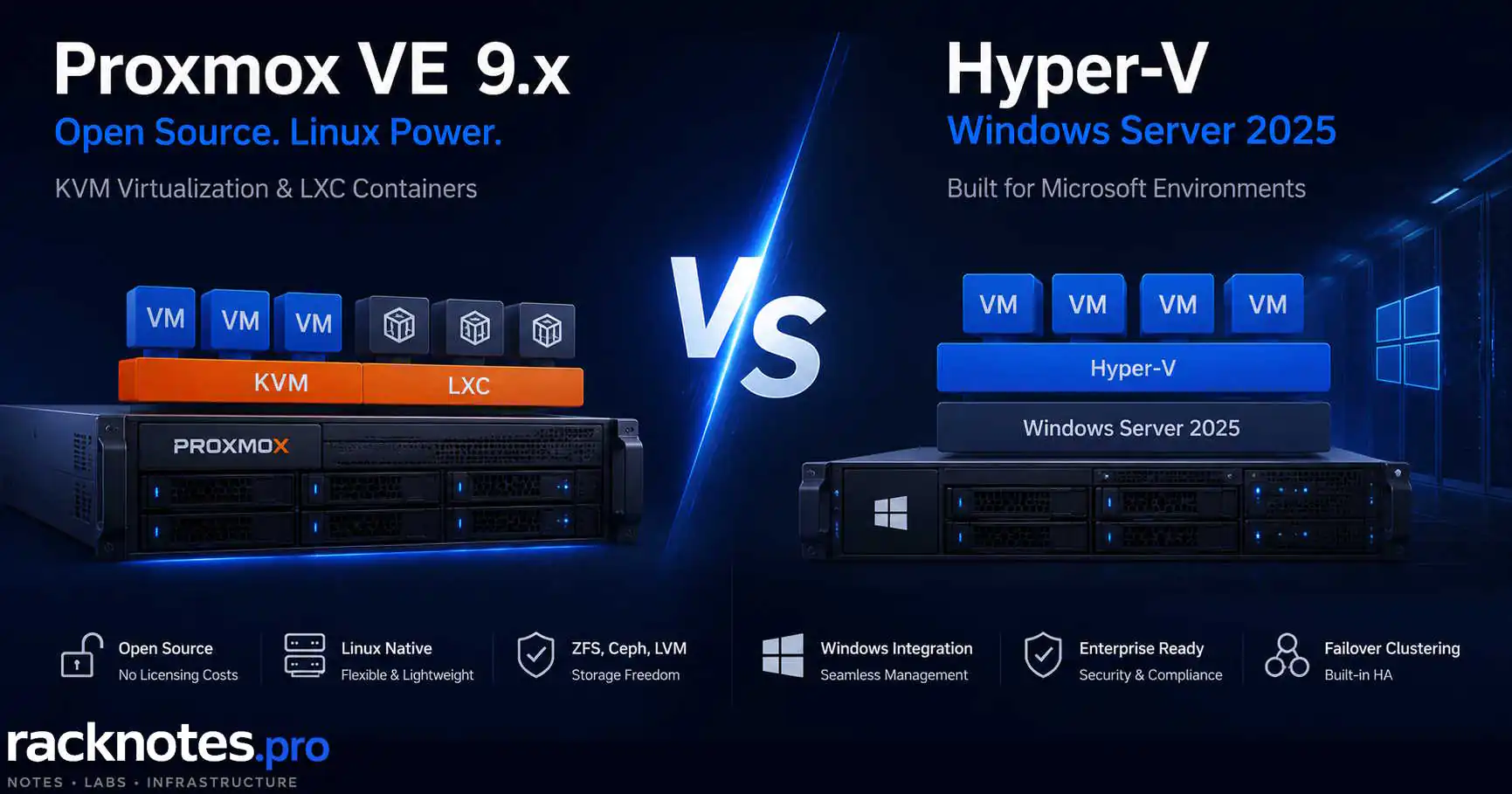
Most hypervisor comparisons stop at a feature table and a shrug. Proxmox vs Hyper-V is a comparison that actually requires a decision – two production-viable, actively developed platforms that solve the same problem from completely different directions, with different licensing exposure and different failure behavior. That is what makes the proxmox vs hyper-v choice a real decision rather than a spec sheet. Which one fits your environment depends less on the feature list and more on what your team already knows, what Windows workloads you run, and what licensing reality looks like at your scale.
Choose Proxmox when your team has Linux expertise, wants integrated ZFS/Ceph/LXC, and wants to avoid a paid Windows host-hypervisor license. Windows Server guest licenses and CALs still apply to any Windows workloads you run on it.
Choose Hyper-V when Windows Server, PowerShell, Failover Clustering, Windows Admin Center, Microsoft security tooling, and existing Windows Server licensing are already central to the environment.
Both platforms support production virtualization, high availability, and live migration. The decision should turn on workload licensing, team skills, storage, backup, support, and recovery – not on a single feature winner.
| Category | Proxmox VE 9.2 | Hyper-V on Windows Server 2025 |
|---|---|---|
| Host platform | Free AGPL software; optional subscription per occupied socket | Licensed Windows Server platform |
| Windows Server guest licensing | Still required for Windows guests | Host licenses provide Windows Server virtualization rights |
| CALs | Apply to accessed Windows Server workloads | Apply to accessed Windows Server workloads |
| Linux workloads | Excellent – KVM + Linux-native host tooling, integrated LXC | Officially supported Type-1 virtualization; no integrated container equivalent |
| Windows workloads | Strong – VirtIO drivers recommended | Deepest Microsoft integration |
| HA clustering | Corosync, no AD required | Windows Failover Cluster; workgroup cluster option |
| Built-in load balancing | Dynamic Load Balancer (VE 9.2) | VM Load Balancing in Failover Clustering |
| Storage | ZFS, Ceph, LVM-thin, NFS, SMB, iSCSI | VHDX, ReFS, CSV, SMB3, SAN, S2D |
| Standalone free hypervisor | Yes – core product is free | No free standalone SKU after Hyper-V Server 2019 |
- Proxmox is free software (AGPL). Hyper-V requires a Windows Server 2025 license, and the standalone free Hyper-V Server line ended after Hyper-V Server 2019.
- Windows Server guest licensing and CALs follow the Windows workloads, not the hypervisor. If you run Windows Server VMs on Proxmox, those licenses and CALs still apply.
- Proxmox clusters do not require Active Directory. Hyper-V Failover Clusters traditionally do, though workgroup clusters (supported for Hyper-V workloads in Windows Server 2025) are an AD-free path.
- Both platforms have built-in automatic load balancing and both support shared-nothing live migration. The differences are in operational model, not raw capability.
- Skill set alignment is the most underrated decision factor. A team that lives in PowerShell and Windows Admin Center will be more productive on Hyper-V regardless of what any feature comparison says.
Proxmox vs Hyper-V: What You’re Actually Comparing
Proxmox VE 9.x runs on Debian Linux (Debian 13 “Trixie” base as of VE 9.2). It combines KVM for full virtualization and LXC for containers, managed through a web UI and CLI. There is no Windows dependency anywhere in the stack. Proxmox GmbH develops it; the core product is free under AGPL, with optional paid subscriptions for enterprise repository access and support. The current release is Proxmox VE 9.2 (May 2026), which added a built-in Dynamic Load Balancer, WireGuard as an SDN fabric protocol, and cluster-wide HA arm/disarm controls for maintenance windows.
Hyper-V on Windows Server 2025 is a Type-1 hypervisor embedded in the Windows Server OS – not a standalone product, but a role within Windows Server. The standalone free Hyper-V Server line that existed through Hyper-V Server 2019 was not continued. Running Hyper-V as a production server platform now requires a paid Windows Server license.
Both are production-ready for SMB and homelab workloads, so the proxmox vs hyper-v question is rarely settled by capability alone. This article covers the operational and licensing differences, not the installation steps – for those, see How to Install Proxmox VE 9.1 and How to Install Hyper-V on Windows Server 2025.
Licensing and Real Cost
Licensing is the actual decision driver for most SMB environments, and it is also where the proxmox vs hyper-v comparison is most often gotten wrong. The single biggest mistake is treating Windows Server licensing as a Hyper-V-only cost. It is not.
The numbers below are U.S. suggested MSRP reference points for illustration. Actual OEM, CSP, reseller, regional, and volume pricing varies, and licensing rules change. Confirm against current Microsoft Product Terms and your specific agreement before any procurement decision. This is not licensing advice.
What licensing actually attaches to
Separate the cost stack into layers, because they are licensed independently:
- Host/hypervisor platform (free on Proxmox; a Windows Server license on Hyper-V)
- Windows Server guest virtualization rights (required for Windows Server VMs on either platform)
- Windows Server CALs (per user or device accessing Windows Server workloads, regardless of hypervisor)
- RDS, SQL Server, and other additive licenses
- Support subscriptions, backup, operations, training, and migration/retraining
Why this matters in practice: a shop running Windows Server guests on Proxmox to “avoid Microsoft licensing” still owes Windows Server guest licenses and CALs for those workloads. Proxmox removes the host-platform license, not the Windows guest licensing.
Proxmox cost structure
Proxmox VE software is free. The no-subscription repository works and receives updates; the enterprise repository requires a paid subscription per occupied CPU socket per year. Reference tiers: Community around EUR 120, Basic around EUR 370 (3 tickets/year), Standard around EUR 550 (10 tickets/year), Premium around EUR 1,100 (unlimited tickets). Prices are net; VAT may apply. For homelab use the subscription is optional. For production it provides the stable enterprise repository and official support.
Proxmox Backup Server is a separate product, also free to self-host, typically deployed on a dedicated node. It provides deduplication and incremental backups tightly integrated with both VM and container workflows. Production TCO for PBS can still include support subscription, backup hardware, off-site copies, retention, verification, and restore testing. For deeper coverage: Proxmox Backup Strategy.
Hyper-V cost structure
Windows Server 2025 is licensed per physical core, sold in 16-core packs, with a minimum of 8 core licenses per processor and 16 per server. Reference MSRP is around $1,176 for Standard and $6,771 for Datacenter, each covering a 16-core pack. Standard grants rights to run two Windows Server virtual OSEs once the host is fully licensed; running more pairs means licensing all cores again. Datacenter grants unlimited Windows Server virtual OSEs on that host after full core licensing. With active Software Assurance or eligible subscription licenses, per-virtual-core licensing (minimum 8 cores per VM) is also possible – so the physical-core model is not the only path. Current pricing is on the Microsoft Windows Server pricing page.
Client Access Licenses are required for each user or device accessing Windows Server workloads – on Hyper-V or on Proxmox. User CALs commonly run around $40 each at reference pricing, with exceptions and External Connector, RDS additive CALs, and service-provider scenarios all possible under current Product Terms. The Hyper-V role itself costs nothing beyond the host OS license. The real overhead is operational: monthly Windows Update cycles, WSUS or Windows Update for Business configuration, and the Windows Server competence layer beneath the hypervisor.
The CAL trap for growing SMBs: teams scaling from 5 to 25 users while running Windows Server workloads consistently underestimate CAL accumulation – and it applies whether those workloads sit on Hyper-V or on Proxmox. A 20-user shop accessing Windows Server VMs needs CALs for each of those users. That line item is invisible during infrastructure planning and visible only at licensing audit time. Run the user-count math before committing to any Windows-workload deployment, on either hypervisor.
Three cost scenarios, not one total
A single universal “TCO winner” is misleading, because the answer flips with workload mix. Three realistic shapes:
| Scenario | Where the cost lands |
|---|---|
| Linux-heavy greenfield | Proxmox usually wins clearly – no Windows host license, few or no Windows guest licenses, low CAL exposure. |
| Windows-heavy cluster | Windows Server licensing and CALs apply on both platforms. At high Windows VM density, Hyper-V Datacenter can be economically strong, and the host-license gap narrows or closes. |
| Existing Microsoft agreement | Existing Datacenter licenses, Software Assurance, subscription licensing, System Center, and a trained Windows team can cut incremental Hyper-V cost substantially – sometimes below the cost of retraining a team onto Proxmox. |
Before building any TCO table, pin down host count, occupied sockets, physical cores per host, Windows vs Linux VM count, maximum Windows VM placement after failover, licensing model (physical-core vs eligible per-VM), Software Assurance status, user/device count and CAL model, Proxmox subscription tier, backup solution, currency, and VAT. A generic estimate is worse than no estimate.
Management Overhead
Management tooling is where the proxmox vs hyper-v experience diverges most visibly day-to-day, and where team skills decide productivity.
Proxmox management stack
The Proxmox web UI covers the large majority of daily operations: VM creation, snapshot management, storage configuration, cluster status, backup scheduling. The rest is CLI via SSH – pvecm for cluster operations, pvesh for API calls, qm and pct for VM and container management. The web UI is adaptive and works on mobile, which is a minor point until you are troubleshooting from a phone.
What Proxmox does not do is eliminate host patching. It replaces the Windows Server host lifecycle with a Debian/Proxmox lifecycle: Debian security updates, kernel updates, QEMU and ZFS/Ceph updates, repository management, reboots, and major-version upgrades. Different cadence and different tooling (apt, not Windows Update), but the host still needs maintenance.
Hyper-V management stack
Three management interfaces coexist in practice: Hyper-V Manager (desktop GUI, still functional for single-host management), Windows Admin Center (web-based, the current recommended path), and PowerShell with the Hyper-V module. Windows Admin Center moved to .NET Core 8 in Windows Server 2025 and gained new VM import and migration wizards with inline validation. It requires a Windows host or gateway to run – it is not a standalone web app in the Proxmox sense.
PowerShell coverage for Hyper-V is deep. Operators who prefer scripting can automate almost everything through Get-VM, Move-VM, New-VHD, and the Failover Clustering cmdlets. For Windows-oriented teams, this is a genuine strength rather than a workaround.
Who manages which better
Proxmox fits operators comfortable with Linux who want to minimize licensed Windows components in the stack. Hyper-V fits operators who live in PowerShell and Windows Admin Center and whose environment already depends on Windows Server for AD, SQL Server, or other roles. Adding a parallel hypervisor management paradigm in that context creates overhead rather than saving it.
Storage Architecture
Storage is one of the strongest dimensions in the proxmox vs hyper-v comparison – the platforms take meaningfully different approaches.
Proxmox storage
Proxmox supports a wide storage matrix: local (ZFS, LVM, LVM-thin, directory), network (NFS, CIFS/SMB, iSCSI), and distributed (Ceph RBD and CephFS). Note that Proxmox VE 9 dropped native GlusterFS storage support, so it is no longer part of the current matrix. ZFS is a native, well-integrated path – pool management happens through the web UI, and ZFS snapshots integrate cleanly with the VM backup workflow. VE 9 also introduced snapshot-as-volume-chain technology that extends snapshot options to more block-storage backends, though it has backend-specific requirements and should not be read as universal mature snapshot support on every topology. VE 9.2 moved Ceph Tentacle (20.2) to the default stable release for fresh Ceph deployments.
For deeper coverage: Proxmox Storage: ZFS vs LVM-thin vs Ceph and Proxmox Shared Storage: NFS vs iSCSI vs Ceph.
Hyper-V storage
Hyper-V uses VHDX as its primary disk format, supporting fixed and dynamic allocation, differencing disks, and storage checkpoints. VHDX on ReFS benefits from block cloning, which speeds up checkpoint creation and merges compared to NTFS – checkpoint merge behavior is a recurring operational pain point, covered in Hyper-V Checkpoint and AVHDX Troubleshooting. For clustered environments, shared storage can be presented in several ways: SAN, iSCSI, or FC volumes as Cluster Shared Volumes; Storage Spaces Direct volumes over CSV; or continuously available SMB 3 shares hosting VM files directly. Storage Spaces Direct is Microsoft’s converged option – similar in concept to Ceph on Proxmox, and better suited to environments already standardized on Windows tooling.
For deeper coverage: Hyper-V Storage: VHDX, Fixed vs Dynamic, and Storage Spaces Explained.
| Use case | Recommendation | Reason |
|---|---|---|
| Homelab, flexible snapshots | Proxmox + ZFS | Native integration, zero licensing cost |
| SMB, Windows-managed shared storage | Hyper-V + CSV or SMB3 | Tight Windows Server integration |
| Converged HA storage | Proxmox + Ceph or Hyper-V + S2D | Both viable; Ceph is more flexible, S2D simpler for Windows shops |
| Incremental deduplicated backup | Proxmox + PBS | Integrated dedup and incremental transfer; Hyper-V backup efficiency depends on the chosen platform |
| Azure VM portability | Hyper-V | Stronger Microsoft tooling; still requires guest prep and format/generation validation |
Networking
Networking architecture reflects the broader proxmox vs hyper-v split: Linux-native flexibility on one side, Windows-integrated tooling on the other.
Proxmox networking
Proxmox uses Linux bridges and Open vSwitch for virtual networking. VLAN tagging, bonding, and bridge-level firewall rules are configured through the web UI or /etc/network/interfaces. Proxmox VE 9 introduced SDN fabrics with BGP/EVPN support for multi-site and overlay topologies; VE 9.2 extends this with WireGuard as a fabric protocol and BGP/EVPN route filtering via route maps and prefix lists. For most homelab and SMB deployments, this is advanced territory; basic VLAN segmentation through the standard bridge approach is sufficient and well-documented.
For deeper coverage: Proxmox Networking: Bridges, VLANs, Bonds.
Hyper-V networking
Hyper-V uses virtual switches – External, Internal, and Private – configured through Hyper-V Manager, Windows Admin Center, or PowerShell. SR-IOV is supported on compatible NICs for near-native latency in performance-sensitive workloads. Windows Server 2025 adds Network ATC (Automated Team Configuration), an intent-based tool that configures NIC teaming and virtual switch parameters based on declared workload intent (management, compute, storage). For clusters deployed from scratch, Network ATC reduces manual networking steps compared to prior versions.
For deeper coverage: Hyper-V Networking: Virtual Switches, VLANs, and SET Explained.
Proxmox vs Hyper-V: High Availability and Clustering
This section carries the highest decision weight for SMB operators planning multi-host deployments – and it is where the usual proxmox vs hyper-v framing of “one platform can, the other can’t” tends to break down. Both platforms cluster, both auto-restart VMs on host failure, and both do automatic load balancing. The differences are in prerequisites and operational model.
Proxmox HA
Proxmox provides multi-master cluster management via Corosync – the cluster can be administered from any node – while the HA subsystem elects a single active cluster resource manager (pve-ha-crm) to coordinate resource state. A minimum 3-node cluster gives stable quorum without an external witness (a 2-node cluster needs a quorum device). HA groups and affinity rules control VM placement.
Shared storage is the primary HA model: when a node fails, surviving nodes restart affected VMs from storage they can also reach. Local ZFS replication is an async alternative with an explicit RPO – it can lose data written since the last successful replication, so it is not equivalent to synchronous shared storage. On network partition, watchdog-based self-fencing prevents double activation, commonly by rebooting the isolated node; after fencing is confirmed, the HA manager recovers resources on eligible surviving nodes when storage, mappings, and capacity allow.
VE 9.2 added two operationally significant pieces. The Dynamic Load Balancer live-migrates HA-managed guests to even out node utilization over time, using real-time CPU and memory metrics. And cluster-wide HA arm/disarm commands let operators suspend HA actions during maintenance windows without losing HA resource state, reducing accidental-fencing risk during planned work.
For deeper coverage: Proxmox Cluster Quorum Lost, Proxmox HA Cluster, and Proxmox HA Explained: Quorum, Fencing and Failover.
Hyper-V Failover Clustering
Hyper-V HA runs through Windows Server Failover Clustering, in production since Windows Server 2008. Cluster nodes traditionally require Active Directory. Workgroup clusters (AD-free) were introduced back in Windows Server 2016; Windows Server 2025 adds supported Hyper-V VM workloads and live migration in workgroup clusters, which is what makes them a realistic AD-free path for Hyper-V specifically. Cluster Shared Volumes provide the shared storage layer; VMs on CSV can live-migrate between nodes without interruption. A witness resource (file share, cloud, or disk witness) is strongly recommended for resilient quorum – a two-node cluster can technically form without one, but should not.
Failover Clustering also includes built-in VM Load Balancing: it evaluates CPU and memory pressure across nodes and live-migrates VMs off overloaded hosts. System Center Virtual Machine Manager’s Dynamic Optimization adds broader fabric-wide policy on top, but it is not required for basic automatic balancing. So the honest framing is not “Hyper-V has no balancing” – it is that Proxmox VE 9.2 ships a modern HA-aware balancer without a separate System Center product.
For deeper coverage: Hyper-V Failover Clustering Explained: Quorum, CSV, and Live Migration.
| Dimension | Proxmox | Hyper-V |
|---|---|---|
| Active Directory required | No | Domain, or supported WS2025 workgroup cluster |
| Minimum nodes for stable HA | 3 (or 2 + quorum device) | 2 (witness strongly recommended) |
| Split-brain protection | Corosync quorum + watchdog fencing | Witness-based quorum |
| Auto-restart on node failure | Yes – HA manager | Yes – failover cluster |
| Built-in load balancing | Yes – Dynamic Load Balancer (VE 9.2) | Yes – VM Load Balancing in Failover Clustering |
| Shared-nothing live migration | Yes | Yes |
For greenfield SMB deployments without existing AD, Proxmox HA has fewer prerequisites. For environments with existing Windows Server infrastructure, Hyper-V Failover Clustering integrates without adding new tooling.
Security Features
Security is a genuine differentiator in the proxmox vs hyper-v comparison – not because one platform is fundamentally less secure, but because the security models come from completely different architectural backgrounds. A fair proxmox vs hyper-v security comparison is a minimal hardened Proxmox node against a Server Core Hyper-V host with minimal roles, not a hardened Linux box against a full Windows GUI server.
Proxmox security model
Proxmox relies on Linux kernel security primitives: AppArmor profiles per VM and container, and KSM (Kernel Same-page Merging – worth noting for multi-tenant environments where KSM can create side-channel exposure). The cluster includes a built-in firewall configurable at the datacenter, node, and VM level. The web UI runs over HTTPS, supports LDAP/AD integration, and enforces 2FA through TOTP or WebAuthn. Updates come through apt, so individual packages update independently, allowing targeted patching without a full system upgrade cycle.
Hyper-V security model
Windows Server 2025 advances Virtualization-Based Security significantly. Hypervisor-Enforced Code Integrity (HVCI) protects the kernel from unsigned code injection at the hypervisor layer. Hypervisor-enforced Paging Translation (HVPT) extends that protection to the page tables backing critical system structures, defending against write-what-where attacks – enabled by default on supported hardware, though not when Windows Server itself runs as a guest VM. VBS Enclaves provide isolated memory regions for sensitive workloads. Shielded VMs encrypt VM state and disk to keep host administrators out of guest data – but they carry real prerequisites: Generation 2, vTPM, BitLocker, and a Host Guardian Service / guardian design with attested hosts. Secure Boot is enabled by default for Generation 2 VMs.
One correction worth making explicitly, because it is widely misstated: Hyper-V live migration authenticates via Kerberos or CredSSP in domain scenarios, and PKU2U in supported workgroup clusters. Authentication is not payload encryption – live migration traffic is not encrypted by default. Isolate that traffic on a trusted network or apply an appropriate network-layer encryption design. Certificate-based encrypted transport is more associated with Hyper-V Replica than standard live migration.
For compliance requirements tied to Microsoft frameworks – Shielded VMs, VBS-required applications, Windows security baselines – Hyper-V has the purpose-built tooling. For Linux-first environments where the goal is minimizing attack surface, a hardened minimal Proxmox node is a smaller target than a general-purpose Windows installation.
Proxmox vs Hyper-V: Failure Modes and Operational Risk
Most comparisons skip this section. Features are easy to document; failure behavior requires operational experience to describe accurately.
- Quorum loss in a 2- or 3-node cluster. A network partition isolating one node causes that node to self-fence, commonly rebooting. Recovery: restore connectivity, verify pvecm status shows all nodes, confirm HA recovered resources. Operators who have not planned this scenario lose more time to confusion than to the actual recovery.
- ZFS ARC memory planning. Current Proxmox VE defaults cap ARC at 10% of host memory with a 16 GiB maximum, so uncontrolled ARC growth is no longer the default. But large pools and deduplication still need memory planning – verify with arc_summary and tune zfs_arc_max in /etc/modprobe.d/zfs.conf where needed.
- Web UI inaccessibility does not mean the cluster is down. VMs keep running if pveproxy crashes or the management network is unreachable. SSH to the node gives full CLI control. Rebooting a node because the web UI is unreachable restarts running VMs for no reason.
- Unmanaged reboots during patching. A cluster node rebooting for updates while VMs run should drain first. Use Cluster-Aware Updating, or a manual drain-update-resume workflow (pause node, drain roles, patch, resume). Treating an ordinary reboot as an acceptable maintenance strategy is how VMs go down unexpectedly.
- CSV ownership transfer failures misdiagnosed as storage problems. Error messages reference storage; the actual cause is often network configuration. Start with Get-ClusterSharedVolume and Test-Cluster, not storage diagnostics.
- Guest tooling drift. Modern Windows integration services ship in the OS and update via Windows Update, and current Linux drivers are generally upstream in the kernel – so classic “reinstall integration services” advice is often stale. The real drift sources today are a disabled integration service, an unsupported guest OS/kernel, VM configuration-version lag, or a stale management agent. Verify with Get-VM | Get-VMIntegrationService.
For deeper coverage: Hyper-V VM Won’t Start, Proxmox VM Won’t Start, Hyper-V Backup: VSS, Checkpoints, and Restore Failures.
Proxmox vs Hyper-V: VM Portability and Migration
In the proxmox vs hyper-v comparison, both platforms support live migration within a cluster, and both support shared-nothing live migration for planned moves (for the failure side of that operation on the Microsoft platform, see Hyper-V Cluster and Live Migration Troubleshooting). Cross-platform migration – moving VMs between Proxmox and Hyper-V – is a different animal. It requires format conversion and, more importantly, deliberate firmware and boot-driver preparation. A bare qemu-img convert is disk conversion, not a migration procedure.
Hyper-V to Proxmox
Workflow, in order: consolidate checkpoints, power off the VM, take and verify a backup, record BIOS/UEFI, Secure Boot, vTPM and BitLocker state, validate the source VHD/VHDX, convert/import the disk, match SeaBIOS or OVMF firmware to the source, stage VirtIO storage and network drivers before switching the controller, test in an isolated network, then validate boot, network, time, applications, and backup. Do not strip modern built-in Hyper-V integration services or Linux Hyper-V kernel modules on the way out – they do not block Proxmox boot and removing them adds risk for no gain.
qemu-img info source.vhdx
qemu-img check source.vhdx
qemu-img convert -p -f vhdx -O qcow2 source.vhdx target.qcow2
qemu-img info target.qcow2
Proxmox to Hyper-V
Workflow, in order: consolidate Proxmox snapshots, power off the VM, take and verify a backup, ensure a boot-start-capable Hyper-V storage driver is in place, match BIOS/UEFI and GPT/MBR to the intended Hyper-V generation, handle Secure Boot / vTPM / BitLocker, convert the disk to VHDX, test in an isolated Hyper-V VM, verify synthetic devices and integration services, then validate applications and backup. The primary failure point in this direction is a Windows guest booting from a VirtIO storage controller that Hyper-V does not present – the boot driver must be handled before the move, not after.
qemu-img info source.qcow2
qemu-img check source.qcow2
qemu-img convert -p -f qcow2 -O vhdx source.qcow2 target.vhdx
qemu-img info target.vhdx| Step | Hyper-V to Proxmox | Proxmox to Hyper-V |
|---|---|---|
| Pre-work | Consolidate checkpoints, backup, record firmware/Secure Boot/vTPM state | Consolidate snapshots, backup, confirm boot-start storage driver |
| Disk conversion | VHDX to qcow2 via qemu-img (verify before and after) | qcow2 to VHDX via qemu-img (verify before and after) |
| Firmware/boot | Match SeaBIOS/OVMF to source; align Secure Boot | Match BIOS/UEFI and generation; align GPT/MBR |
| Driver preparation | Stage VirtIO drivers before controller change | Ensure Hyper-V storage driver boots before the move |
| Validation | Isolated-network boot, app and backup test | Isolated Hyper-V boot, synthetic device and backup test |
| Field estimate | Roughly 1-3 hours per small, uncomplicated VM, excluding large data transfer and application remediation | |
Neither direction is a same-day operation for a fleet. Test with a non-critical VM before migrating production workloads.
Example Deployments
Homelab – single operator, mixed workloads
A typical Proxmox homelab on a mini PC or two: Proxmox VE on bare metal, a mix of Linux VMs and LXC containers for self-hosted services, ZFS on a local NVMe pool, Proxmox Backup Server on a second small machine or NAS. Software cost: zero. This is the pattern behind Proxmox’s strong homelab presence – in the proxmox vs hyper-v cost comparison for homelabs, it is not close.
Hyper-V in a homelab makes sense when the operator wants Hyper-V experience specifically – career development, certification prep, or mirroring a work environment. Running it without a Windows Server license means MSDN/Visual Studio subscription access or an eval license. Not the right choice for someone who just wants a hypervisor that runs.
Small business – Windows-first environment
A 3-node Hyper-V Failover Cluster on rack servers, backed by cluster-accessible SAN, iSCSI, or SMB 3 storage. For a production cluster, run at least two Domain Controllers on separate hosts or fault domains so DNS and authentication survive a single host or DC failure – a single DC on one host is a common but fragile baseline. File server, SQL Server, and line-of-business applications run as Windows VMs; Windows Admin Center handles daily management, PowerShell handles automation. The licensing cost is real but the operational model fits a Windows-oriented team. Here the proxmox vs hyper-v licensing math is not the deciding factor: adding Proxmox for host-license savings would require Linux expertise the team lacks and would create a parallel management layer – and the Windows guest licenses and CALs would follow the workloads onto Proxmox anyway.
Mixed environment – not recommended, sometimes unavoidable
Some operators run both platforms – typically during migrations, or where specific workloads have a clear platform fit. Two management interfaces, two backup workflows, two HA implementations. Operationally expensive. The faster the consolidation to one platform, the lower the long-term overhead.
Who Should Reconsider Their Choice
Some environments land on the wrong side of the proxmox vs hyper-v decision and only notice a year in. These are the warning signs.
Reconsider Proxmox if
Your team has no Linux experience and no plan to develop it. Proxmox is not difficult, but the mental model is Linux-native – CLI troubleshooting is unavoidable for edge cases, and “restart the service through the Windows GUI” does not exist here.
Your environment is fully Microsoft-centric – Active Directory, Exchange or M365, SQL Server, SCCM/Intune – and adding a Linux management layer creates more friction than value. Lower host-license cost can be eaten by skill ramp-up time, and the Windows guest licensing does not go away.
You have compliance requirements that specifically reference Microsoft virtualization technologies, Shielded VMs, or VBS-based isolation that Windows Server provides at the hypervisor layer.
Reconsider Hyper-V if
The workload mix is mostly Linux. Running Linux VMs on Hyper-V is officially supported, but you lose Linux-native host operations and the integrated LXC container workflow Proxmox provides.
Host-platform budget is the primary constraint and Windows guest density is low. At 3+ nodes with a Linux-leaning workload mix, the host-license difference is measurable in thousands of dollars per year.
You want to minimize licensing surface area on the host. Proxmox removes the host-hypervisor license entirely – just remember it does not remove Windows guest licensing.
Proxmox vs Hyper-V: Use Case Decision Framework
The proxmox vs hyper-v decision maps cleanly onto a small number of environment profiles.
| Use case | Recommended | Reasoning |
|---|---|---|
| Homelab, mixed Linux/Windows VMs | Proxmox | Zero host cost, ZFS native, LXC containers, large community |
| Homelab, Windows-skill development | Hyper-V | Only if Windows Server access is available via MSDN or eval |
| SMB, Windows-first, AD already running | Hyper-V | AD integration, WAC, PowerShell align with existing tooling |
| SMB, Linux-heavy, budget-limited | Proxmox | Host-license difference is substantial with low Windows density |
| Compliance requiring Shielded VMs or VBS | Hyper-V | Security feature set aligns with Windows compliance frameworks |
| Production cluster, Linux-skilled team | Proxmox | Operational model matches skill set; no host license overhead |
| Production cluster, Windows-skilled team | Hyper-V | Failover Clustering is mature; PowerShell automation depth is high |
- Skill alignment: what does your team already know? Retraining has a real operational cost that never appears in a feature comparison.
- Licensing math: calculate for your node count, core count, Windows vs Linux VM mix, and CAL exposure – and remember Windows guest licensing follows the workload, not the hypervisor.
- Active Directory: already running AD? Hyper-V Failover Clustering slots in. Not running AD? Both cluster, but Proxmox has fewer prerequisites.
- Backup strategy: PBS is purpose-built and integrated; Hyper-V backup efficiency depends on the platform you choose.
- Container workloads: need Linux containers? Proxmox includes LXC natively. Hyper-V has no integrated equivalent.
Proxmox vs Hyper-V: Comparison Summary
| Category | Stronger fit | Why |
|---|---|---|
| Host-platform licensing cost | Proxmox | Free host software vs a Windows Server license |
| Windows VM integration | Hyper-V | Native integration services, dynamic memory, VSS-aware snapshots |
| Linux workloads | Proxmox | Linux-native operations plus integrated LXC containers |
| Storage flexibility | Proxmox | ZFS, Ceph, LVM-thin, NFS, SMB, iSCSI with strong open-source tooling |
| HA clustering prerequisites | Proxmox | No AD dependency; workgroup clusters narrow the gap on the Hyper-V side |
| Built-in load balancing | Even | Both ship it; Proxmox without a separate System Center product |
| Windows environment integration | Hyper-V | AD, WAC, PowerShell, compliance tooling – native fit |
| Security for compliance workloads | Hyper-V | Shielded VMs, VBS, HVCI, HVPT for Windows compliance frameworks |
| Azure cloud path | Hyper-V | Better Microsoft tooling; still needs guest prep and format validation |
FAQ
Is Proxmox better than Hyper-V for homelab use?
For most homelab operators: yes. Zero host cost, native ZFS, LXC containers alongside VMs, large community. Hyper-V makes sense when the operator wants Windows Server skills or has licensing access through MSDN or Visual Studio subscriptions.
What does Hyper-V actually cost compared to Proxmox?
In proxmox vs hyper-v cost terms, the Proxmox host platform is free while Hyper-V needs a Windows Server 2025 license – reference MSRP around $1,176 for Standard (16-core pack). But the honest answer is bigger than the host: Windows Server guest licenses and CALs apply to Windows workloads on either hypervisor. Proxmox removes the host-hypervisor license, not the Windows guest licensing.
Can Proxmox replace Hyper-V completely?
Technically yes, for most SMB and homelab workloads. In the proxmox vs hyper-v migration question, practically it depends on your team’s skills and the rest of the stack. In an environment built on Active Directory, SQL Server, and Windows line-of-business apps, replacing Hyper-V with Proxmox adds a Linux management layer to a Windows-expertise team – and the Windows guest licensing follows the workloads across. Not always worth it even when the host-license math favors Proxmox.
Which platform is easier to learn – Proxmox vs Hyper-V?
Comparably difficult, in opposite directions – the proxmox vs hyper-v learning curve just runs different ways. Proxmox is straightforward for operators who know Linux; Hyper-V is straightforward for operators who know Windows Server. Neither is approachable without the relevant OS background. Proxmox has a large active homelab community and plenty of freely available documentation for its audience.
Which platform uses less RAM?
Both hypervisor layers have low overhead. The meaningful difference is ZFS on Proxmox, but current defaults cap ARC at 10% of host memory with a 16 GiB maximum, so the old “ARC eats all your RAM” warning no longer applies by default. Large pools and dedup still need planning. A Server Core Hyper-V host idles lean, leaving more RAM for VMs on constrained hardware. On memory-limited boxes this is a real consideration; on adequately specced hosts it rarely decides anything.
Is Proxmox production-ready?
Yes. Proxmox VE is deployed in SMB and mid-market production widely, and it keeps closing enterprise gaps – VE 9.2 added a built-in HA load balancer previously associated with commercial suites. The real question is not “production vs homelab” but whether your team can operate and recover from failure. Same question applies to Hyper-V.
Can I run Windows VMs on Proxmox as well as on Hyper-V?
Yes. Windows guests can boot with emulated devices, but VirtIO drivers are strongly recommended for production storage and network performance. Windows 10/11 and Windows Server 2019/2022/2025 all run well on Proxmox KVM. Hyper-V keeps a native edge for Windows guests in integration depth: dynamic memory, VSS-aware snapshots, and enhanced session mode are more tightly integrated there.
Is Hyper-V being discontinued?
No. Microsoft continues active Hyper-V development in Windows Server 2025 – GPU partitioning with HA, workgroup clusters, and a rebuilt Windows Admin Center are all active investments. What ended was the standalone free Hyper-V Server product line after Hyper-V Server 2019. Hyper-V as a Windows Server role has no announced deprecation path. See the Windows Server 2025 release notes on Microsoft Learn.
Which has better HA clustering?
Both are production-capable, and in the proxmox vs hyper-v matchup the HA gap is smaller than most comparisons claim. Proxmox HA has fewer prerequisites for non-Windows environments – no AD dependency, multi-master management, and a built-in balancer since VE 9.2. Hyper-V Failover Clustering is more mature from an enterprise tooling perspective and integrates cleanly with existing Windows infrastructure, and it has its own built-in VM Load Balancing. Workgroup clusters close the AD-dependency gap for smaller Hyper-V environments.
What happens to VMs when a cluster node fails?
On Proxmox with HA: the manager detects the failed node, waits for fencing to complete, then restarts affected VMs on surviving nodes that can reach the storage. On Hyper-V with Failover Clustering: the cluster detects the failure and moves VM ownership to a surviving node, with CSV-backed VMs able to start on any node without storage reconfiguration. Recovery time on both is roughly detection/fence time plus VM boot – commonly a few minutes, depending on configuration.
Final Thoughts
Both platforms have matured, and the honest headline is how much the gap has narrowed. Proxmox VE 9.2 brings a built-in Dynamic Load Balancer, WireGuard SDN fabrics, HA maintenance controls, and continued ZFS and Ceph integration. Hyper-V on Windows Server 2025 adds workgroup clusters, GPU partitioning with HA, and a rebuilt Windows Admin Center. Both cluster, both balance load, both live-migrate without shared storage. Neither wins on features alone.
The real proxmox vs hyper-v differentiator is operational fit. Proxmox usually has a lower host-platform entry cost, but that advantage can converge or reverse once Windows guest licensing, existing Microsoft agreements, support, staffing, and migration are counted – and it narrows further for shops already running Windows Server, where adding Proxmox means running a parallel management skill set. Hyper-V carries host-license overhead, but for Windows-first shops it slots into existing tooling, training, and compliance frameworks.
The operators most likely to regret their proxmox vs hyper-v choice are the ones who made it on a feature list rather than skill alignment and total cost of ownership. Run the licensing math – all of it, including Windows guest licensing on whichever hypervisor you pick. Audit your team’s actual competencies. The right answer to proxmox vs hyper-v is the platform your team can operate, recover from failure, and grow without accumulating hidden technical debt.
Last technically reviewed: July 2026.