
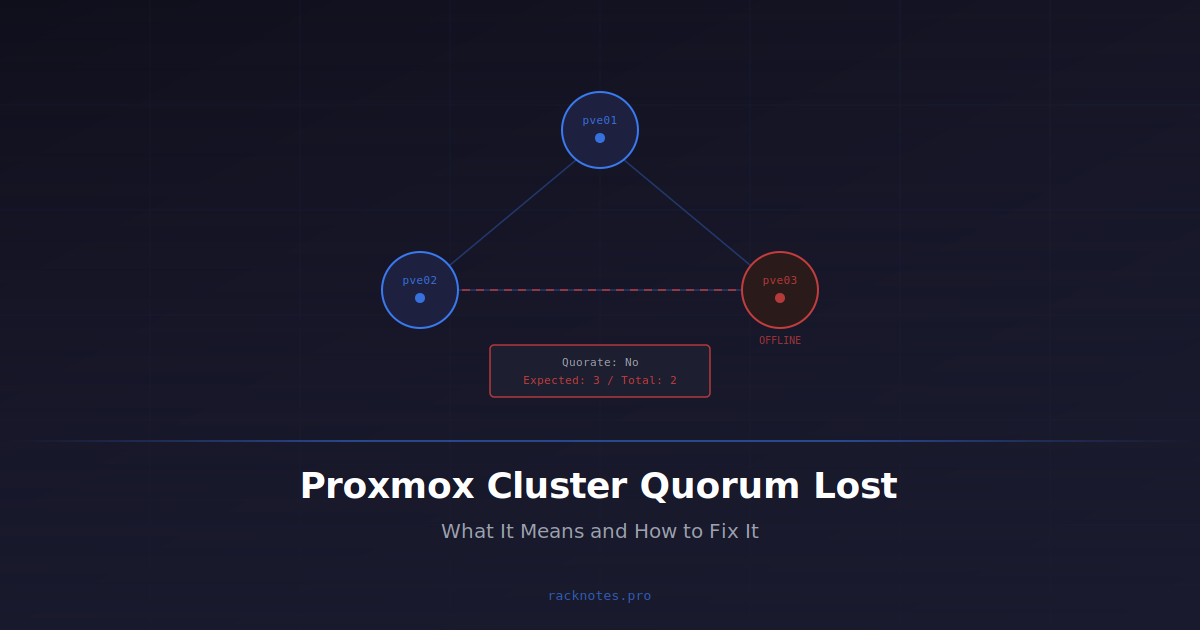
Proxmox quorum lost errors can look catastrophic in the GUI, but they are often straightforward to diagnose and fix. The cluster goes red, /etc/pve turns read-only, operations start failing – and the cause is often not a Corosync bug or a corrupted filesystem. Vote math is the first thing to check. Either a node went down and the remaining nodes no longer hold a majority, maintenance removed too many votes at once, or a two-node cluster was running without a third vote to begin with.
Before running any fix, separate the failure into one of four classes: quorum genuinely lost, Corosync itself down, pmxcfs still waiting to start, or the cluster still quorate with only cosmetic communication trouble. The safe recovery path differs for each.
Quorate: No, run pvecm status. Compare Expected votes, Total votes, and which nodes/QDevice are actually online. Restore a majority by bringing missing nodes or the QDevice back first. If Corosync itself is down, fix Corosync rather than touching votes. Use pvecm expected only as a temporary recovery override after confirming every missing node or partition is genuinely offline.
pvecm create or pvecm add has run. PVE 9.2 added a cluster-wide HA Arm/Disarm maintenance workflow referenced briefly below – clusters on earlier releases should use the per-resource maintenance-mode workflow instead. QDevice setup basics are referenced but not fully covered; for that, see the Proxmox QDevice documentation.
- Quorum requires a majority of configured votes online; the cluster blocks writes below that threshold
- Without HA: running VMs usually keep running, but
/etc/pvegoes read-only and cluster operations stop - With HA: a node that loses quorum can self-fence (reboot) once its watchdog can no longer be reset, commonly around a minute
- Vote math is the high-yield first check for quorum loss in homelabs and SMBs
- Two-node clusters need a QDevice or third node to avoid losing quorum on any single failure
pvecm expectedis an emergency recovery tool, not a design pattern
Proxmox No Quorum: First 6 Checks
- Run
pvecm status– isQuorate: No? - Was a node intentionally shut down or did power fail? → vote math problem
- Are Corosync logs showing
[TOTEM]or[KNET]errors? → network issue - Did quorum drop after an IP change, hostname rename, or manual config edit? → config drift
- Is a QDevice configured, and is it reachable on TCP 5403? → QDevice issue
- Did this start after enabling jumbo frames or changing the fabric? → MTU issue
pvecm status
pvecm nodes
systemctl status corosync.service
systemctl status pve-cluster.service
journalctl -b -u corosync.service -u pve-cluster.service
Run these checks before picking a recovery command. If corosync.service itself is failed or inactive, the fix is a service-level restart and log review, not a vote-math conversation. If pve-cluster.service is still starting, re-check its state and the Corosync logs before treating the condition as a persistent quorum failure.
Quorum Lost, Corosync Down, or pmxcfs Still Starting? Tell Them Apart First
A red GUI and a failing pvecm status do not always mean the same thing. Separate four distinct failure classes before choosing a fix:
- Quorum lost – Corosync membership exists, but this partition does not hold enough votes to be authoritative.
- Corosync service failed – the local
corosyncprocess is stopped, crashed, or cannot parse its own configuration. - pmxcfs waiting for Corosync/quorum – boot or service ordering is still waiting for cluster membership to form; this is not automatically filesystem corruption.
- Node communication degraded but still quorate – red X marks or stale status in the GUI while the cluster as a whole still holds a majority.
What pvecm status Means
pvecm status answers the vote math question in seconds. Each node has one vote by default, and a partition needs more than half the total configured votes to remain quorate and keep writing to the cluster filesystem (pmxcfs).
Healthy cluster output:
Quorate: Yes
Expected votes: 3
Total votes: 3
Node votes: 1
Broken cluster output:
Quorate: No
Expected votes: 3
Total votes: 1
Node votes: 1
One vote out of three expected. Two nodes are offline or unreachable from this node’s perspective. The first question is whether that is intentional – the two missing votes may correspond to nodes that are physically or deliberately offline, not to a network fault.
Treat every Corosync log message as evidence that communication failed, not as the root cause itself. Correlate it with kernel, switch, BMC, and workload timelines before naming a fix; CPU scheduling delay, host lockup, NIC/driver issues, congestion, MTU, a wrong ringX_addr, firewall, or packet loss can all produce the same symptom. Expected votes greater than Total votes with Quorate: No means vote math first: count online nodes and check QDevice state before chasing packet-level causes. The specific log signatures for each cause (KNET, TOTEM, PMTUD, config errors) are covered below.
Proxmox Quorum Lost: Six Causes to Check
The order below reflects practical investigation priority – the sequence most likely to find the actual cause fastest, not a statistical frequency ranking.
1. Vote Math Problems
The cluster simply doesn’t have enough votes online to form a majority. This is a high-yield first check for quorum loss in homelab and SMB environments – rule it out before investigating anything else. A common pattern is a two-node cluster with no QDevice. One node goes down for any reason – reboot, shutdown, power loss – and the remaining node has one vote out of two. That’s 50%, not a majority. Quorum is immediately lost.
Cold boot after power loss is another important pattern in small clusters: power fails, all nodes shut down simultaneously, power returns, one node boots faster than the others. That single node has one vote out of the cluster’s expected total – not a majority. The cluster shows Quorate: No and onboot guests don’t start. Nothing is broken; the cluster is waiting for the rest of the nodes to restore a majority. Using pvecm expected 1 here is unnecessary and adds split-brain risk if any other node is in an unknown state.
A common maintenance failure pattern in 3-node clusters: planned maintenance reduces the cluster to two nodes, then an unrelated event – a BIOS update reboot or brief power hiccup – takes a second node offline before the first is back. One vote out of three. Quorate: No. The fix is always the same: restore a second node first, verify quorum, then continue maintenance.
Symptoms: quorum dropped immediately after a deliberate shutdown, reboot, or power event; the cluster was healthy before; no network errors in the logs.
- Run
pvecm status– checkExpected votes,Total votes, andQuorate - Count how many nodes are actually online
- Check whether a QDevice is configured and whether it is reachable
- Ask: did this start exactly when a node was shut down or rebooted?
Recovery: restore a majority first. Bring the missing node back online, or restore QDevice reachability. Only after verifying the missing side is genuinely offline should you consider pvecm expected <N> as a temporary override. For a persistent two-node quorum problem, the right fix is architectural: add a third voter, not recurring use of expected_votes.
2. Corosync on a Shared or Congested Network
A shared or congested network can cause quorum loss at the transport layer. Corosync traffic competes with VM, storage, backup, or migration traffic on the same link, and its tight latency and timing requirements mean a congested or jittery link can cause missed heartbeat tokens and new membership formation. That can cascade into quorum loss and, in HA clusters, fencing.
Proxmox explicitly recommends a dedicated physical NIC for cluster communication and warns against running storage or migration traffic on the Corosync path – see the Proxmox networking guide for laying out bridges and VLANs so Corosync gets its own path.
Symptoms: quorum flaps while SSH and ping look mostly fine; instability correlates with backup runs, VM migrations, or storage replication; multiple nodes may reboot in HA clusters after a period of network stress.
Log patterns:
[TOTEM] Retransmit List
Token has not been received
A processor failed, forming new configuration
pmxcfs ... cpg_send_message retryjournalctl -b -u corosync --no-pager(Proxmox logs guide) – look for TOTEM token and retransmit messages- Confirm whether Corosync shares a physical NIC with VM, backup, or storage traffic
- Check whether quorum events correlate with heavy network operations (backup window, migration)
- Verify end-to-end latency and jitter between all Corosync ring addresses
Recovery: move Corosync onto a dedicated low-latency network. Stop routing bulk traffic across the Corosync path. Token and consensus timeout tuning (token_coefficient) can help in high-latency setups, but it’s a compensating measure – the real fix is the network.
3. Bonding and Asymmetric Connectivity Mistakes
Operators sometimes add a Linux bond to the Corosync interface expecting redundancy, but Corosync can already use multiple independent networks and switch between them. A bond isn’t required for that redundancy. Load-balancing bond modes carry a documented risk of asymmetric connectivity, where some nodes see different subsets of peers at any given moment. Not every LACP deployment produces this, but Corosync may fail to form stable quorum in this state, or the cluster may fence itself after a link or switch event that looks harmless on the surface.
Proxmox explicitly advises against load-balancing bond modes for Corosync. If LACP must be used, Proxmox recommends bond-lacp-rate fast on both the node and the switch, validated under a real cable/switch failure rather than assumed safe from the config alone.
Log patterns:
[KNET] link: host X link Y is down
[KNET] host: host X has no active links- Identify whether Corosync rides on a Linux bond or
vmbr– check/etc/network/interfaces - Identify the bond mode (
bond-modesetting) - Run
corosync-cfgtool -nto see live KNET link state - Verify switch-side LACP configuration and whether both sides agree on the rate
- Check for miswired redundant paths or inconsistent NIC mapping
Recovery: prefer multiple Corosync links on independent physical paths rather than placing all redundancy inside one bond. If Corosync must use a bond, choose and configure the bond mode deliberately, follow current Proxmox guidance for that mode, and validate convergence under real cable and switch failures. For LACP, use the recommended fast LACP rate on both the node and switch.
4. Address, Hostname, and Configuration Drift
Corosync configuration gets out of sync with actual network state after hostname changes, IP reassignments, moving Corosync to a new VLAN, adding or replacing nodes, or manual edits to corosync.conf that increment config_version incorrectly. Proxmox recommends using IP addresses rather than hostnames in cluster configuration, since hostname resolution can change over time.
Symptoms: all nodes appear individually reachable, but the cluster shows red X marks, ghost nodes, or inconsistent views; /etc/pve becomes read-only despite basic connectivity looking fine.
- Inspect
/etc/pve/corosync.confon a quorate node – verify everyringX_addrresolves correctly - Check
config_versionis consistent and no recent hostname or IP changes occurred - Verify
/etc/hostsentries for all cluster nodes on every host
Recovery: if the cluster is quorate, update /etc/pve/corosync.conf once and let pmxcfs distribute it to every node, then verify with systemctl status corosync once the update propagates. Don’t manually edit a node-local Corosync configuration as a normal repair step – creating different corosync.conf variants on separate nodes is how config divergence and split-brain risk get introduced. If the cluster isn’t quorate or Corosync can’t start at all, use the documented Proxmox recovery procedure for that failure and preserve a copy of the original configuration first.
5. QDevice Placement or Reachability Errors
QDevice is the standard fix for two-node clusters, but it only works if genuinely independent of the cluster nodes. A common design mistake is placing qnetd as a VM inside the same Proxmox cluster or on one of the cluster hosts – when that host goes down, the QDevice goes with it, exactly when it’s needed most. QDevice is primarily intended for even-node clusters, especially two-node designs; for a normal three-node cluster it’s usually unnecessary.
pvecm status– confirm the QDevice line shows it connected and currently contributing a vote (the exact flag shorthand varies by Corosync version – check whether it’s connected, not the specific letters)systemctl status corosync-qdevice.serviceon a cluster node, andsystemctl status corosync-qnetd.serviceon the qnetd host- Test reachability to the qnetd host on TCP port 5403, and confirm it doesn’t depend on the same failure domain as the cluster nodes
Recovery: move qnetd to a host external to the cluster – a physical box, NAS, SBC, or a VM on entirely separate infrastructure – then re-run pvecm qdevice setup. Proxmox requires removing the QDevice before adding or deleting cluster nodes. Losing the QDevice doesn’t always immediately make a healthy two-node cluster non-quorate while both real nodes stay connected, but it silently removes the tiebreaker that would have let one real node fail safely – treat qnetd reachability as something worth monitoring, not just checking after an incident. A QDevice only supplies vote arbitration; it doesn’t replace redundant shared storage, independent switches, or compute capacity, and it should run outside the same failure domain as the cluster it arbitrates – a small physical Linux host or a VM on infrastructure that doesn’t depend on that cluster both qualify.
6. MTU and Edge Transport Cases
An edge case worth checking after the higher-probability causes above, or when logs point directly at MTU discovery failures. Corosync uses KNET’s PMTUD (Path MTU Discovery) to determine usable packet size between nodes, and an MTU mismatch across NICs, VLANs, or switches can cause repeated PMTUD aborts and unstable peer reachability even when basic ping works – this surfaces most often after enabling jumbo frames on some but not all segments.
Log patterns:
[KNET] pmtud: Aborting PMTUD process: Too many attempts. MTU might have changed during discovery
rx: Source host X not reachable yet
pmxcfs ... cpg_send_message retried 100 times
Diagnosis: verify a consistent MTU end-to-end – NICs, VLANs, switches, any tunnels. Run corosync-cfgtool -n to see the live MTU Corosync is using. Recovery: normalize MTU across the full path and restart Corosync once it’s clean.
- Two-node cluster with no QDevice and no third node
- Corosync on the same NIC as storage replication or backup traffic
- QDevice running as a VM inside the cluster it arbitrates
- Single switch carrying all Corosync traffic with no redundant path
- Cluster stretched across WAN links without dedicated low-latency Corosync transport
The first item is deterministic: a two-node cluster with no QDevice and no third node loses majority quorum by definition on any single node loss.
Exact Proxmox No Quorum Errors and Fast Checks
These are the exact strings operators paste into search when quorum breaks. Each one maps to a specific first check.
“cluster not ready – no quorum”
The node can’t perform a cluster operation because its current partition lacks a majority of configured votes. Run pvecm status, restore missing nodes or QDevice connectivity, and don’t lower expected votes until every missing partition is confirmed offline. If a specific guest also fails to start while this error is showing, the VM won’t start troubleshooting guide covers the no-quorum branch alongside other startup failure causes.
pvecm status
pvecm nodes
journalctl -b -u corosync.service
“waiting for quorum”
This is a symptom, not a diagnosis on its own. Work through the branches in order rather than reaching for expected 1 first: remaining nodes haven’t finished booting, the Corosync service failed, KNET addresses are unreachable, QDevice is unavailable while a real node is also down, the configuration no longer matches actual network addresses, or a firewall/MTU/link issue is blocking transport.
“waiting for pmxcfs mount to appear and get quorate”
This can mean a normal boot-time wait for cluster membership, a pve-cluster/pmxcfs startup problem, Corosync not running, no majority currently online, or an invalid cluster configuration. It is not automatically filesystem corruption.
systemctl status pve-cluster.service
systemctl status corosync.service
pvecm status
journalctl -b -u pve-cluster.service -u corosync.service
“cluster consists of less than three quorum-providing nodes”
A topology warning, not necessarily an active failure. A two-node cluster can operate normally while both nodes are online. Without an external QDevice, losing either node removes quorum. A QDevice improves vote arbitration but doesn’t add storage or compute redundancy – a third full node remains the stronger architecture for HA workloads.
Corosync “KNET link is down”
Check the configured ring/link address, NIC state, routing, VLAN, bond configuration, switch, firewall, MTU, and kernel driver logs – in roughly that order, cheapest checks first.
Common Proxmox Cluster Quorum Incidents and First Check
| Scenario | Priority | First Check |
|---|---|---|
| 2-node cluster, one node rebooted | Very high | pvecm status – vote count |
| Cold boot after power loss, VMs not starting | Very high | Wait for all nodes to come online |
| Maintenance shut down too many nodes at once | High | Vote count vs. expected |
| Quorum flaps during backup or migration | High | Corosync on shared link? |
| QDevice unreachable | Medium | TCP 5403 reachability |
| Bonding / LACP change preceded quorum loss | Medium | corosync-cfgtool -n KNET links |
| Quorum lost after hostname or IP change | Medium | corosync.conf ring addresses |
| MTU mismatch / jumbo frames | Low | corosync-cfgtool -n MTU output |
Before You Run pvecm expected
pvecm expected:
- Confirm the missing node is powered off – physically verify if necessary
- Confirm no other partition anywhere on the network is quorate
- Confirm shared storage is not mounted or accessible from the missing node
- Confirm HA recovery has completed on the surviving partition (
ha-manager status) - Save current cluster status and configuration before making the change
- Confirm this override is for one narrowly defined repair action, not a design workaround
If any item above is uncertain, restore the missing node first. The split-brain risk is VM image corruption on shared storage, and that damage is not self-correcting. While the override is active, avoid adding or removing nodes, storage, or guests, and avoid any other unrelated cluster change.
How to Use pvecm expected Safely
pvecm expected exists for legitimate emergencies. It is not a workaround for bad cluster design.
When it is appropriate:
- Repairing a broken
corosync.confwhen the cluster cannot otherwise reach quorum - Running
pvecm delnodeafter a permanently failed node has been powered off - Getting critical guests back online after confirming the missing nodes are physically offline
The rule: use pvecm expected only to complete one narrowly defined recovery action after eliminating split-brain risk, then restore normal vote membership as soon as possible. The override resets when nodes rejoin – it’s a temporary state, not a persistent config change, and shouldn’t be left as the final state of a two-node cluster.
If pvecm expected fails with cs_err_invalid_param, don’t keep trying different numbers. The requested value may be incompatible with the cluster’s current active-vote state. Capture pvecm status, pvecm nodes, and the current Corosync membership first, then determine why the requested vote count can’t form a valid quorum before changing anything else.
Capture evidence before changing votes or configuration on any quorum incident so you can review the state later without guessing:
mkdir -p /root/quorum-incident-$(date +%F-%H%M)
pvecm status > /root/quorum-incident-$(date +%F-%H%M)/pvecm-status.txt
pvecm nodes > /root/quorum-incident-$(date +%F-%H%M)/pvecm-nodes.txt
cp -a /etc/pve/corosync.conf /root/quorum-incident-$(date +%F-%H%M)/corosync.conf 2>/dev/null
journalctl -b -u corosync.service -u pve-cluster.service > /root/quorum-incident-$(date +%F-%H%M)/cluster-journal.txt
If a node is permanently lost (dead hardware, not coming back), the emergency override is a bridge, not the endpoint: confirm the node is powered off and cannot return, restore quorum safely if required, remove it with the documented pvecm delnode workflow, clean up residual configuration only per official guidance, then restore normal expected votes.
What Happens to VMs When Quorum Is Lost?
Without HA:
| Resource | Behavior |
|---|---|
| Running VMs | Continue running |
| Running CTs | Continue running |
| VM config edits | Blocked |
| VM creation / deletion | Blocked |
| Migrations | Blocked |
| Backups (cluster-aware) | Blocked |
/etc/pve | Read-only |
Quorum loss without HA is primarily a management freeze. Existing guests normally continue if the underlying host, network, and storage remain healthy – most management actions that need a pmxcfs write or a distributed lock fail while the node is non-quorate. Don’t infer guest health solely from the quorum state: if the same event that caused quorum loss also affected storage, running guests can be impacted independently of what the GUI shows.
With HA:
| Resource | Behavior |
|---|---|
| Node losing quorum (HA armed) | May self-fence via watchdog reboot, commonly around a minute; exact timing depends on watchdog config |
| HA-managed resources on that node | May be recovered on a surviving quorate partition once the node is safely fenced |
| Watchdog | Cannot be reset by LRM without quorum, provided HA is armed and active |
With HA the stakes are higher, but this behavior isn’t automatic for every node or every event. It is Proxmox preventing a node from continuing to run HA-managed resources in a partition that might conflict with another active one, not simply a crash. Verify HA and watchdog evidence rather than assuming every reboot after quorum loss was fencing (ha-manager status and the HA/watchdog logs). The full CRM/LRM failure sequence and fencing mechanics are covered in how Proxmox HA and fencing work; this page focuses on the quorum side of the incident.
Quorum and HA protect uptime and cluster consistency, not data. A quorum incident is not a substitute for independent, tested backups – see Proxmox backup strategy if that layer isn’t already in place.
Why Proxmox Requires Quorum
Proxmox prefers temporary unavailability over data corruption. When quorum is lost, the cluster can’t prove which partition is authoritative, so it blocks writes until a majority is restored rather than risk two nodes modifying the same VM configuration or storage simultaneously. The GUI turns red because Proxmox is refusing to guess. pmxcfs replicates cluster configuration in real time across all nodes, and only the partition holding a strict majority of votes stays writable.
Split brain: the failure quorum exists to prevent
A network partition can divide the cluster into two groups that can no longer talk to each other, each still running nodes and potentially still able to reach shared storage. Quorum prevents both sides from independently changing cluster state: only the majority partition stays writable, and the minority side’s pmxcfs goes read-only. Fencing adds a second layer in HA clusters, removing a node that loses quorum from the equation via watchdog reboot rather than waiting to confirm whether the other side is alive.
Real split brain – both partitions believing they’re authoritative and both writing to the same disk – shows up when these safeguards are bypassed: pvecm expected forced low on more than one side of a partition, fencing disabled or interrupted mid-sequence, or a guest started outside supported cluster controls while another partition is still active. That’s exactly why the checklist above exists before touching expected votes.
Planned Maintenance vs Unexpected Failure
These require different approaches.
Planned maintenance: verify the cluster is quorate before starting, migrate HA guests off the target node if required, put it into maintenance mode, and shut down only one voting node at a time. Verify quorum after each step and never remove a majority of votes simultaneously. On PVE 9.2 and later, a cluster-wide HA Arm/Disarm workflow exists for maintenance that would otherwise risk unwanted fencing across the whole cluster (Corosync or network changes, for example); on 8.x, use the earlier per-resource maintenance-mode workflow instead. The exact commands, modes, and re-arming verification are covered in the HA internals guide linked above.
Unexpected failure: assume split-brain risk until proven otherwise. Don’t modify cluster state. Don’t lower expected votes before verifying which side holds shared storage and which side is truly offline. In HA clusters, let fencing complete – interrupting it mid-sequence can leave guests in an undefined state.
The distinction matters because the tooling is the same but the risk model is completely different. During planned maintenance you know the full picture. During unexpected failure, you don’t.
Preventing Another No-Quorum Incident
These architecture decisions reduce the chance of recurring quorum incidents. Full HA cluster design – node count, topology, capacity – is covered in Proxmox HA cluster requirements; the summary relevant to quorum specifically:
| Design | Assessment |
|---|---|
| 3 nodes | Good – tolerates single-node failure without extra configuration |
| 2 nodes + external QDevice | Good – external tiebreaker vote on infrastructure independent of the cluster |
| 2 nodes only | Risky – any single failure loses quorum |
| 2 nodes + QDevice VM inside the cluster | Avoid – QDevice fails together with the node it should arbitrate |
Beyond topology:
- Give Corosync a low-latency link protected from storage, backup, and guest traffic – physical separation is strongest; controlled VLAN separation may work for smaller environments
- Use IP addresses instead of hostnames in
corosync.conf– hostnames add a DNS dependency to cluster availability - Test node failure before production use – shut down one node deliberately, verify quorum survives, bring it back
- Never shut down more nodes simultaneously than the cluster can afford to lose
- Run qnetd outside the Proxmox cluster and outside the same likely failure domain – for example on a small physical Linux host, NAS, SBC, or a VM on separate infrastructure that does not depend on the cluster it arbitrates
None of this requires significant extra hardware in most homelab setups.
FAQ
What does “Quorate: No” actually mean in practice?
The cluster doesn’t have enough votes online to be authoritative. Most operations that write to /etc/pve are blocked – new VMs, config edits, migrations – while running VMs generally keep running until quorum is restored.
How do I fix “cluster not ready – no quorum”?
Run pvecm status first and compare expected votes against what’s actually online. If votes are missing because a node or the QDevice is offline, restore that first – it’s safer than changing expected votes. Only consider a temporary pvecm expected override once every missing side is confirmed offline.
Why does a two-node cluster lose quorum when one node reboots?
One vote out of two is 50%, not a majority. A two-node cluster needs either a third node or a QDevice to provide the tiebreaker vote that keeps the surviving node quorate during any single failure.
Can I use pvecm expected 1 to restore quorum?
You can, but not casually. If the other nodes are confirmed offline and not coming back, it’s a valid emergency tool. If there’s any chance another partition is still active – especially one with access to the same shared storage – you risk split brain and VM image corruption. Verify the missing nodes are genuinely offline first.
What does “waiting for pmxcfs mount to appear and get quorate” mean?
The cluster filesystem is waiting for valid membership/quorum to form, not that something is corrupted. Check pve-cluster.service, corosync.service, current votes, and node connectivity before assuming filesystem damage.
What does “cluster consists of less than three quorum-providing nodes” mean?
A topology warning, not necessarily an active failure. It shows up on clusters with fewer than three voting members – a two-node cluster runs fine while both nodes are present but has no tiebreaker if one goes down. A QDevice fixes the vote math without adding a full node.
What is a QDevice and where should I run it?
An external voting participant provided by corosync-qnetd, running on a host outside the cluster. It adds one vote without adding a full Proxmox node – for a two-node cluster, that gives the surviving node a 2/3 majority on single failure. Run it outside the Proxmox cluster and outside the same failure domain, either on a physical host or on separate infrastructure that does not depend on the cluster it arbitrates.
Does losing the QDevice immediately break a two-node cluster?
Not necessarily – both real nodes can stay quorate together as long as they’re online and can talk to each other. What losing the QDevice actually does is remove the tiebreaker silently, so the next single node or link failure now takes the whole cluster non-quorate with no external vote left to prevent it.
Do running VMs stop when Proxmox loses quorum?
Not directly. Quorum loss blocks cluster-managed writes and operations, not guest execution – a running VM keeps running as long as its host, network, and storage stay healthy on their own.
Can quorum loss reboot an HA node?
Yes, if HA was armed on that node. The LRM can’t reset the watchdog without quorum, so the node reboots to prevent HA-managed resources from running in two places at once. Confirm it with ha-manager status rather than assuming – not every reboot after quorum loss is a fence event.
Final Thoughts
Proxmox cluster quorum loss is the cluster doing exactly what it was designed to do: refuse to guess which partition is authoritative. The GUI turns red because Proxmox chooses temporary unavailability over the risk of data corruption – the correct trade-off.
The failure modes worth preventing are the ones that make quorum loss more likely by design: two-node clusters without a tiebreaker vote, Corosync sharing a link with backup or storage traffic, or a QDevice running inside the cluster it’s supposed to arbitrate. These choices are easier to address during design than after an incident.
When quorum drops unexpectedly, vote math and network are the right starting points, not config edits and not expected_votes overrides. Restore a majority first. Everything else follows from there.
Proxmox VE Series
28 articles – Installation · Storage · Networking · HA · Recovery