
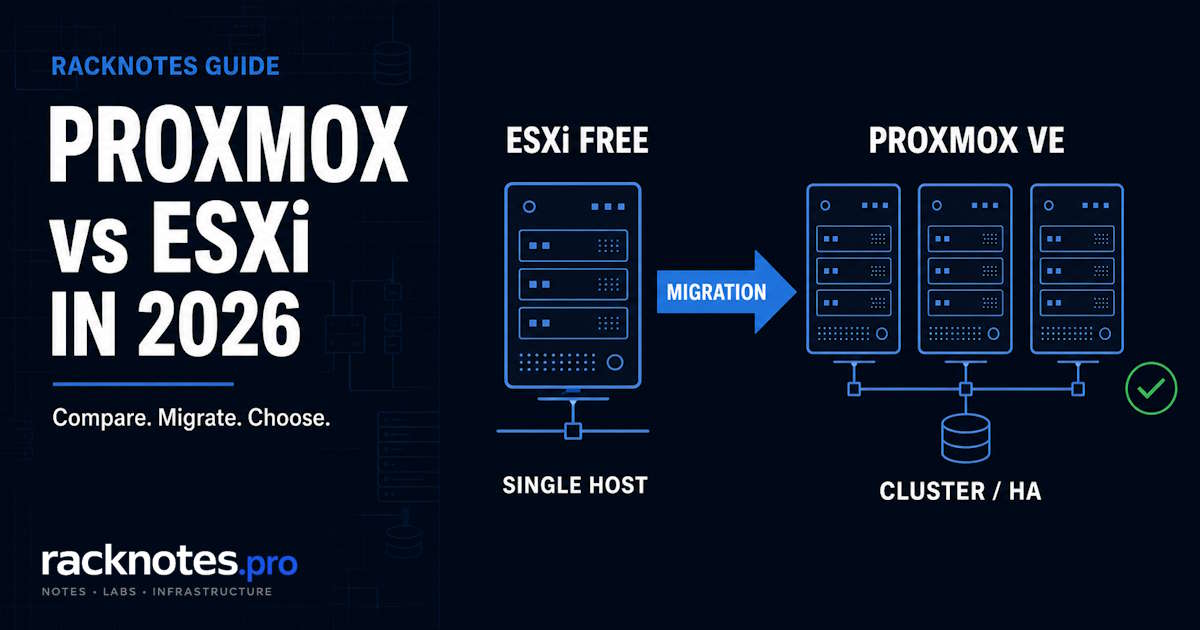
Choosing between Proxmox vs ESXi in 2026 is no longer a simple open-source-versus-enterprise comparison. Proxmox VE has moved to version 9.2 with clustering, HA, live migration, containers, storage, and automation available without feature licensing. VMware has brought back a free hypervisor, but that offer is still tied to ESXi 8.0 Update 3e and is designed mainly for standalone hosts, labs, and testing.
The important distinction is that “Free ESXi” and paid VMware are now two different comparisons. Free ESXi lacks vCenter, vMotion, HA, DRS, VADP backup, and supported host-management APIs, while Broadcom’s paid platform has already moved into the ESX 9.x generation with subscription licensing based on physical CPU cores.
This guide compares the platforms as they actually exist in 2026: free-tier limits, licensing, clustering, hardware compatibility, backup, migration, and the scenarios where VMware still remains the better operational choice.
Choose Proxmox VE 9.2 if you need clustering, live migration, HA, containers, a full management API, or a lower-cost platform for a homelab, SMB, or new deployment.
Choose Free ESXi 8.0U3e if you specifically need a standalone VMware host for training, compatibility testing, or a small lab, and can accept the two-CPU, eight-vCPU-per-VM, no-vCenter, no-HA, and no-supported-management-API limits.
Stay on paid VMware when your environment depends on vCenter, vSAN, NSX, Horizon, mature vendor integrations, certified hardware stacks, or existing VMware operational expertise.
Proxmox vs ESXi in 2026: quick comparison
The detail is in the sections below, but comparison-intent readers deserve the side-by-side first.
| Capability | Free ESXi 8.0U3e | Proxmox VE 9.2 |
|---|---|---|
| Current free release | ESXi 8.0 Update 3e | Proxmox VE 9.2 |
| Physical CPU limit | 2 CPUs per host | No feature-license limit |
| vCPU limit per VM | 8 vCPUs | No comparable free-license cap |
| Central multi-host management | No vCenter | Yes, cluster-wide web UI |
| Live migration | No | Yes, subject to storage and cluster design |
| High availability | No | Yes, with a correctly designed quorum and HA cluster |
| DRS / automated balancing | No | Dynamic cluster load balancing in Proxmox VE 9.2 |
| Management API | Unsupported; may expose read-only information | Full REST API and CLI tooling |
| VM backup | No VADP-based backup | Built-in vzdump; native integration with separate Proxmox Backup Server |
| Linux containers | No | Yes, LXC |
| Software-defined storage | vSAN requires paid VMware | Ceph and ZFS integration without a feature license |
| Hardware approach | VMware Compatibility Guide and OEM-certified stacks | Broader Linux-kernel hardware support; production validation still required |
| Official vendor support | None for the free license | Optional paid subscription |
Version note for 2026: the free VMware hypervisor is still the special ESXi 8.0 Update 3e image with an embedded free license. Broadcom’s commercial platform has already moved to the ESX 9.x line, so “Free ESXi” should not be treated as a free edition of the newest paid VMware release. When this guide says Proxmox vs ESXi, the free comparison is Proxmox VE 9.2 against ESXi 8.0U3e; the paid comparison is Proxmox VE against current VMware vSphere Foundation or Cloud Foundation.
The Broadcom timeline, briefly
Almost every comparison article online was written at a different point in this story, so the sequence matters:
- November 2023: Broadcom completes the VMware acquisition.
- February 2024: Broadcom discontinues the free ESXi hypervisor and ends perpetual licenses. Free ESXi is marked End of General Availability with no replacement offered.
- April 2025: the free hypervisor returns through VMware ESXi 8.0 Update 3e, distributed with an embedded free license and a required Broadcom portal registration.
- June 2025 onward: paid VMware moves into the ESX 9.x generation.
- May 2026: Proxmox VE 9.2 is released.
Broadcom’s licensing changes triggered a visible wave of evaluations and migrations among homelab users, service providers, and organizations looking for lower-cost virtualization. Proxmox was well positioned to benefit because it already offered clustering, HA, live migration, Ceph integration, and an ESXi import workflow without feature licensing.
What is actually free in 2026?
This is where most of the Proxmox vs ESXi confusion starts. “Free” means very different things on each side, so it is worth separating the two definitions before comparing anything else.
Free ESXi 8.0U3e limits
You can download it, it runs in production, and it is not a time-limited trial. But the free license has hard limits baked in, and two of them are frequently left out of comparison articles:
- Maximum two physical CPUs per host.
- Maximum eight vCPUs per virtual machine.
- No vCenter integration. Each free host is managed independently through the vSphere Host Client, with no central pane of glass.
- No vMotion, DRS, or vSphere HA. Live migration and automatic failover depend on vCenter, which requires a paid license.
- No VADP-based backup. Most image-level backup products depend on APIs that are unavailable under the free license.
- Host-management APIs are not supported. Some endpoints may expose read-only information, but automation and API-based management should not be treated as supported functionality.
- Patch lifecycle is less straightforward. The free edition cannot use vCenter Lifecycle Manager, and Broadcom’s free-hypervisor documentation remains tied to the 8.0U3e image. Treat access to later patches and the long-term servicing path as something to verify before relying on Free ESXi for an internet-connected or business-critical host.
- No official Broadcom support. Community forums and documentation only.
So Free ESXi 8.0U3e is a single-host hypervisor for testing, learning, or running a handful of VMs on one physical box. That is the deal Broadcom is offering, and it is a fair description rather than a hostile reading.
The Proxmox VE free model
Proxmox VE under the AGPL v3 license is a different deal entirely. If you are new to the platform, the What is Proxmox VE explainer covers what Proxmox VE includes. The free version is the full product:
- Full clustering. Multi-node clusters with shared management, no host limit on the open license.
- Live migration. Move running VMs between nodes without downtime, subject to storage and cluster design.
- High availability. Automatic VM failover when a node dies, with a correctly designed quorum.
- Ceph and ZFS integration. Software-defined and local redundant storage built in, no separate feature license.
- Full REST API. Every UI action is also exposed through the API and the
qm,pct, andpveshCLI tools. - Integrated backup options. Proxmox VE includes scheduled VM and container backups through vzdump and integrates directly with the separately deployed, open-source Proxmox Backup Server for incremental backups, deduplication, verification, and longer-term retention.
- Built-in firewall at cluster, node, and VM level.
The optional paid subscription gets you the enterprise repository, which is the same code passed through more thorough QA before release, plus support. No features are gated behind the subscription. That is the structural difference driving most decisions in a Proxmox vs ESXi choice: Free ESXi is a stripped-down version of a paid product, while Proxmox VE Free is the entire product.
Pricing and licensing in 2026
The free comparison is simple: ESXi 8.0U3e costs nothing but is limited to standalone host management, while Proxmox VE exposes its clustering, HA, live migration, API, and storage features without a feature license.
The paid comparison is less simple than many articles suggest. Broadcom licenses VMware vSphere Foundation and VMware Cloud Foundation by physical CPU core, with a minimum of 16 licensed cores for every installed CPU. Actual contract pricing varies by product bundle, term, region, and reseller quote, so a universal “price per CPU” figure is no longer reliable.
| Platform | Licensing model | What to budget for |
|---|---|---|
| ESXi Free 8.0U3e | No-cost embedded license | Standalone host only; no vCenter, HA, vMotion, DRS, VADP backup, or supported management API |
| Paid VMware | Subscription based on physical CPU cores; minimum 16 cores per CPU | Obtain a current VVF or VCF quote and include management, support, backup, storage, and migration costs |
| Proxmox VE Free | No feature license | Community repository, internal operational support, and optional separate backup infrastructure |
| Proxmox VE subscription | Annual subscription per occupied physical CPU socket | €120 Community, €370 Basic, €550 Standard, or €1,100 Premium per socket/year, before VAT |
Current Proxmox VE subscription pricing is per occupied physical socket, not per core, which is a meaningful structural difference from Broadcom’s per-core model on dense CPUs. The meaningful comparison is therefore not a universal dollar figure. It is the cost of the exact host configuration, support level, backup design, and operational model your environment requires. VMware also no longer sells perpetual licenses, so whatever you pay this year, you pay again next year.
Licensing predictability as a technical factor
Most Proxmox vs ESXi comparisons stop at features and pricing. The harder factor is licensing predictability, and it now belongs in the technical decision rather than off to the side.
Broadcom discontinued the free ESXi offer in 2024 and restored it in 2025, while commercial VMware licensing moved toward subscription bundles and per-core capacity. That history does not make ESXi technically inferior. The hypervisor itself is still excellent: mature, polished, and battle-tested in some of the largest deployments in the world. But it raises the importance of exit planning, contract review, and lifecycle assumptions for anything beyond a casual lab.
Proxmox has a different risk profile. Its core platform is open source and the full feature set is available without a feature license, while subscriptions mainly provide the enterprise repository and support. This reduces licensing dependency. It does not remove the need to plan for skills, support coverage, backup compatibility, and platform-specific operations, and an open-source license does not by itself guarantee free support, an unchanging roadmap, or a painless community fork.
In practice: for a single-host learning lab, vendor risk is irrelevant, because if Broadcom changes the free tier again you reinstall something else over a weekend. For a small business running production VMs on Free ESXi, the risk is real. For an enterprise paying for vSphere, the risk is licensing escalation rather than product disappearance.
Where ESXi still wins
This is the part most “Proxmox is better” articles skip. VMware has real advantages, and current commercial VMware 9.x is not the same thing as Free ESXi 8.0U3e:
Management maturity at scale. vCenter workflows, role-based operations, and setup wizards for storage and migration are generally more mature and standardized in large VMware environments. Free ESXi does not include vCenter, so this advantage belongs to the paid platform.
Certified hardware ecosystem. Enterprise hardware from Dell, HPE, Cisco, and Lenovo is almost certainly on the VMware Compatibility Guide, with vendor-tested firmware combinations. That is exactly what enterprise procurement teams want documented.
Deeper enterprise integrations. Backup, monitoring, and security platforms tend to ship first-class VMware integrations, with established runbooks and vendor escalation paths. Proxmox support exists in many of these tools but platform-version support and feature parity can lag.
Larger talent pool. “VMware admin” is a known job description, and most senior virtualization engineers carry years of vSphere experience. Hiring a Proxmox specialist is harder, especially outside tech-first industries.
vGPU and specialized integrations. Slicing one physical GPU across multiple VMs through NVIDIA vGPU is more established on VMware. Proxmox does full GPU passthrough well, but multi-tenant GPU sharing is less polished.
Where Proxmox wins
The advantages cut the other way too:
No feature licensing for the features that matter. Clustering, HA, and live migration are all in the free open release. On the VMware side, those capabilities require vCenter and paid licensing.
KVM plus LXC in one plane. Proxmox runs both full VMs and LXC containers from the same UI. For lightweight workloads like a DNS filter or a backup target, LXC is much lighter than a full VM. VMware has no direct equivalent; you would run containers inside a Linux VM.
Linux-native operations. If your team already manages Linux servers, Proxmox feels familiar. SSH into a node, edit config files, read logs with journalctl. ESXi runs a proprietary kernel with its own esxcli command set, which is a separate skill to maintain.
Storage flexibility. Ceph and ZFS integration ship without a feature license, alongside LVM-thin and directory storage, so you can match the storage model to the workload rather than to the license tier.
Lower platform lock-in. Proxmox is built on open technologies such as KVM, QEMU, Linux bridges, ZFS, Ceph, and LXC. That generally gives administrators more migration paths and direct access to the underlying system, although a complex Proxmox cluster can still develop its own operational and storage dependencies. Disk formats depend on the storage backend, so a VM may live on raw, qcow2, an LVM-thin volume, or a ZFS zvol rather than a single fixed format.
Performance is workload-dependent. Both KVM and ESXi can deliver near-native performance when the guest, storage, networking, and CPU topology are configured correctly. Proxmox may perform better in some Linux and storage-heavy workloads, while VMware may perform better in other driver, vSAN, or vendor-optimized environments. Treat single-vendor benchmark results as configuration-specific rather than proof that one hypervisor is universally faster.
Hardware compatibility in real life
This is one of the biggest practical differences, because it determines what you can actually run each platform on.
ESXi has a strict Hardware Compatibility List. Broadcom officially supports ESXi only on certified hardware, almost entirely server-class equipment from Dell, HPE, Cisco, Lenovo, and Supermicro, down to specific network cards, storage controllers, and firmware versions. Off-HCL hardware can sometimes run ESXi, but you are on your own for driver issues, and consumer NICs are hit-or-miss. Realtek-based motherboard NICs are a common pain point and may not be detected by the installer at all.
Proxmox generally supports a wider range of commodity hardware. Because it uses a modern Linux kernel, it commonly detects consumer NICs, SATA controllers, NVMe devices, and mini-PC hardware that may fall outside VMware’s compatibility guide. That does not remove the need to validate NICs, storage controllers, IOMMU behavior, firmware, and kernel support before a production deployment. Hardware that works cleanly on one kernel can develop NIC issues after a later kernel upgrade, so treat “stable today” as version-specific.
For enterprise rackmount servers, both platforms work fine, and that is where the VMware HCL is an asset rather than a constraint. For homelab hardware, see the mini PC for Proxmox guide and the install Proxmox VE guide.
Day-to-day operational feel
Beyond features and hardware, there is a real difference in how each platform feels to operate, and it matters more than spec sheets suggest, because it determines how quickly a team becomes productive during incidents.
ESXi feels like an appliance. The vSphere Host Client is polished, predictable, and discoverable through the UI, and most operations have wizards. The trade-off: when something goes wrong, you are often dependent on VMware’s diagnostic tools and KB articles, because the abstraction is opaque.
Proxmox feels like Linux with a web UI. The interface is functional and improving each release, but it hand-holds less. Some configurations require editing files under /etc/pve/ or running CLI commands, and iSCSI, advanced networking with Proxmox network bridges and VLANs, and Ceph are more involved than the VMware equivalents. The trade-off in the other direction: when something breaks, you SSH in, read logs, and debug it like any Linux server. Nothing is hidden.
Which feel is “better” depends on your background. Teams coming from a vendor-managed stack tend to find Proxmox jarring at first. Teams that already run Linux daily tend to find Proxmox natural and ESXi opaque. Neither is wrong; they are built for different operational philosophies.
Backup and ecosystem
VMware still has the deeper enterprise integration ecosystem. Proxmox support has improved substantially, but platform-version support and feature parity can lag, and this is where a Proxmox vs ESXi decision often turns for organizations with existing backup contracts.
Current Veeam Backup & Replication releases can protect and restore Proxmox VMs. At the time of this update, Veeam officially lists support for Proxmox VE 8.2 through 9.1, not 9.2, and does not cover every VMware-level capability such as LXC container backup. Organizations deploying Proxmox VE 9.2 into a Veeam-protected environment should verify compatibility before upgrading production backup infrastructure.
On the certification side, VMware has a long-established ecosystem of OEM certifications, validated architectures, support contracts, and auditor familiarity. Organizations in regulated environments should compare their exact requirements, including hardware certification, support SLAs, cryptographic modules, backup validation, and vendor attestations, rather than assuming that either platform is automatically compliant or non-compliant.
Migration: ESXi to Proxmox
If you are reading this in 2026, there is a reasonable chance you already have ESXi VMs and you are weighing the cost of staying against moving. What migration actually looks like:
Current Proxmox VE ships an ESXi import source. The import workflow, added in the 8.x line and used today in Proxmox VE 9.2, lets you point Proxmox at an ESXi host’s storage and import VMs through the web UI, handling disk-format conversion automatically. A manual route via OVF export and qm importovf also works, more slowly.
- Run a test restore before any production migration.
- Confirm boot mode on each VM: BIOS or UEFI.
- Check disk controller type and install VirtIO drivers in the guest.
- Verify NIC naming and reassign static IPs.
- Remove or replace VMware Tools and install the QEMU Guest Agent.
- Check snapshots, encrypted VMs, passthrough devices, and any unsupported virtual hardware.
- Plan an outage window for the final per-VM cutover.
Networking is usually the painful part, because Proxmox uses Linux bridges rather than the VMware vSwitch or vDS model. If your ESXi setup relies on distributed switches with VLAN tagging, NIC teaming, and traffic shaping, expect to spend more time on networking than on the VMs themselves. A 20-VM small-business move is realistic to stage over a short window, but it is not a hands-off weekend project once complex networking is involved.
Use the migrate ESXi VMs to Proxmox guide for the import workflow, guest-driver changes, validation checklist, and rollback plan.
Decision by scenario
Skip the vendor talk and match the platform to your situation.
Choose Proxmox VE when:
- You need a multi-node cluster, HA, or live migration without feature licensing.
- You are building a greenfield homelab or SMB platform with no legacy VMware investment.
- Your team has Linux or KVM skills.
- You want both VMs and LXC containers in one management plane.
- API, automation, and storage flexibility matter.
- You can validate hardware, backup, and production support yourself.
Choose Free ESXi when:
- You need to learn the ESXi Host Client for an upcoming VMware role.
- You need a VMware-specific compatibility lab.
- A single host is enough and your VMs stay within 8 vCPUs.
- You do not need vCenter, HA, vMotion, API-based automation, or image-level backup.
Stay on paid VMware when:
- Your infrastructure depends on vCenter, vSAN, NSX, Horizon, or VMware automation.
- You run a validated vendor stack with audit or insurer requirements.
- Migration cost exceeds the expected savings.
- Your team and support model are fully VMware-oriented.
- You need the current commercial VMware 9.x stack, not Free ESXi 8.0U3e.
Final verdict
For a new homelab, small-business cluster, or greenfield virtualization platform in 2026, Proxmox VE 9.2 is usually the stronger default. It provides clustering, HA, live migration, containers, storage integration, and a full management API without feature licensing.
Free ESXi 8.0U3e remains useful, but for a narrower role: a standalone VMware lab, training host, or compatibility-testing system. Its two-CPU and eight-vCPU-per-VM limits, and its lack of vCenter, HA, vMotion, VADP backup, and supported management APIs, make it a poor foundation for most new multi-host deployments.
Paid VMware remains a valid choice where the organization already depends on VMware’s ecosystem, certified hardware, enterprise integrations, and operational expertise. The decision should be based on total migration and operating cost, not only the hypervisor license. In a Proxmox vs ESXi decision, the honest answer is that both can be right; the choice is no longer about which hypervisor is “better” in the abstract.
FAQ
Is ESXi still free in 2026?
Yes, specifically ESXi 8.0U3e with an embedded free license. The limits are strict: up to 2 physical CPUs per host, up to 8 vCPUs per VM, and no vCenter, HA, vMotion, DRS, VADP backup, or vendor support. A Broadcom portal account is required to download it.
Is Proxmox better than ESXi for a homelab?
Usually yes, if you want clustering, automation, containers, or support for mixed consumer hardware, none of which Free ESXi offers. ESXi Free is still useful when the goal is specifically learning the VMware interface on a single host.
Can Proxmox replace VMware in production?
Yes for many SMB and some larger environments. Validate backup, support, hardware, storage, networking, monitoring, and team skills first. It is not a drop-in replacement for NSX, vSAN, Horizon, or Aria workflows, which have no direct Proxmox equivalent.
Does Veeam support Proxmox?
Yes. Current Veeam Backup & Replication releases support backup and restore for Proxmox VE virtual machines, though feature and version support is not identical to VMware. At the time of this update, Veeam officially lists Proxmox VE 8.2 through 9.1, so verify compatibility before deploying or upgrading Proxmox VE 9.2 in a Veeam-protected production environment.
Can I migrate ESXi VMs to Proxmox without downtime?
The final cutover requires per-VM downtime, since you shut the VM down on one platform and start it on the other. Parallel migration reduces overall service disruption because your remaining VMs keep running on ESXi while you move one at a time. Test drivers, boot mode, networking, and backup before the cutover.
What about Hyper-V?
Microsoft did not release a standalone Hyper-V Server after Hyper-V Server 2019, which is now in extended support through January 9, 2029, while current Hyper-V development continues as a role in Windows Server 2025. Hyper-V remains a strong option for Windows-centric environments, but it is no longer a direct modern equivalent to a newly downloaded, zero-license-cost standalone Proxmox VE host. See the Proxmox vs Hyper-V guide for the full comparison.
Last updated: July 2026 – verified for Proxmox VE 9.2 and Free ESXi 8.0U3e.
Proxmox VE Series
28 articles – Installation · Storage · Networking · HA · Recovery