
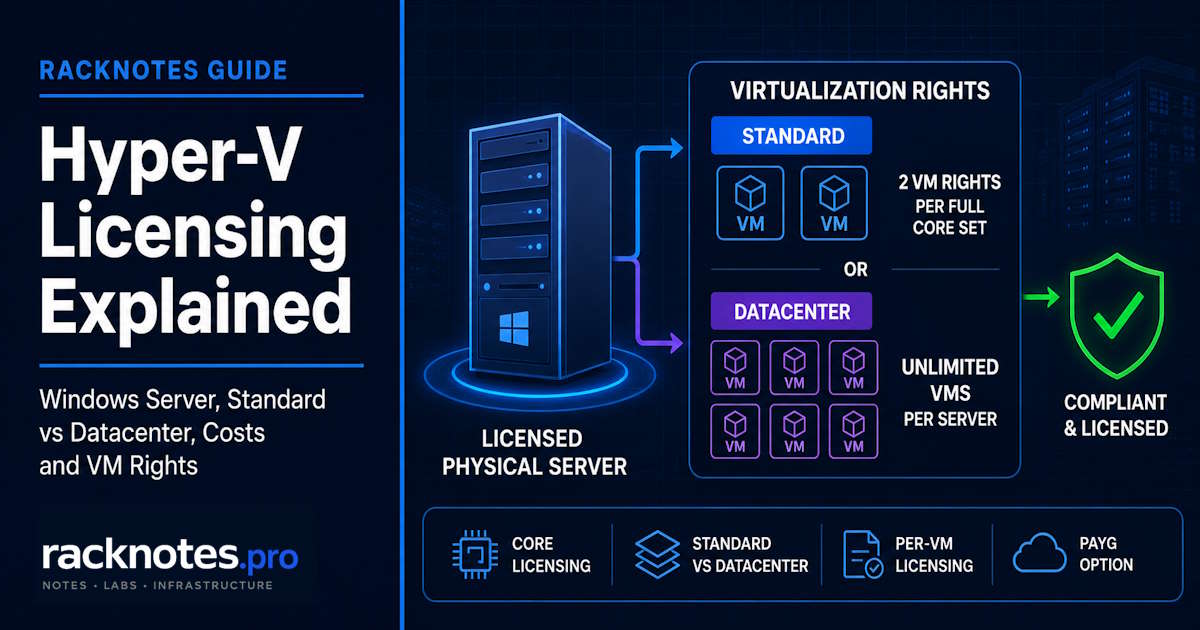
Hyper-V licensing is really Windows licensing: the Hyper-V role itself has no separate price. On a client host, you’re licensing Windows 11 Pro, Enterprise, or Education. On a server host, you’re licensing Windows Server and the virtualization rights for the Windows Server VMs you intend to run.
On Windows Server, that cost is driven by physical-core licensing: every physical core on the host has to be licensed, with an 8-cores-per-processor and 16-cores-per-server minimum, before you even get to how many virtual machines that license lets you run.
- Hyper-V isn’t a separately priced product. On Windows 11 it’s included with Pro/Enterprise/Education. On Windows Server, you’re licensing Windows Server itself, not Hyper-V.
- Windows Server uses physical-core licensing: minimum 8 core licenses per physical processor and minimum 16 per server. Core licenses are sold in 2-core and 16-core packs.
- Standard edition: 2 virtual OSE rights per fully-licensed core set. Need more VMs? License another full core set (“stacking”), not just more VMs.
- Datacenter edition: unlimited virtual OSEs once the entire physical server is properly licensed.
- Per-VM licensing is available only with subscription licensing or active Software Assurance. It requires licenses for all virtual cores assigned to each VM, with a minimum of 8 core licenses per VM and 16 core licenses per customer.
- Windows Server 2025 added a genuinely different model: Azure Arc pay-as-you-go. It does not carry the traditional host-to-VM virtualization rights. Don’t mix its math with conventional licensing.
- There’s no universal “Datacenter pays for itself at 6-8 VMs” rule. Under conventional physical-core licensing, the VM-count crossover is driven mainly by the Standard-to-Datacenter price ratio and the number of Windows Server OSEs. Core count changes the total dollar cost of both editions but, at the same proportional pricing, does not by itself move the VM-count crossover.
This article covers how Hyper-V and Windows Server virtualization licensing actually works: core requirements, Standard vs Datacenter rights, per-VM licensing, clustering, and the Windows Server 2025 PAYG model. It does not cover hardware or system requirements – see Hyper-V Requirements for that, or What Is Hyper-V? for the platform overview. This is general licensing information, not legal or purchasing advice. Microsoft’s own licensing guidance is explicitly informational and points to the current Product Terms as the governing document – when a specific deal, edge case, or dollar amount matters, verify against Product Terms or your Microsoft reseller, not this article.
Does Hyper-V Require a License?
Hyper-V as a technology isn’t sold as its own product with its own SKU, so the question is really four separate questions stacked on top of each other:
The Hyper-V role or feature itself has no standalone price. It’s a capability included in eligible Windows editions, not something you buy on its own.
Windows client entitlement covers Windows 11 Pro, Enterprise, and Education – Hyper-V is included at no additional cost as part of that Windows license, for local development and testing use.
Windows Server licensing is where the real cost lives. What you’re licensing is Windows Server itself – the physical server’s cores, plus how many Windows Server virtual machines (technically, Operating System Environments, or OSEs) you’re entitled to run – not a separate Hyper-V charge.
Guest operating system licensing is a fourth, separate layer that often gets conflated with the above. Windows Server Standard/Datacenter virtualization rights specifically grant the right to run Windows Server OSEs as guests. If you’re running a non-Windows Server guest (a Linux VM, for example) under Hyper-V, that guest’s own OS licensing sits outside the Windows Server virtualization-rights model and has to be sourced separately.
Is Hyper-V Free?
Windows 11 Pro, Enterprise, and Education
If you already hold Windows 11 Pro, Enterprise, or Education, the Hyper-V feature itself costs nothing extra. That does not provide licenses for the guest operating systems you create inside Hyper-V – each VM’s guest OS still needs its own valid license. This is the free-host-feature path most homelab and dev/test users actually mean when they ask “is Hyper-V free.”
Windows Server Hyper-V role
On Windows Server, “free” stops applying the moment you’re running the Hyper-V role in production. The role itself doesn’t add a line item, but you still need a properly licensed Windows Server edition to run it – Standard or Datacenter, licensed by physical core, per the model below.
What happened to free Hyper-V Server?
There used to be a genuinely free, standalone Hyper-V Server SKU – a stripped-down, hypervisor-only edition with no separate license cost. Hyper-V Server 2019 was the last version of that free standalone SKU. Microsoft did not release a Hyper-V Server 2022 or a Hyper-V Server 2025 equivalent – the free standalone product line ended there, even though Hyper-V as a Windows Server technology continues normally in every current release.
Hyper-V Server 2019 remains in extended support through January 9, 2029, and the host product itself does not require a paid Windows Server host license. That does not grant rights to run Windows Server guests: any Windows Server VMs you run on it still need their own valid guest licensing. It remains a supported option for anyone who wants the hypervisor itself at zero host license cost, but it is not a way to get free Windows Server guest rights. The tradeoff is an increasingly dated base OS as the support window narrows, with no free successor waiting once it expires.
How Windows Server Hyper-V Licensing Works
Physical core licensing
Since Windows Server 2016, Standard and Datacenter are licensed per physical core on the host, not per socket and not per server as a flat unit. Every physical core in the box has to be covered by a core license before the server is properly licensed; this is the baseline the rest of the licensing model builds on.
Minimum cores per CPU/server
Two floors apply regardless of your actual core count: a minimum of 8 core licenses per physical processor, and a minimum of 16 core licenses per physical server. A low-core-count CPU is still licensed as if it had 8 cores; a single-socket, low-core-count server is still licensed as if it had 16 cores total. Higher-core-count hardware is licensed for its actual physical core count once that exceeds both minimums.
What a core pack is
Windows Server core licenses are sold in 2-core and 16-core packs. A 16-core requirement can therefore be covered by one 16-core pack or eight 2-core packs; additional cores beyond that can be added in 2-core increments. For calculator purposes, converting a requirement into 2-core-pack equivalents is still useful as a unit of calculation, but a 2-core pack is not the only SKU format Microsoft sells.
CALs vs core licenses
Core licenses grant the right to install and run Windows Server itself. They’re a separate thing from Client Access Licenses (CALs), which conventional Standard/Datacenter licensing generally also requires for users or devices that access server functionality (file services, print services, remote access, and similar). Budgeting for a Windows Server deployment without accounting for CALs is a common way to underestimate real cost – core licenses alone don’t cover access rights.
Standard vs Datacenter Virtualization Rights
This is where the two editions actually diverge, and it’s the single most consequential decision in the whole licensing model.
Standard: two OSEs
A fully-licensed core set on Windows Server Standard grants rights to run up to two Windows Server virtual OSEs (or one physical plus one virtual, depending on how you use the license – see the physical-instance exception below) on that server.
Standard license stacking
Need more than two VMs on the same physical server? You don’t buy a handful of extra core licenses – you license another complete core set for the same physical server, which unlocks two more virtual OSE rights. For six VMs, that means three complete core sets on the same server. This “stacking” requirement is what makes Standard increasingly expensive as VM count rises.
Datacenter: unlimited virtualization
Once the entire physical server is properly licensed for Datacenter at its full physical core count, you get unlimited Windows Server virtual OSEs on that server – no stacking, no counting VMs against a license ceiling. This is the entire value proposition of Datacenter: it converts an open-ended per-VM licensing problem into a flat, one-time cost per server.
When the physical host instance is additional
Here’s a nuance worth getting exactly right rather than approximating. When the physical OSE is used solely to run hardware virtualization software, provide hardware virtualization services, and run software that manages or services the OSEs on that licensed server, it can be used in addition to the two Standard virtual OSE rights the same core license already grants. If the physical OSE is also used for unrelated general-purpose server workloads, it consumes one of the licensed OSE rights instead, like any other instance. Keep host workloads scoped to virtualization management if you’re relying on this exception.
Licensing Windows Server by Virtual Machine
Who qualifies
Per-VM licensing is a real, Microsoft-documented alternative to physical-core-and-stacking, but it’s gated: it’s only available with subscription licensing (paying for Windows Server as a subscription) or active Software Assurance on your Windows Server licenses. If you’re on a conventional perpetual license with no SA, this model isn’t available to you.
Eight-core VM minimum and the 16-core customer floor
When licensing by virtual machine, assign one core license for each virtual core allocated to the VM, subject to a minimum of 8 core licenses per VM. Microsoft also applies a separate minimum of 16 core licenses per customer to the per-VM licensing model overall. This is a customer-level floor, not a 16-core minimum for every individual VM – a single 4-virtual-core VM still only needs 8 core licenses on its own, but if that’s the only VM a customer is licensing this way, the customer-level total still has to reach 16.
Software Assurance/subscription requirement
This isn’t a minor footnote; it’s the gate on the entire model. Per-VM licensing gives SA/subscription customers a more granular way to license virtualization rather than serving as a general-purpose alternative to physical-core licensing for everyone.
Moving VM licenses between hosts
One genuine advantage of the per-VM model is mobility: those licenses are tied to the VM rather than rigidly to one physical box and can move with the VM between hosts within the same Server Farm. Microsoft defines a Server Farm as one data center, or two data centers that are either within four hours’ time-zone difference or both within the EU/EFTA. That differs meaningfully from physical-core licensing, where licenses generally cannot be freely reassigned between physical servers on a short-term basis. The Server Farm definition still limits how far that mobility extends.
Hyper-V Licensing in Clusters and Live Migration
Failover and live migration don’t get a special discount in the licensing model; they get a specific rule. Under physical-core licensing, every host a VM could actually land on has to be properly licensed for that workload, not just the host it normally runs on. In a two-node cluster, that generally means both nodes need enough licensing to cover the peak virtual-machine load either one could carry, not just its normal steady-state count.
This is where Datacenter’s unlimited-OSE model can justify its cost in cluster environments. If every node is properly licensed for Datacenter at its full core count, VMs can move across the cluster without re-deriving a stacking calculation after each failover. Under Standard, every node capable of hosting a given VM needs enough stacked licensing to cover that workload, which becomes expensive and easy to miscalculate as the cluster grows.
Under per-VM licensing, the logic is different again: eligible licenses can move with the workload between servers within the same Server Farm, rather than requiring every potential destination to be independently licensed up front.
Windows Server 2025 Licensing Changes
PAYG via Azure Arc
Windows Server 2025 introduced a genuinely new billing model on top of the traditional perpetual-license approach: pay-as-you-go (PAYG) through Azure Arc. Instead of buying core licenses upfront, qualifying Arc-connected servers are billed based on usage.
Conventional vs PAYG
Don’t treat PAYG as “Datacenter, but billed monthly.” The rights are different, not just the payment schedule. Microsoft is explicit that PAYG does not convey the traditional host-to-VM virtualization rights the way a properly licensed Datacenter or Standard host does – it’s a different licensing shape, not conventional licensing with a subscription wrapper.
Impact on VM rights
Under PAYG, each virtual machine needs its own separate licensing rather than inheriting broad host-level virtualization rights – there’s no equivalent to Datacenter’s “license the host, run unlimited Windows Server VMs” logic here. Standard Windows Server CALs aren’t required for basic functionality under the PAYG model, though Remote Desktop Services (RDS) CALs are still required wherever RDS licensing applies. One operational trap matters for cost control: stopping or shutting down the server does not by itself stop PAYG licensing charges. You have to disable PAYG through Azure Arc when the license is no longer needed. Treat PAYG as its own licensing option, not as a variant of the perpetual Standard/Datacenter decision above.
Hyper-V Licensing Cost and Calculator Examples
The figures below use Microsoft’s US reference pricing (approximately $1,176 for a 16-core Standard license and $6,771 for a 16-core Datacenter license), checked on August 15, 2026, purely to illustrate how the formulas behave. Actual pricing varies by country, channel, and negotiated agreement – treat every dollar figure here as illustrative, not a quote, and verify current pricing before budgeting anything real.
The core-licensing math, stated as formulas:
BaseCoreRequirement = max(PhysicalCores, 8 x PhysicalProcessors, 16)

# If calculating entirely in 2-core-pack equivalents (Microsoft also sells 16-core packs)
TwoCorePacks = ceil(BaseCoreRequirement / 2)

# Standard, physical-core licensing
StandardLicenseSets = ceil(WindowsServerOSEs / 2)
TotalCoreLicenses = BaseCoreRequirement x StandardLicenseSets

# Datacenter, physical-core licensing
TotalCoreLicenses = BaseCoreRequirement
VirtualizationRights = unlimited Windows Server OSEs

# Per-VM licensing (subscription/SA required)
CoreLicensesForVM_i = max(VirtualCores_i, 8)
PerVMCustomerTotal = max(sum(CoreLicensesForVM_i), 16)
Worked example: a 16-core, dual-processor host. BaseCoreRequirement = max(16, 8×2, 16) = 16 (8 two-core packs, or one 16-core pack).
| VMs needed | Standard core sets required | Standard total core licenses | Standard reference cost | Datacenter reference cost |
|---|---|---|---|---|
| 2 | 1 | 16 | ~$1,176 | ~$6,771 |
| 4 | 2 | 32 | ~$2,352 | ~$6,771 |
| 6 | 3 | 48 | ~$3,528 | ~$6,771 |
| 8 | 4 | 64 | ~$4,704 | ~$6,771 |
| 10 | 5 | 80 | ~$5,880 | ~$6,771 |
| 12 | 6 | 96 | ~$7,056 | ~$6,771 |
At Microsoft’s current reference pricing, Standard remains cheaper through 10 Windows Server VMs and Datacenter becomes cheaper at 12. That threshold comes from the current Standard-to-Datacenter price ratio, not from this host being 16 cores. A 32-core or 64-core host scales the absolute cost of both physical-core licensing options, but the crossover stays at the same number of Standard license sets when the same proportional pricing applies. Negotiated discounts can change the edition price ratio, so run the comparison again with your actual pricing before making a purchasing decision.
Worked example: per-VM licensing. A subscription/SA customer with a 4-virtual-core VM and a 12-virtual-core VM gets CoreLicensesForVM_i = max(4, 8) = 8 for the first and max(12, 8) = 12 for the second, totaling 20 core licenses. That’s already above the 16-core customer floor, so the floor doesn’t change this particular total. A customer licensing only one small VM this way would still hit the 16-core customer minimum even though that VM’s own requirement is lower. Per-VM licensing scales with actual VM count and size rather than forcing a stacked all-or-nothing jump the way Standard does; the tradeoff is that it’s available only through subscription licensing or active SA.
FAQ
Does Hyper-V require its own license?
No. Hyper-V has no standalone price. On Windows 11, it’s included with Pro, Enterprise, or Education. On Windows Server, you’re licensing Windows Server itself by physical core – there’s no separate Hyper-V line item on top of that.
What is the minimum number of core licenses I need for Windows Server?
Two floors apply together: at least 8 core licenses per physical processor, and at least 16 core licenses per physical server, whichever combination is higher for your actual hardware. Core licenses are sold in 2-core and 16-core packs.
How many VMs can I run with Windows Server Standard?
Two Windows Server virtual OSEs per fully-licensed core set on that server. If you need more, license another complete core set for the same server (“stacking”) rather than buying incremental VM rights – there’s no partial or per-VM top-up under Standard’s core-based model.
Is Datacenter always cheaper for many VMs?
Not automatically. Under conventional physical-core licensing, the crossover is primarily a function of the Standard-to-Datacenter price ratio and the number of Windows Server OSEs you need. Physical core count changes the absolute cost of both options, while negotiated edition pricing can move the crossover. If you qualify for per-VM licensing, compare that as a separate model rather than folding it into the Standard-vs-Datacenter stacking calculation.
What is per-VM licensing and who qualifies?
An alternative to physical-core-and-stacking that licenses Windows Server per virtual machine instead, at a minimum of 8 core licenses per VM and a minimum of 16 core licenses per customer for the model overall. It’s only available to customers with subscription licensing or active Software Assurance – it isn’t a general option available on a standard perpetual license.
Does Windows Server 2025 PAYG replace traditional Windows Server licensing?
No, it’s a separate model, not a subscription version of the same rights. Azure Arc pay-as-you-go bills by usage and requires each VM to be licensed individually – it does not carry the host-level virtualization rights that make Datacenter’s “license the host, run unlimited VMs” model work. Base Windows Server CALs aren’t required under PAYG, but RDS CALs still are where RDS applies, and shutting the server down doesn’t automatically stop billing – you have to disable PAYG through Azure Arc.
Do I still need CALs with Datacenter or Standard?
Generally yes, for conventional Standard/Datacenter licensing. Core licenses grant the right to run the OS; Client Access Licenses cover users or devices accessing server functionality, and they’re a separate purchase most deployments still need to budget for.
Final Thoughts
Windows Server virtualization licensing has one real fork in the road: Standard’s stacking model versus Datacenter’s flat unlimited-OSE model. The better option depends mainly on how many Windows Server VMs a host needs to run and the current Standard-to-Datacenter price ratio, not on a generic rule of thumb or primarily on the host’s core count. Core and socket count set the absolute dollar cost of either edition, but at proportional pricing they don’t move the VM-count crossover point on their own. Run the stacking math against your real VM count and negotiated pricing before deciding; the crossover is cheap to check and expensive to guess wrong after the hardware is already bought.
Windows Server 2025’s Azure Arc PAYG option adds a genuinely new choice on top of that fork rather than replacing it – evaluate it on its own terms, not as a payment-plan version of Datacenter. And if minimizing licensing cost to functionally zero for the hypervisor itself is the actual goal, standalone Hyper-V Server 2019 remains a real option through its January 2029 extended-support window, with the tradeoff of running an aging base OS and still needing separate guest licensing for any Windows Server VMs.
None of this replaces reading the actual Product Terms for your specific agreement – Microsoft’s own licensing guidance says as much, and a wrong assumption here costs real money, not just an awkward troubleshooting session. For the hardware and system side of running Hyper-V at all, see Hyper-V Requirements.
Official Microsoft Sources
- Product Terms
- Windows Server 2025 Licensing Guidance
- Windows Server Virtualization Technologies licensing guidance
- Core-based licensing models overview
- Windows Server product licensing
- Windows Server pricing
- Windows Server pay-as-you-go (Azure Arc)
- Automatic Virtual Machine Activation
- Hyper-V Server 2019 lifecycle
- Hyper-V Server 2019 Evaluation Center
Hyper-V Series
16 articles – Windows Server 2025 · Requirements · Licensing · Networking · Storage · USB Passthrough · TPM 2.0 · Backup · Clustering