
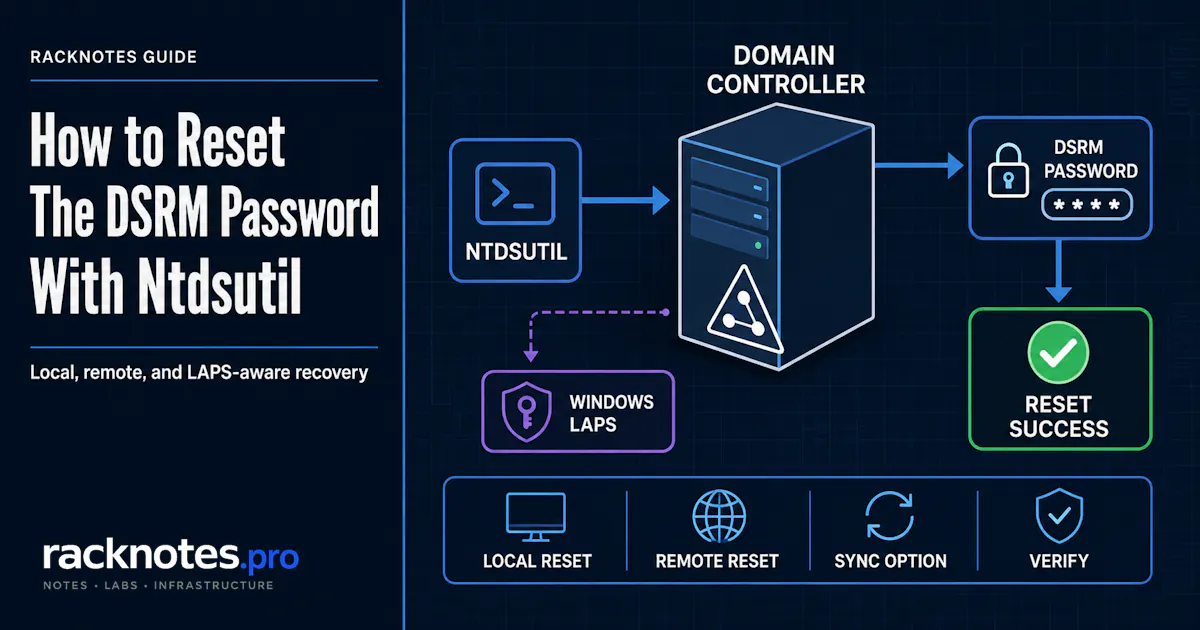
Reset DSRM password on the domain controller you are signed in to: run ntdsutil, enter set dsrm password, then run reset password on server null. Type the new password twice, then q and q again to exit. The target DC must be running normally, not already booted into Directory Services Restore Mode.
For a different DC, replace null with its DNS name.
ntdsutil
set dsrm password
reset password on server null
<new password>
<confirm password>
q
q
The ntdsutil command sequence for resetting the DSRM password has been stable for years. What has changed is everything around it. Every domain controller holds its own Directory Services Restore Mode credential in its local SAM database. It does not replicate, it is not a domain account, and in most environments it was set during promotion and never touched again. That makes it one of the few Tier 0 credentials that is routinely unknown at the exact moment it becomes necessary.
An operator runs the reset on a modern domain controller and the command fails with a policy-controlled-account error. Nothing is wrong with the syntax. Windows LAPS is managing that DSRM account and rejecting the external change. The correct action is to retrieve or rotate the credential through Windows LAPS, not to work around the block.
Which method should you use?
| Situation | Method |
|---|---|
| Supported DCs with Windows LAPS DSRM management fully configured | Windows LAPS manages and rotates the DSRM password |
| Single DC, or an urgent manual rotation | reset password on server null |
| Rotating a specific remote DC | reset password on server <servername> |
| Legacy centralized workflow across many DCs | sync from domain account, with the shared-credential caveats below |
Use Windows LAPS as the primary management method on supported domain controllers. Use ntdsutil on domain controllers where Windows LAPS DSRM management is unsupported or intentionally not enabled. The two are not interchangeable on the same account, because a LAPS-managed DSRM password cannot be changed externally.
What the DSRM password is
Directory Services Restore Mode is a boot mode used for offline directory repair and restore work on a domain controller. The account you sign in with is not a domain account. It lives in that DC’s local SAM database and is initially set during domain controller promotion.
Three properties change how you operate:
- It is local to one DC. The DSRM password is unique to each domain controller and does not replicate. Resetting it on DC01 changes nothing on DC02.
- AD DS is offline when you use it. When the DC boots into DSRM, credential validation happens against the local SAM. Domain authentication and domain account controls do not govern that sign-in the way they govern a normal domain logon.
- You sign in as a local account. At the DSRM logon prompt, use
.\AdministratororDC01\Administrator.DOMAIN\Administratorwill not authenticate.
Requirements before you reset it
- An elevated Command Prompt or elevated PowerShell session.
ntdsutilis an executable, not a cmdlet, and runs from either shell. - Domain Admin authority for the reset operation.
- The target DC running in normal mode.
ntdsutilcannot perform this reset on a DC that is already booted into DSRM. - Network and RPC connectivity to the target DC for a remote reset. If the command returns
0x6BA, troubleshoot DNS, firewall rules, routing, and RPC reachability. - Confirmation that Windows LAPS is not already managing the DSRM account on that DC.
Reset DSRM password on the local domain controller
The interactive sequence, as documented in Microsoft’s DSRM password reset guidance:
C:\> ntdsutil
ntdsutil: set dsrm password
Reset DSRM Administrator Password: reset password on server null
Please type password for DS Restore Mode Administrator Account: ********
Please confirm new password: ********
Password has been set successfully.
Reset DSRM Administrator Password: q
ntdsutil: q
Nothing echoes while you type the password. That is expected. The null keyword means the computer you are running the command on, not an empty or default password.
One-line form:
ntdsutil "set dsrm password" "reset password on server null" q qThe password is still entered interactively. It never appears on the command line, which keeps it out of shell history and scheduled task logs.
Reset the DSRM password on a remote domain controller
Same command tree, one substitution:
ntdsutil "set dsrm password" "reset password on server DC02.contoso.com" q qUse the target domain controller’s DNS name. Each invocation targets exactly one DC. There is no wildcard, no OU scope, and no “all DCs” switch. Six domain controllers means six operations, whether you run them by hand or wrap them in a loop.
If the command cannot reach the target, the cause is usually name resolution, firewall policy, or the DC being down rather than anything specific to DSRM. Confirm the DC is reachable and healthy first. Our Active Directory health check walkthrough covers the checks worth running before you assume a syntax problem.
Synchronize the DSRM password from a domain account
Instead of typing a password, you can copy one from an existing domain user account:
ntdsutil "set dsrm password" "sync from domain account CONTOSO\DsrmSync" q qTwo things about this are regularly misunderstood.
It is a one-time synchronization. The DSRM account takes the domain account’s password at the moment you run the command. Changing that domain user’s password later does not update the DSRM password on any DC. There is no ongoing relationship. To realign them, you run the command again.
The source account does not need membership in Domain Admins or another privileged group. Microsoft’s Directory Services team documented this pattern using a standard domain user with a complex password. The account supplies a password value, not administrative rights. The person running the command still needs Domain Admin authority. The set dsrm password command reference also notes that ntdsutil does not handle some special characters correctly, the apostrophe being the documented example.
There is a real security trade-off here. One synchronized placeholder account across every DC means one compromised credential is a valid local administrator credential on every domain controller in the domain. If you use this pattern:
- Prefer unique passwords per DC where the operational overhead is affordable.
- At minimum, use separate synchronized credentials for writable DCs and read-only DCs, to reduce the blast radius of a compromised placeholder password.
- Treat the placeholder account as Tier 0 material even though it holds no privileged group memberships.
For legacy ntdsutil-based automation, Group Policy does not set the DSRM credential directly. Organizations historically deployed the command through a scheduled task or startup script, using the same distribution mechanisms covered in our guide to Group Policy in Active Directory. On supported domain controllers, Windows LAPS is now the native policy-based method and should be preferred.
Manage the DSRM password with Windows LAPS
Windows LAPS shipped as an inbox Windows feature with the April 11, 2023 updates, and it can manage the DSRM account on domain controllers directly. Historically, Windows had no native Group Policy setting that managed DSRM passwords. On supported modern domain controllers, that is no longer true.
Minimum platform requirements
Per Microsoft’s Windows LAPS and Active Directory guidance:
- Domain functional level 2016 or later. Below that, password encryption is unavailable and DSRM account management cannot be configured at all.
- Password encryption enabled.
- Windows Server 2019 or later on the domain controller itself. Server 2016 and earlier DCs do not support Windows LAPS, so they cannot use DSRM account management even in a DFL 2016 domain.
The forest must also have the Windows LAPS schema extension and write permissions configured, BackupDirectory must target Windows Server Active Directory, and ADBackupDSRMPassword must be enabled. If BackupDirectory is disabled, the other LAPS policy settings are ignored.
Full Windows LAPS deployment, including schema extension, permission delegation, and decryptor design, is outside the scope of this article. What follows covers only what changes about DSRM password handling once LAPS is in place.
The relevant policy lives at Computer Configuration > Policies > Administrative Templates > System > LAPS, under Enable password backup for DSRM accounts (ADBackupDSRMPassword). It applies only to domain controllers, and only when password encryption is on.
Retrieve the password
Get-LapsADPassword -Identity DC01 -AsPlainTextA DSRM result shows Source : EncryptedDSRMPassword. For DSRM passwords, the authorized decryptor is always the Domain Admins group in the domain controller’s domain. The ADPasswordEncryptionPrincipal setting is ignored in this scenario, which explains why a delegated decryptor group that works for member servers does not work here.
-AsPlainText exposes the password in the console. Use it only in a controlled administrative or recovery session, and omit the switch when a clear-text value is not required. Full parameter detail is in the Get-LapsADPassword reference.
Why ntdsutil is blocked
Windows LAPS protects a managed account’s password from outside modification. Microsoft’s Windows LAPS architecture documentation states that this protection extends to the DSRM account on domain controllers. Rejected modification attempts return STATUS_POLICY_CONTROLLED_ACCOUNT (0xC000A08B) or ERROR_POLICY_CONTROLLED_ACCOUNT (0x21CE / 8654), and Windows LAPS writes Event ID 10031 to its own event log channel.
Microsoft documents the blocking behavior generally rather than naming ntdsutil in that sentence. The practical result is the same. Any external attempt to change that DSRM password fails, and it should not be forced.
The same documentation notes that Windows LAPS is disabled while a machine is running in safe mode or DSRM, and the managed password is not backed up during that window even if it has expired. Retrieve and document the credential before taking the DC offline. If every DC is unavailable, supported Windows LAPS builds can query DSRM passwords from a mounted Active Directory database by using Get-LapsADPassword with the snapshot browser -Port parameter and, where the build supports it, -RecoveryMode. That is a separate forest-recovery procedure with its own prerequisites.
How to verify the reset safely
There are four levels of confidence here, and they are not interchangeable.
1. Command output. ntdsutil reporting success confirms the operation completed. It does not confirm that the value in your vault matches what your fingers typed.
2. Audit evidence. Security Event ID 4794 records an attempt to set the Directory Services Restore Mode administrator password, and generates only on domain controllers. Check the result status, not just the presence of the event.
3. LAPS retrieval. Where LAPS manages the account, Get-LapsADPassword returns the current credential. This is the strongest non-disruptive verification available in a LAPS-managed environment, because you are reading back the stored value rather than inferring it.
4. Controlled recovery testing. A real end-to-end test means an actual DSRM sign-in, in a lab or during a scheduled recovery exercise.
Do not reboot a production domain controller into DSRM to confirm a routine password rotation. Use command output, Event 4794, LAPS retrieval where applicable, and a scheduled recovery test instead.
- Confirm the session is elevated and the account holds Domain Admin authority.
- Confirm the target DC is running in normal mode, not booted into DSRM.
- Check the Windows LAPS event log on the target DC for Event ID 10031. If present, the account is LAPS-managed and the reset will keep failing.
- For a remote target, verify DNS resolution and RPC reachability before revisiting the command syntax.
- If the failure is
0xA91, test the proposed password against your password policy and any active password-filter DLL. - Re-check the command order.
set dsrm passwordmust be entered before the reset command.
One security note while you are in here. Leave DsrmAdminLogonBehavior at its default unless a documented, supported recovery procedure requires a temporary change.
Common errors
| Error or symptom | Meaning and next step |
|---|---|
0x21CE / 8654, Event 10031 | Windows LAPS blocked an external modification to the managed DSRM password. Rotate through LAPS. |
0xA91 | A password filter rejected the proposed password. Microsoft documents this for Microsoft Entra Password Protection and other filter DLL validation. |
0x6BA | RPC server unavailable. Investigate DNS, firewall, routing, service state, and RPC connectivity. |
| Reset refused while the DC is in DSRM | Boot the DC normally and run the reset again. |
| Apostrophe or special character rejected | Known ntdsutil special-character parsing limitation. Choose a different password. |
Error parsing Input - Invalid Syntax | Wrong ntdsutil context or command order. Enter set dsrm password first. |
Rotation and audit checklist
- A unique password per domain controller wherever operationally feasible.
- Long, random, machine-generated values rather than anything a person invents.
- Storage in a vault that does not depend on Active Directory to authenticate. If the vault needs AD to open, and AD is what is broken, you have a circular dependency at the worst possible moment.
- Windows LAPS on every DC that meets the prerequisites.
- Event ID 4794 audited, Windows LAPS Event ID 10031 monitored.
- The documented recovery procedure tested on a schedule.
For LAPS-managed DCs, rotation follows the organization’s configured PasswordAgeDays policy and happens automatically. For manually managed DSRM passwords, define a Tier 0 rotation schedule based on risk, compliance requirements, and your recovery testing cadence. Some Active Directory security practitioners recommend three to six months for credentials of this class, but Microsoft does not mandate an interval.
The DSRM credential belongs in the same operational conversation as the rest of your recovery tooling, not in a separate password spreadsheet nobody opens. A valid Active Directory System State backup is worth very little if nobody can sign in to the domain controller to restore it. The same applies in the other direction: knowing the DSRM password does not help if there is no usable backup to restore from.
For everyday object deletions, DSRM is usually the wrong tool entirely. If the Recycle Bin is enabled and the object is still within its retention window, the Active Directory Recycle Bin restores it without taking any DC offline.
FAQ
Can I reset the DSRM password without rebooting the domain controller?
Yes. The reset runs while the DC is operating normally. It has to, in fact, because ntdsutil cannot perform this reset on a DC that is already booted into DSRM.
Is the DSRM password the same on every domain controller?
No, unless someone deliberately made it so. Each DC holds its own local DSRM credential, and it does not replicate.
Can Windows LAPS manage the DSRM password?
Yes, on Windows Server 2019 and later domain controllers, in a domain at DFL 2016 or higher with password encryption enabled. Enable it through the “Enable password backup for DSRM accounts” policy setting, with BackupDirectory pointed at Windows Server Active Directory. Server 2016 and earlier DCs cannot use this feature.
Why does ntdsutil fail with error 0x21CE?
Windows LAPS is managing that DSRM account and rejecting external password modifications. Event ID 10031 appears in the Windows LAPS event log. Rotate the password through LAPS rather than working around the block.
What username do I use to sign in to DSRM?
.\Administrator or DC01\Administrator. It is a local account, so DOMAIN\Administrator will not authenticate.
Do I need to sync the DSRM password again after changing the domain account’s password?
Yes. sync from domain account performs a one-time password synchronization. Later changes to the source account do not propagate to any DC.
Final thoughts
Microsoft documents the same ntdsutil command sequence across supported Windows Server versions. How you reset DSRM password credentials on a given domain controller now depends on whether Windows LAPS manages that account. On supported and properly configured domain controllers, Windows LAPS can rotate, encrypt, and store a unique DSRM password for each DC, while blocking external password changes to that account.
Use Windows LAPS as the primary management method where its prerequisites are met. Use ntdsutil as the supported manual method for domain controllers where DSRM password management is unsupported or intentionally not enabled. In either case, make sure the credential is recoverable during an Active Directory outage and that the recovery procedure is tested on a schedule.
The DSRM password is the credential nobody tests until they need it. That is exactly why it fails.
Active Directory Series
25 articles – Windows Server 2025 · Forest & Domain · FSMO · GPO · Replication · DNS · Security · Backup & Recovery