
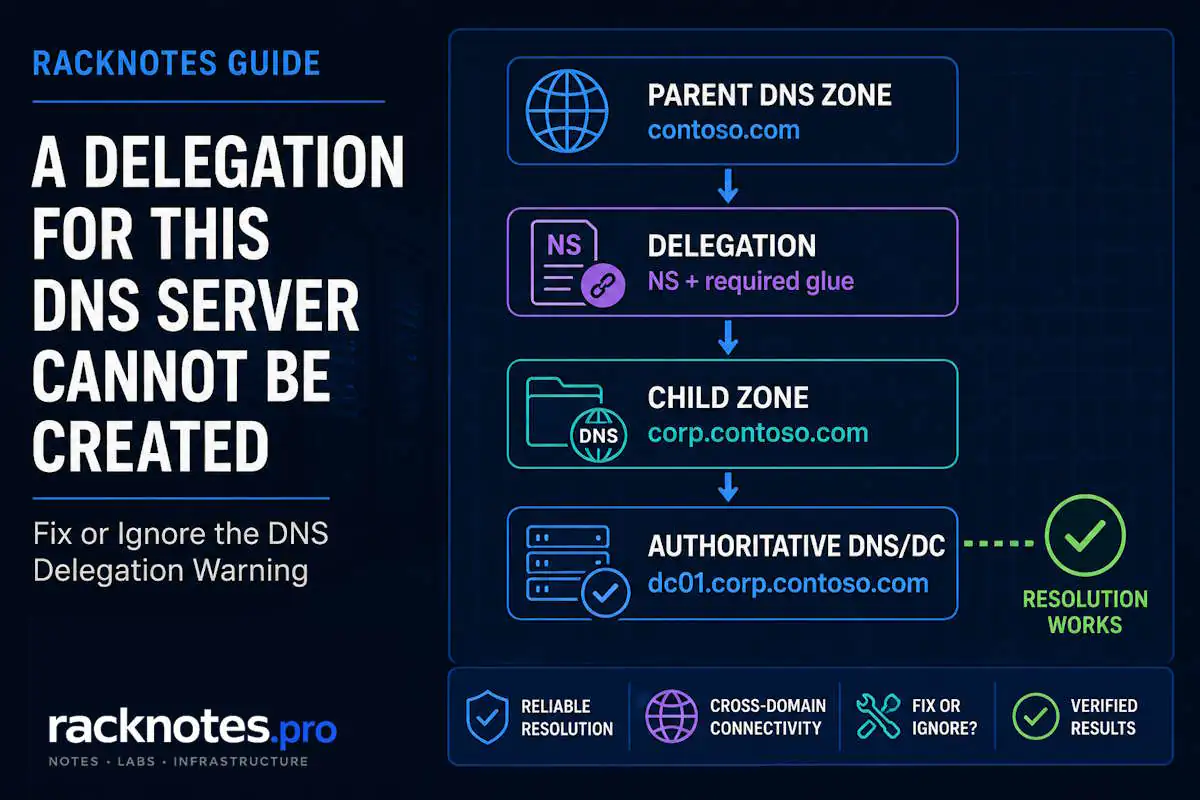
The warning usually means the AD DS promotion wizard couldn’t create or verify a delegation in the authoritative parent DNS zone. If you’re creating a new forest and no parent delegation is required, you can usually continue. If you’re creating a child domain or integrating with an existing DNS namespace, verify or create the delegation before treating the warning as harmless.
The exact wording:
A delegation for this DNS server cannot be created because the authoritative parent zone cannot be found or it does not run Windows DNS server. If you are integrating with an existing DNS infrastructure, you should manually create a delegation to this DNS server in the parent zone to ensure reliable name resolution from outside the domain, otherwise no action is required.The warning can appear during DNS Options or prerequisite checking in the Active Directory Domain Services Configuration Wizard and during PowerShell-based AD DS promotion. It does not by itself mean domain controller promotion failed.
Is This an Error or Just a Warning?
It’s a warning, not a hard error. Microsoft documents this exact message appearing during prerequisite checking and again during configuration, and says it can be ignored when no delegation is actually required.
New forest root domain: usually ignore.
Child domain / existing parent DNS namespace: verify or create the delegation.
| Scenario | Usually ignore? | Action |
|---|---|---|
| New forest, no usable parent DNS zone | Yes | Continue after confirming DNS design |
| New child domain under an existing parent zone | No | Verify or create delegation |
| Existing parent zone must refer clients to the new child namespace | No | Verify or create the delegation |
| Parent zone exists on non-Windows DNS | Usually fix manually | Add delegation on the authoritative DNS platform |
| Additional DC in an existing domain | Investigate | Confirm existing DNS/delegation design before changing anything |
Adding another domain controller to an existing domain does not normally require creating a new parent-zone delegation just for that DC. Verify the existing DNS namespace and delegation design before making changes.
The wording is intentionally conditional. Nothing here is universally safe or universally required.
When You Can Safely Ignore the DNS Delegation Warning
Creating a New Forest
If corp.contoso.com is being created as a completely new forest and there’s no authoritative parent DNS infrastructure that clients need to discover it through, there may be nowhere for the wizard to create a delegation in the first place. That doesn’t mean the namespace design is automatically correct; it only means this specific warning is not the problem to solve.
The Parent Zone Doesn’t Exist, or Belongs to Someone Else
If the authoritative parent zone does not exist, there is nowhere to create a delegation. If the parent zone does exist but is managed by another team or DNS provider, you may need that administrator to create the delegation for you. This matters especially for organizations using public DNS or centrally managed DNS infrastructure.
Name Resolution Doesn’t Depend on a Parent Delegation
If clients resolve the AD DNS namespace directly through the correct DNS servers, with no parent-to-child referral involved, the warning is informational rather than actionable.
When You Should NOT Ignore It
You’re Creating a Child Domain
If the parent is contoso.com and the child is corp.contoso.com, systems that use the parent zone may need a delegation for corp.contoso.com so their queries get referred to the authoritative DNS servers for the child zone. Skipping this can leave outside resolution broken even though the domain controller itself promoted successfully.
The Parent Zone Already Exists
If the authoritative parent zone exists but the wizard couldn’t modify it, check:
- permissions on the parent zone;
- whether it’s hosted on a different DNS server;
- whether it uses non-Microsoft DNS;
- whether the wizard could actually reach the authoritative parent server;
- whether a delegation already exists but points to the wrong server or IP.
You’re Using Existing Non-Windows DNS Infrastructure
The AD DS wizard can’t create a delegation automatically on BIND, an appliance, or cloud DNS. Create the equivalent records manually on that platform.
Clients Outside the Child Zone Need to Resolve the New Domain
If systems resolving through the parent DNS hierarchy can’t find the new child domain, the delegation becomes operationally important, not optional.
Why the Warning Appears
- The authoritative parent zone can’t be found.
- The parent DNS server isn’t Windows DNS.
- The installing account can’t modify the parent zone.
- The parent DNS server is unreachable.
- The parent zone is hosted on different DNS infrastructure than expected.
- A required delegation doesn’t exist yet.
- An existing delegation has incorrect NS or address/glue information.
None of these automatically mean DNS is broken. They mean the wizard could not complete or verify the parent-zone delegation step automatically.
How DNS Delegation Works Here
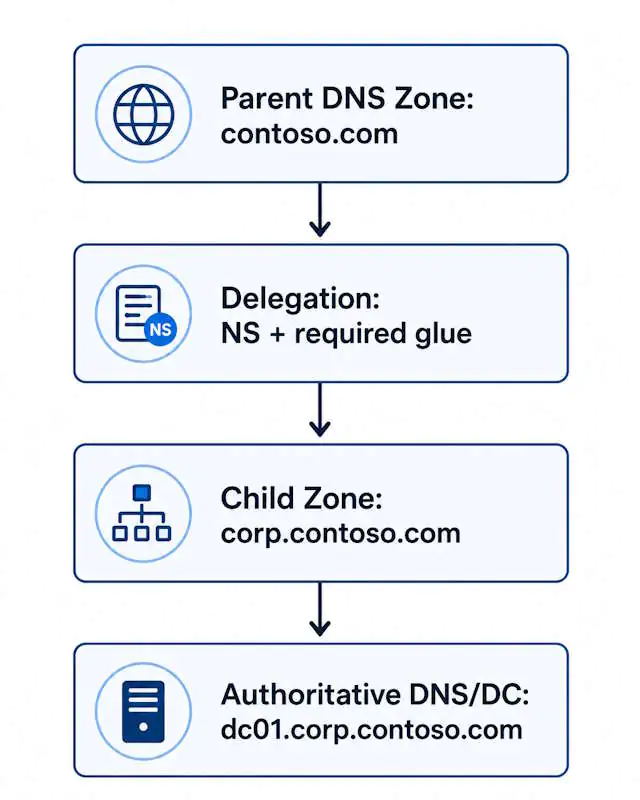
Parent zone: contoso.com. Delegated child zone: corp.contoso.com. Authoritative DNS server for the child: dc01.corp.contoso.com.
The parent zone holds a delegation for the child, represented by NS records that identify the child’s authoritative DNS server. Glue address records are also included when they are required for the resolver to reach that name server.
How to Check Whether You Actually Need a Delegation
Step 1: identify the AD DNS namespace. Is this a new forest, a new child domain, or an additional DC in an existing domain?
Step 2: identify the parent DNS zone. For corp.contoso.com, the parent is contoso.com. Does it exist? Who hosts it? Is it authoritative? Windows DNS or something else?
Step 3: check for an existing delegation on the parent zone. Run this on the Windows DNS server that hosts the authoritative parent zone; if you run it from another server, use the cmdlet’s -ComputerName parameter to target the parent DNS server explicitly.
Get-DnsServerZoneDelegation -Name "contoso.com"Check the output for the child zone name, the name server, and the IP address instead of assuming whether a delegation already exists. See Microsoft’s Get-DnsServerZoneDelegation reference for the full parameter list.
How to Create the DNS Delegation in DNS Manager
- Open DNS Manager on the DNS server hosting the parent zone.
- Expand Forward Lookup Zones.
- Right-click the authoritative parent zone.
- Select New Delegation.
- Enter the child domain label.
- Add the FQDN and IP address of the authoritative DNS server for the child zone.
- Complete the wizard.
- Confirm the delegation appears beneath the parent zone.
Example: parent zone contoso.com, child label corp, child DNS server dc01.corp.contoso.com. See Microsoft’s Manage DNS zones documentation for the full delegation walkthrough in DNS Manager.
How to Create the DNS Delegation with PowerShell
Run this on the Windows DNS server that hosts the authoritative parent zone, or target it explicitly with -ComputerName if you’re running it from elsewhere:
Add-DnsServerZoneDelegation -Name "contoso.com" -ChildZoneName "corp" -NameServer "dc01.corp.contoso.com" -IPAddress "192.0.2.10"See Microsoft’s Add-DnsServerZoneDelegation reference for the full parameter list. Then confirm it:
Get-DnsServerZoneDelegation -Name "contoso.com"What If the Parent Zone Is Hosted on Non-Windows DNS?
Create the equivalent delegation records directly in the authoritative parent zone: NS records for the child zone, plus required address/glue records where applicable. The exact steps depend on the DNS platform in use; there’s no single procedure that covers every non-Windows DNS product.
How to Verify the Fix
Check the delegation again:
Get-DnsServerZoneDelegation -Name "contoso.com"Query the child namespace from a system that resolves through the parent DNS path:
Resolve-DnsName dc01.corp.contoso.comQuery the child zone’s name servers directly:
Resolve-DnsName corp.contoso.com -Type NSSuccess looks like the child zone’s authoritative name server resolving correctly from outside the child zone; exact output depends on your environment. If promotion already completed, dcdiag /test:DNS is a reasonable follow-up check, though it’s a broader DNS health test, not a delegation-specific one.
If the Warning Appears While Creating a New Forest
Check these four items before continuing:
- server DNS configuration is correct;
- the intended AD DNS name is what you actually meant to use;
- the DNS Server role is selected as required by the deployment;
- there’s no existing parent-zone requirement in your organization’s DNS design.
This is not a blanket “always ignore” rule; it applies only when the DNS design does not require a parent delegation.
If the Warning Appears While Creating a Child Domain
For a child domain, verify the parent-to-child delegation before continuing:
- Confirm the parent zone.
- Make sure the parent DNS server is reachable from the new DC.
- Create or verify the delegation in the parent zone.
- Validate the NS and IP information in that delegation.
- Re-run the prerequisites check if needed.
Common Mistakes to Prevent
- Treating the warning as a fatal AD DS installation error.
- Ignoring it during a child-domain deployment without checking the parent DNS.
- Creating the delegation in the child zone instead of the parent zone.
- Pointing the delegation to the wrong server.
- Using a server name that isn’t actually resolvable.
- Confusing a DNS delegation with a DNS forwarder.
- Assuming installing DNS on the DC automatically creates every required parent delegation.
- Troubleshooting replication before confirming the basic DNS hierarchy is correct.
DNS Delegation vs DNS Forwarder
Delegation tells resolvers which DNS server is authoritative for a child namespace.
Forwarder sends unresolved queries to another resolver.
They solve different problems. A forwarder is not a substitute for a delegation, and vice versa.
FAQ
Can I ignore “A delegation for this DNS server cannot be created”?
Usually, for a new forest when no parent delegation is required. Not automatically for a child-domain deployment or an existing parent DNS namespace.
Does this warning mean domain controller promotion failed?
No. It is a DNS delegation warning, not proof that promotion itself failed.
Where do I create the DNS delegation?
In the authoritative parent DNS zone, not in the new child zone.
What records does a DNS delegation use?
Primarily NS records, plus address/glue information where it’s required.
Is DNS delegation the same as DNS forwarding?
No.
Why does this warning appear during promotion?
Because the promotion process can’t automatically locate, validate, or create the required delegation in the authoritative parent DNS infrastructure.
Related Reading
For the full AD DS installation and promotion workflow, see how to install Active Directory. For DNS problems beyond this specific delegation warning, see Active Directory DNS problems.
Active Directory Series
25 articles – Windows Server 2025 · Forest & Domain · FSMO · GPO · Replication · DNS · Security · Backup & Recovery