
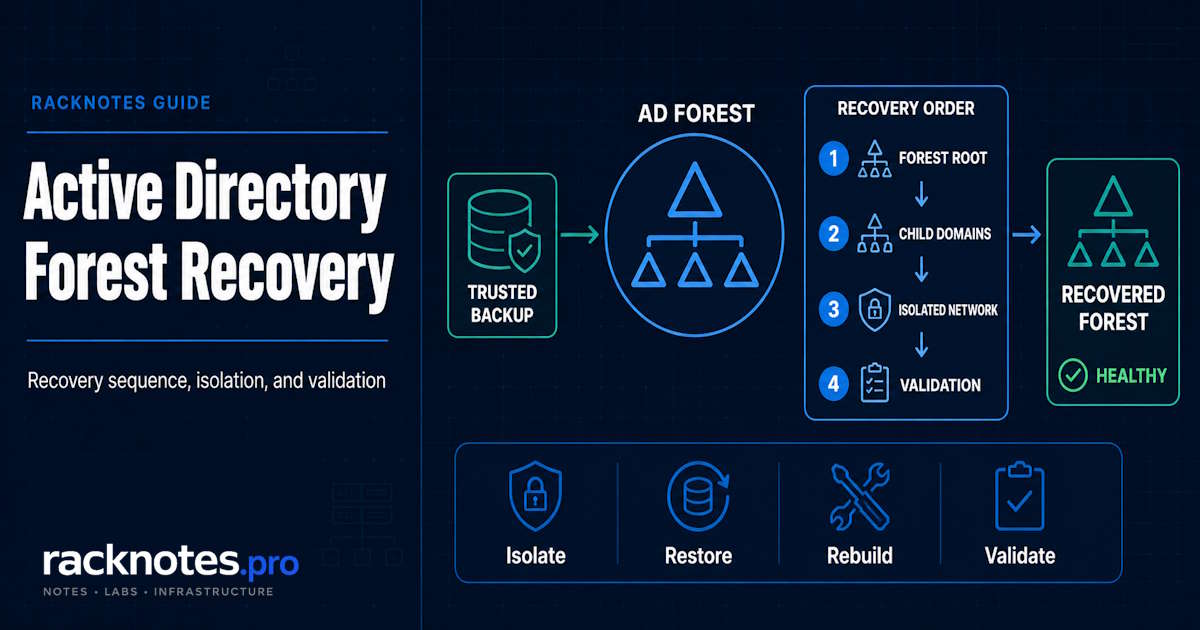
Active Directory forest recovery is the process of rebuilding an entire AD forest from trusted backup after a failure or compromise severe enough that normal domain-controller repair is no longer sufficient. The recovery order matters: isolate the environment, restore the forest-root domain first, recover one writable DC per domain in parent-before-child order, rebuild supporting services, then validate the forest before reconnecting it to production.
This is not the same as restoring one failed domain controller. Forest recovery has its own sequence, domain-scoped SYSVOL handling, and dependencies that can fail if the order is skipped.
- Forest recovery is for forest-wide failure or compromise, not an ordinary failed DC.
- Start from a trusted backup, not necessarily the newest one.
- Recover the forest-root domain first, then parent domains, then children.
- Restore one writable DC per domain before rebuilding additional DCs.
- The first DC restored in each domain needs a nonauthoritative AD DS restore and special SYSVOL handling. SYSVOL replication is domain-scoped, not one single forest-wide source, but the exact authoritative-restore action must follow Microsoft’s current procedure for that domain and recovery method.
- FSMO seizure, RID pool actions, and required credential resets (restored DC computer account and krbtgt, both twice) are mandatory parts of the sequence, not optional cleanup.
- Global Catalog handling has its own timing: remove it early if the restored DC previously held it, add it back only after the recovered domains are connected and replication is validated.
- Do not reconnect to production until replication, DNS, SYSVOL, trusts, and authentication all validate cleanly.
What Is Active Directory Forest Recovery?
Active Directory forest recovery is the coordinated process of restoring an entire forest, every domain in it, from trusted backup after a forest-wide failure or compromise that can’t be safely returned to service through normal domain-controller repair or replication. It sits above two smaller, more common tasks:
- Restoring one failed DC. A single domain controller fails or corrupts, but healthy replication partners still hold a good copy of the directory. This is a routine restore, not forest recovery.
- Recovering one domain within a healthy forest. Damage is contained to a single domain, and other domains in the forest remain trustworthy.
- Recovering an entire forest. No domain controller anywhere in the forest can be trusted. Every domain needs at least one DC restored from a known-good backup, in a specific order, before the forest can be trusted again.
Forest recovery is the last of these, and it’s rare by design. Most AD incidents resolve at a much smaller scope. This guide covers the case where they don’t.
When Is Full Forest Recovery Actually Required?
Full forest recovery is the right call when a forest-wide failure or compromise leaves existing directory state unable to be safely returned to service through normal DC repair or replication. Security compromise is one major case, but catastrophic failure or corruption spanning multiple domains can trigger the same recovery path even when “trustworthiness” isn’t quite the right word for the problem. That includes:
- Forest-wide compromise, where an attacker has had privileged access broadly enough that no existing DC can be trusted as clean
- Ransomware or another destructive intrusion that has touched trusted DC state directly
- Corruption or failure spanning multiple domains at once
- No remaining writable DC that can be trusted to hold accurate directory data
- Directory state that cannot be safely converged through normal replication, because the divergence itself is the problem
- A situation where the only responsible path is restoring from a known-clean backup point rather than trusting anything currently running
Forest recovery is probably not the right call for:
- One failed DC with healthy replication partners still available
- An isolated replication failure that a normal fix resolves, covered in checking and troubleshooting Active Directory replication
- An ordinary DNS or RPC connectivity issue
- A single DC affected by USN rollback while healthy replicas exist elsewhere, covered in the dedicated USN rollback guide
- Recovering a single deleted object or OU, which the AD Recycle Bin or a single-DC restore handles directly
If any of those smaller-scope cases describe the actual situation, that’s the more appropriate page. Forest recovery is heavier, slower, and riskier, and it shouldn’t be the default reaction to a bad day.
Active Directory Forest Recovery Prerequisites
Before the recovery sequence starts, confirm these are actually in place:
- A trusted System State or other AD-aware backup for at least one DC per domain, thoroughly tested before it’s trusted
- Confidence that the backup’s age fits within your forest’s safe recovery constraints for the specific incident, not an assumed universal number
- Current forest and domain topology documentation: which domains exist, how they relate, and which DCs are authoritative for what
- DSRM credentials, or a supported way to reset them, for every DC you plan to restore
- A record of which DCs currently hold which FSMO roles
- Knowledge of DNS and Global Catalog placement across the forest
- A clean, isolated recovery network, separate from anything the failure or compromise touched
- Direct access to Microsoft’s forest recovery documentation during the recovery, not just before it
- A documented parent-child relationship map for every domain in the forest
- Trusted administrative credentials, or a credible plan for resetting them if compromise is in play
Missing any of these may not make recovery impossible, but it adds avoidable uncertainty during the incident.
Step 1: Determine Whether Full Forest Recovery Is Justified
Before doing anything else, confirm this is actually the right scope. Ask:
- Is at least one genuinely trustworthy writable DC still available anywhere in the forest?
- Is the problem actually isolated to one domain controller, not the forest as a whole?
- Is the forest’s security boundary still trustworthy, or has it been crossed?
- Has a malicious or corrupting change already replicated broadly across the forest?
- Are the Schema, Configuration, or a domain partition itself compromised, not just a single DC’s copy of it?
- Can normal replication repair the environment safely from a DC that’s still trusted?
If healthy, trustworthy directory state still exists anywhere in the forest, full forest recovery is probably excessive, and a smaller-scope fix is both faster and safer. If trust in forest-wide directory state is genuinely gone, move forward with the sequence below.
Step 2: Select a Trusted Backup and Recovery Point
Don’t default to the newest backup. Choose the newest backup that reliably predates the compromise or corruption and that you have real reason to trust. A backup taken after an attacker gained access restores the problem right along with the directory. The DC’s database must not have been influenced by whatever caused the forest to fail, which is why a thoroughly tested, trusted backup matters more than a recent one.
The recovery point has to be valid for the specific domain and forest you’re restoring, and it directly determines what legitimate changes get lost along with the bad ones. An older, safer backup usually means more recent legitimate changes disappear when the forest comes back.
Backup mechanics themselves, System State scope, and how a valid AD-aware backup is actually produced, are a separate topic from which point in time you trust here.
Step 3: Build an Isolated Recovery Environment
This is a containment step, not a general network-security exercise. Microsoft’s guidance is specific about the physical detail: a restored physical DC’s network cable should stay disconnected from production during the initial restore, and a virtual DC should have its network adapter removed or attached to an isolated network instead, so the recovery can be tested and validated before touching production.
- Disconnect the recovery environment from production entirely
- Make sure any compromised system has no path to reach a domain controller you’re in the middle of recovering
- Control DNS and network paths deliberately, don’t assume default routing keeps things separated
- Keep recovery credentials and the administrative systems running them trustworthy and separate from anything potentially compromised
- Don’t reconnect anything to production until validation, covered later in this guide, is actually complete
Skipping isolation can reintroduce the same compromise or failure into the recovered environment.
Step 4: Restore the First Writable DC in the Forest-Root Domain
This DC becomes the foundation for the remaining recovery sequence. Recover the forest-root domain first, starting with exactly one writable DC, restored using an Active Directory-aware backup and restore application such as Windows Server Backup. The forest-root domain matters specifically because it holds the Schema Admins and Enterprise Admins groups, anchors the trust hierarchy, and typically holds the DNS root server for the forest’s namespace. In an AD forest recovery, this first restored writable DC becomes the foundation for the remaining domain recovery sequence.
Don’t start with a child domain, and don’t treat this as “restore any convenient DC.” After you restore and restart this DC, verify the failure didn’t affect its data before continuing; if the data is damaged, repeat the restore with a different backup rather than pushing forward on a bad foundation. The full restore mechanics for a single domain controller apply here as the technical foundation, layered underneath the forest-specific sequencing the rest of this guide adds. Do not join this DC to the production network until the steps below are complete.
Step 5: Handle SYSVOL Correctly on the First Recovered DC
AD DS restore behavior and SYSVOL restore behavior are separate, and SYSVOL replication is domain-scoped rather than one forest-wide replica set.
Because this is the first writable DC in the domain, restoring it requires a nonauthoritative restore of AD DS paired with special SYSVOL handling. Microsoft documents nonauthoritative AD DS recovery together with an authoritative SYSVOL restore for the first recovered DC in the forest-recovery sequence, but the exact primary or authoritative action to take must follow the current Microsoft procedure for the first recovered DC in that specific domain and recovery method, rather than a fixed rule repeated identically everywhere.
Within a single domain, authoritative SYSVOL treatment applies to the first DC restored there, not to every DC that follows. Performing a primary SYSVOL restore on the wrong DC later in the process creates SYSVOL replication conflicts instead of a second valid source. Confirm the exact scope for your recovery method against Microsoft’s current procedure before acting, since the documentation itself is precise about this detail and worth reading directly rather than working from a paraphrase.
This guide isn’t the place to reproduce the full authoritative DFSR restore procedure step by step. Follow Microsoft’s forest recovery and authoritative SYSVOL documentation directly for the exact commands.
SYSVOL authority is scoped to the domain, not the forest. The first recovered DC in each domain needs special SYSVOL handling, and everything else in that domain converges from the state it establishes, but the exact procedure for that DC and recovery method comes from Microsoft’s current documentation, not a single paraphrased rule.
Step 6: Recover FSMO Roles and RID Operations
Forest recovery has specific FSMO behavior, not generic transfer-if-possible guidance. On the first restored DC in the forest-root domain, seize all domain-wide and forest-wide operations master roles, using Enterprise Admins and Schema Admins credentials as required. In each recovered child domain, seize the domain-wide operations master roles for that domain. You might hold these roles on the restored DC only temporarily; seizing them during recovery simply guarantees which DC holds them at this stage, and roles can be redistributed later once the forest is stable.
RID recovery requires two explicit actions:
- Raise the available RID pool by 100,000, unless your environment’s RID consumption justifies a different safe increase. RIDs are a finite resource, so don’t raise it further than necessary, but don’t skip this either: without it, new objects created after recovery can be issued SIDs that collide with access rights left over from objects that no longer exist post-restore.
- Invalidate the current RID pool. A system state restore invalidates it automatically; if you didn’t perform one, invalidate it manually so the restored DC can’t reissue RIDs from the pool that was active when the backup was taken. The first object creation attempt after invalidation will fail and then succeed on retry, once a new pool is allocated; that’s expected behavior, not an error to chase.
Full FSMO seizure syntax and day-to-day role mechanics are covered in the FSMO roles guide. This section is about the forest-recovery-specific sequence, not a general syntax reference.
Step 7: Reset the Restored DC’s Credentials
Two credential resets are a required part of forest recovery for every domain you restore, not an optional response to suspected compromise:
- Reset the restored DC’s computer account password twice.
- Reset the domain’s
krbtgtpassword twice. The krbtgt password history holds two entries, so a single reset doesn’t fully clear the prefailure password; two resets do. Microsoft’s documented wait between the two resets is 10 hours, matching the default Maximum Lifetime for user ticket and Maximum Lifetime for service ticket policy settings. If your environment uses different ticket-lifetime values, the wait between resets needs to exceed whichever value is actually configured.
If the forest-wide failure involved network intrusion or a malicious attack, a separate, broader layer of credential response applies on top of the required actions above, and should be completed before additional domain controllers are installed in the next phase of recovery:
- Reset passwords for all administrative accounts, including Enterprise Admins, Domain Admins, Schema Admins, Server Operators, and Account Operators
- Plan a user password reset across the domain if user accounts are suspected to be compromised
- Reset trust passwords if the recovery follows a security breach
- Replace gMSA password material where an attacker may have retrieved information that lets them derive gMSA passwords; see Microsoft’s guidance on recovering from a golden gMSA attack for the details
Step 8: Configure DNS and Time Service on the Restored DC
If DNS zones are AD-integrated, make sure the DNS Server service is installed and running on the DC you just restored, even if it wasn’t a DNS server before the failure. In the forest-root domain, configure the restored DC to use its own IP address as its preferred DNS server; it’s the first DNS server in the forest at this stage. In each child domain, point the restored DC’s preferred DNS server at the forest-root domain’s first DNS server.
Once metadata cleanup (next step) removes DNS records for DCs that no longer exist, confirm stale NS and SRV records are actually gone; nltest.exe /dsderegdns:server.domain.tld can speed up SRV record removal for a specific server.
Configure the Windows Time service on the forest-root domain’s PDC Emulator to synchronize from a reliable external time source once that role is established there. This single configuration point is enough for a functioning AD forest recovery; it doesn’t need a full time-sync tutorial layered on top.
Step 9: Clean Up Metadata and Remove the Global Catalog If Applicable
Clean up metadata for every other writable DC in the domain you’re not restoring from backup. On Windows Server 2012 and later tools, deleting a DC object performs metadata cleanup automatically, along with removing that DC’s server and computer objects. This step matters beyond tidiness: until stale metadata for other DCs is removed, a restored DC that was previously the RID master won’t assume that role or be able to issue new RIDs, a failure mode that can be difficult to diagnose if it is not expected. Event ID 16650 signals that failure state; Event ID 16648 confirms success once metadata cleanup is complete.
If the forest has multiple domains and the DC you restored was previously a Global Catalog server, clear its Global Catalog setting during this initial recovery phase. The exception is a single-domain forest, where removing and re-adding the GC isn’t necessary. Restoring a GC from a backup that’s newer than the backups used elsewhere in the forest can introduce lingering objects, since the GC’s partial replica of another domain can end up newer than that domain’s own restored state.
A Global Catalog server restored from a backup newer than the one used to recover another domain can hold objects that the restored state in that domain does not. When replication resumes, those objects can become lingering objects and surface as duplicate directory entries or failed mail delivery.
Step 10: Recover Remaining Domains in Parent-Before-Child Order
With the forest-root domain’s first DC restored and its recovery actions complete, repeat Steps 4 through 9 for the rest of the forest, one domain at a time: parent domains before their child domains. You can recover more than one domain at once, but never a child ahead of its own parent.
Microsoft’s stated reason for this order is specific: recovering a child domain before its parent is stable risks breaking the trust hierarchy and DNS name resolution between them, not just a vague dependency problem. Within each domain, the same pattern from Step 4 applies: recover exactly one writable DC before expanding into redundancy.
This domain-ordering requirement is one of the clearest differences between forest recovery and restoring a single domain controller.
Step 11: Connect Recovered DCs on an Isolated Network and Validate Replication
Once every domain has one restored, recovered DC, join those DCs to a common network that is still isolated from production, not directly to production itself. This is the stage where the forest starts to converge as a unit and must be completed before broader redeployment.
- Join the recovered DCs to a shared, isolated network. If you’re moving physical DCs, expect their IP addresses to change and DNS records to briefly be wrong as a result; virtual DCs that keep their original addresses avoid this problem, which is one reason virtual DCs are the preferred choice for the first DCs restored in a forest recovery.
- Run
repadmin /replsummaryto check replication between the recovered DCs. - If the recovered DCs aren’t direct replication partners, create temporary connection objects between them to speed up initial convergence.
- Run
Repadmin /viewlist *for a full list of DCs in the forest, andNltest /DCList:<domain>per domain, to confirm metadata cleanup actually removed what it should have. - Run
DCDiag /vagainst all DCs in the forest to catch DC and DNS health problems before moving further.
Don’t move on to Global Catalog restoration or broader redeployment until this isolated convergence stage is clean.
Step 12: Add the Global Catalog Back to the Forest-Root Domain
Once the forest is stable on the isolated network with one DC per domain and replication validated, add the Global Catalog back to a DC in the forest-root domain. A Global Catalog is required for user logons and for Net Logon on child-domain DCs to register and remove DNS records against the root domain’s DNS server, so this isn’t an optional cleanup step.
A DC won’t advertise itself as a Global Catalog until it finishes synchronizing all directory partitions in the forest, so force replication with each restored DC rather than waiting passively. Confirm readiness with Event ID 1119 in the Directory Service log, or by checking that the HKLM\System\CurrentControlSet\Services\NTDS\Parameters\Global Catalog Promotion Complete registry value is set to 1, rather than assuming the checkbox alone means the GC is actually serving traffic.
At this point you should have a stable forest: one DC per domain and one Global Catalog. Take a fresh backup of the DCs you just restored before going further to create a new recovery point for the next phase.
Step 13: Rebuild Additional Domain Controllers
With a stable, validated forest in place, the default direction for every remaining DC is redeploy or re-promote, not restore from backup.
- Reduces uncertainty, since a freshly promoted DC inherits its state from the domain’s now-trusted directory rather than from a second old backup
- Avoids reintroducing stale or potentially compromised directory state that an older backup might carry
- Lets the newly authoritative forest state repopulate additional DCs cleanly through normal replication
This is the preferred direction for the normal forest-recovery sequence, not an absolute rule for every conceivable scenario. Virtualized DC cloning and Install From Media can both speed up this phase once trusted state exists to clone or install from. If your environment has a documented exception, that exception governs; the default assumption otherwise is rebuild, don’t restore, for everything past the first DC in each domain.
Validate the Recovered Active Directory Forest
Don’t reconnect anything to production until every one of these validates cleanly.
Replication. Confirm the naming contexts you expect are present and healthy, using the same repadmin checks referenced earlier in this guide.
DNS. Confirm AD-integrated DNS is functioning, SRV records are present and correct, and partner name resolution works across the recovered environment.
SYSVOL. Confirm SYSVOL and NETLOGON are available where expected, and that DFSR health reflects the single authoritative source established per domain in Step 5, not a conflicted state.
Authentication. Test domain logon, confirm Kerberos is functioning normally, and verify authentication for the services that matter most to the business.
Trusts. Confirm parent-child trust paths are intact and that cross-domain authentication works wherever the forest design expects it to.
Directory health. Confirm Global Catalog readiness the way Step 12 describes, not just that the checkbox is selected, verify FSMO role ownership matches what you intended after Step 6, and run a full AD health check pass before treating recovery as complete.
If any of these checks fail, stop before reconnecting to production. Fix the specific failure before moving forward, and escalate to Microsoft support or your forest recovery plan’s documented escalation path if the failure doesn’t resolve through the normal checks above.
Common Forest Recovery Mistakes
Common mistakes usually come from skipping or reordering the recovery sequence:
- Restoring a child domain before the forest root is stable
- Choosing the newest backup without confirming it actually predates the problem
- Reconnecting recovery DCs to a still-compromised production network too early
- Restoring every old DC from backup instead of rebuilding additional DCs
- Treating SYSVOL restore as one forest-wide operation instead of a domain-scoped one repeated per domain
- Skipping the RID pool raise and invalidation because they read as optional
- Forcing replication before the recovered directory state is actually trusted, rather than validating first
- Treating the restored-DC computer account and
krbtgtresets as compromise-only steps instead of a required part of every recovery - Adding the Global Catalog back before the isolated one-DC-per-domain convergence stage is validated
- Losing track of DNS, Global Catalog, trust, or RID dependencies in the recovery order
- Seizing FSMO roles without a clear, documented plan for what happens to the original role holder afterward
Forest Recovery vs. Restoring a Single Domain Controller
| Situation | Single-DC Restore | Forest Recovery |
|---|---|---|
| Healthy replication partners remain | Usually appropriate | Usually unnecessary |
| One DC failed | Yes | No |
| Forest-wide compromise | No | Yes |
| Trusted forest-wide state is lost | No | Yes |
| Parent/child domain recovery ordering required | No | Yes |
| Rebuild one writable DC per domain | No | Yes |
If the situation on the left describes what’s actually happening, restoring a single domain controller from backup is the right approach, not this page.
Frequently Asked Questions
What is Active Directory forest recovery?
Active Directory forest recovery is the process of restoring an entire AD forest from trusted backup after a forest-wide failure or compromise that can’t be safely returned to service through normal domain-controller repair or replication, requiring at least one DC to be recovered in every domain in a specific order. Loss of every trustworthy writable DC is one common trigger, but widespread corruption, replication breakdown, or malicious schema changes can require the same recovery path.
How do I recover an Active Directory forest?
Confirm forest recovery is justified, isolate the environment, restore one writable DC in the forest-root domain with a nonauthoritative AD DS restore and authoritative SYSVOL restore, complete that DC’s FSMO, RID, credential, DNS, and metadata actions, repeat for the remaining domains in parent-before-child order, connect the recovered DCs on an isolated network to validate replication, add the Global Catalog back, then rebuild additional DCs and validate the whole forest before reconnecting to production.
Which domain should be recovered first?
The forest-root domain, always. Every other domain’s recovery depends on the forest root being stable first.
Should every domain controller be restored from backup?
No. The normal approach is one trusted writable DC per domain restored from backup, then rebuilding or re-promoting additional DCs from that now-trusted state rather than restoring each one individually from an older backup.
Does the first recovered DC need an authoritative SYSVOL restore?
The first DC restored in each domain needs special SYSVOL handling as part of the forest-recovery sequence, and SYSVOL replication is domain-scoped rather than one single forest-wide source. The exact primary or authoritative action for that DC depends on the specific domain and recovery method, so confirm it against Microsoft’s current forest-recovery procedure rather than treating one rule as universal. Performing a primary SYSVOL restore on the wrong DC in a domain creates replication conflicts.
When should I use forest recovery instead of restoring one DC?
When no domain controller anywhere in the forest can be trusted, whether from forest-wide compromise, corruption spanning multiple domains, or the loss of every writable, trustworthy DC. If healthy replication partners with trustworthy state still exist, a single-DC restore is the right scope instead.
Should I seize FSMO roles during forest recovery?
Yes, as a standard part of the sequence rather than a last resort: seize all domain-wide and forest-wide roles on the first restored DC in the forest-root domain, and seize domain-wide roles in each recovered child domain. Roles can be redistributed to their eventual permanent holders later, once the forest is stable.
Final Thoughts
Forest recovery is rare, and it should stay rare: most Active Directory incidents resolve at the scope of one DC, one domain, or one replication link, well before this guide’s sequence becomes necessary. When it is necessary, the order is the whole point: forest-root first, one writable DC per domain with its own domain-scoped SYSVOL authority, RID and credential actions treated as required rather than optional, Global Catalog restored only after isolated convergence validates, and full validation before production ever sees the recovered forest again.
This page is a map of that sequence and the decisions inside it, not a replacement for Microsoft’s forest recovery documentation. When a step calls for exact syntax, that documentation is the authority to follow.
Official Microsoft References
- Active Directory Forest Recovery Guide
- Devise an AD forest recovery plan
- Determine how to recover the forest
- Perform initial recovery
- Perform an authoritative synchronization of DFSR-replicated SYSVOL
- Reset the krbtgt password
- Forest recovery procedures
- Tombstone and deleted-object lifetime protocol details
Active Directory Series
25 articles – Windows Server 2025 · Forest & Domain · FSMO · GPO · Replication · DNS · Security · Backup & Recovery