
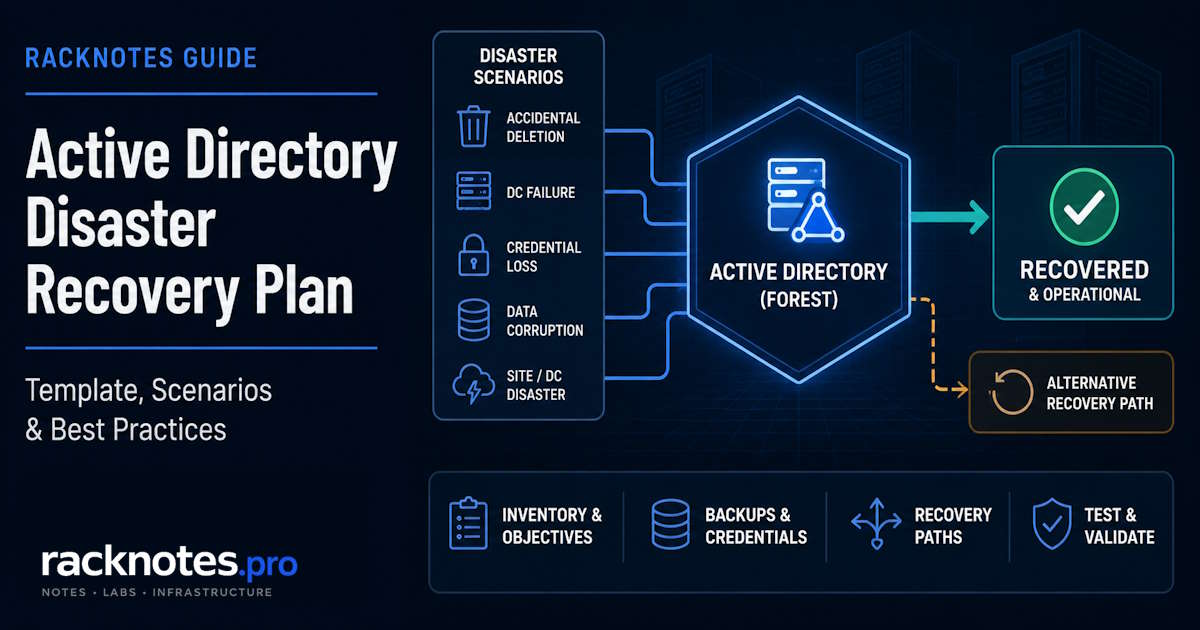
An Active Directory disaster recovery plan documents how an organization identifies the scope of an AD failure, chooses the correct recovery path, accesses known-good backups and credentials, restores the required directory services, validates replication and DNS, and returns authentication to production. A backup alone is not a disaster recovery plan: a backup is one input the plan depends on, alongside tested restore procedures, documented credentials, and a decision process for choosing between rebuilding, restoring, or invoking forest recovery.
This article is the planning and decision layer for AD recovery, not a step-by-step restore procedure. Each recovery path links to the dedicated guide that covers the actual commands.
A usable Active Directory disaster recovery plan needs four things in place before an incident: an inventory of what must be recoverable, defined recovery objectives (RTO/RPO), tested backups with verified restore points, and a documented decision path from failure scenario to recovery procedure. Use the scenario table below to find the right recovery path, and the template near the end to build the plan itself.
What an Active Directory Disaster Recovery Plan Must Contain
A DR plan is a reference document, not a description of AD architecture. It should record the following, not explain how each one works in general.
| Plan component | What to record | Why it matters |
|---|---|---|
| Environment inventory | Forests, domains, sites, DC roles | Recovery teams need to know what exists before deciding what to restore |
| FSMO role holders | Schema Master and Domain Naming Master for the forest; RID Master, PDC Emulator, and Infrastructure Master for each domain | Determines what’s lost if a specific DC fails |
| Global Catalog placement | Which DCs are GCs, per site | GC loss affects authentication and lookups differently than a non-GC DC loss |
| DNS dependencies | AD-integrated zones, forwarders, conditional forwarders | DNS failure looks like AD failure and is diagnosed differently |
| Backup locations and retention | Where backups live, retention window, offline copy status | Determines which recovery points actually exist when needed |
| Recovery credentials | DSRM access, privileged accounts, backup-system access | Missing credentials stall recovery regardless of technical readiness |
| Recovery contacts and roles | Incident owner, technical lead, validation owner | Avoids improvising ownership mid-incident |
| Recovery priorities | Which domains/DCs/services matter most | Not every DC needs to come back first |
| Recovery procedures | Links to the dedicated runbooks per scenario | This plan points to them; it doesn’t duplicate them |
| Validation criteria | What “recovered” actually means | Prevents declaring recovery complete prematurely |
| Escalation criteria | Conditions that justify forest recovery | Prevents both premature and delayed escalation |
| Test schedule | Last test date, next test date | An untested plan is a documented guess |
Define Recovery Objectives Before an Incident
Recovery Time Objective (RTO) and Recovery Point Objective (RPO) apply differently across AD. One blanket number for “Active Directory” usually understates what actually matters operationally.
- Authentication availability typically needs the shortest RTO. Once authentication is down, most dependent services stop working regardless of their own health.
- DNS needs comparable urgency, since AD-integrated DNS failure produces symptoms that look like broader AD failure.
- Directory-data RPO defines how much recent AD change can be lost, including account changes, group membership changes, OU/GPO-related directory changes, and other replicated directory state.
- Privileged access recovery needs to be fast but controlled, since recovery credentials are themselves a security-sensitive dependency.
- Dependent applications and infrastructure may be unable to meet their own recovery targets until AD, DNS, and authentication dependencies are available.
Set these targets before an incident, not during one. “Restore authentication as fast as possible” isn’t a target, it’s an intention.
Inventory What You Must Be Able to Recover
The DR plan should record this list, not explain what each item is:
- Forests and domains in scope
- Writable domain controllers, and RODCs where relevant
- AD sites and site links
- FSMO role holders: Schema Master and Domain Naming Master for the forest; RID Master, PDC Emulator, and Infrastructure Master for each domain
- Global Catalog servers
- AD-integrated DNS zones
- SYSVOL content and GPO dependencies
- Cross-forest and external trusts
- Critical service accounts (not just user accounts)
- Backup repositories and their access paths
- Recovery credentials and where they’re stored
Keep this inventory current rather than treating it as a one-time document. See “When Should the DR Plan Be Updated?” below for the events that should trigger a refresh.
Active Directory Disaster Recovery Scenarios
Different Active Directory disaster recovery scenarios call for different recovery paths, and picking the wrong one wastes time or creates new risk. Use this table to route from symptom to procedure:
| Failure scenario | Do this first | Recovery path |
|---|---|---|
| Accidental deletion of users, groups, or OUs | Confirm what was deleted and when | AD Recycle Bin |
| One DC failed, healthy replication partners remain | Verify other DCs are healthy and replicating | Rebuild the DC (see below), or the single-DC restore guide if unique state must be recovered |
| One DC requires restoration from backup | Confirm a trusted, recent restore point exists | Restore a Domain Controller from Backup |
| DSRM credentials unavailable or forgotten | If the selected recovery path requires DSRM, verify or recover the credential before starting that procedure | Reset the DSRM Password |
| Suspected USN rollback, unsupported VM rollback, copied/replaced VHD/VHDX, or unexplained replication identity divergence | Isolate the affected DC from client/replication traffic and diagnose the rollback state. Do not force replication or bypass AD DS protection | USN Rollback guide |
| Multiple DC failures in one domain | Identify which surviving DCs can be trusted | Domain-level recovery decision, see next section |
| One domain unavailable, forest otherwise healthy | Confirm no forest-wide trust or replication issue | Domain-scoped recovery, escalate only if criteria below are met |
| Forest-wide compromise / Tier 0 compromise | Isolate the environment and identify a trusted recovery point that predates the compromise | Evaluate forest recovery |
| Catastrophic forest-wide outage or corruption | Determine whether any trustworthy writable directory state remains | Evaluate forest recovery |
| Backup repository itself unavailable | Confirm whether an offline/isolated copy exists | Depends on scope; see Backup Requirements below |
| AD-integrated DNS problems during recovery | Verify DNS zone health and replication separately from directory health | Diagnose DNS independently before assuming a wider AD failure |
A snapshot or checkpoint revert on a VM-Generation-ID-aware hypervisor triggers supported virtualization safeguards (invalidated RID pool, new invocation ID) rather than an unsafe rollback. That does not make a snapshot a substitute for a supported AD backup, and an unsupported hypervisor, or a copied/replaced VHD/VHDX outside normal snapshot mechanics, can still produce a genuine USN rollback.
Rebuild, Restore, or Recover the Forest?
This is the decision that shapes everything after it, and getting it wrong burns the most time.
Rebuild a domain controller when:
- healthy replication partners exist elsewhere in the domain
- the failed DC held no unique, unrecoverable state
- rebuilding (demote if reachable, or clean metadata and promote a new DC) is faster and safer than restoring
Restore a domain controller when:
- a specific restore point is required, not just DC capacity
- the scenario can’t be solved safely by rebuilding alone
- a tested backup and a documented restore runbook exist
See the domain controller restore procedure for the authoritative-vs-non-authoritative decision and the actual restore steps.
Invoke forest recovery when:
- the forest-wide directory state can no longer be trusted or safely converged through normal replication and smaller-scope domain/DC recovery
- directory corruption or compromise spans multiple domains, not one isolated DC
- the incident meets the organization’s own documented forest-recovery escalation criteria
Loss of all writable DCs in a single domain does not automatically mean the entire forest requires recovery. Microsoft documents recovering a single domain inside a multidomain forest as a distinct, smaller-scope case, involving restoring DCs in that domain from backup and rebuilding Global Catalog consistency across the rest of the forest, separate from a full forest-wide recovery. RackNotes doesn’t yet have a dedicated single-domain recovery runbook; until it does, Microsoft’s own guidance is the reference for that specific path.
Forest recovery is disruptive and slow by design; it should be a last resort, not a default response to a bad day. See the Active Directory Forest Recovery article for the recovery sequence itself.
Do not default to “always restore from backup” or “always seize FSMO roles immediately.” Both can be correct or actively harmful depending on what’s actually failed.
Backup Requirements for Active Directory Disaster Recovery
The DR plan’s job here is to record backup requirements and verify recoverability, not to teach backup execution. For that, see Active Directory Backup.
What the plan should specify:
- Backup method: System State backup, or another supported method, per DC
- Known-good restore points: which backups have actually been restore-tested, not just completed
- Backup age: how old the most recent verified restore point is, against the RPO defined earlier
- Retention: how many recovery generations are retained and for how long. Separately, verify that any AD restore point selected for recovery is still within the forest’s applicable effective backup lifetime
- Offline or isolated copies: at least one copy that isn’t reachable from the production network, relevant for compromise scenarios specifically
- Documented location and access: where backups live and who can reach them
- Restore testing history: when the backup was last actually restored, not just verified as “completed successfully”
A successful backup job is not proof of recoverability. A backup that completes without error is not the same as a backup that restores cleanly. A DR plan that only tracks successful job completion is tracking the wrong thing. Restore testing is covered under “Test the Active Directory Disaster Recovery Plan” below.
Recovery Access and Credentials
Recovery access can become a single point of failure in an otherwise well-prepared plan because of circular dependencies. If recovery credentials are stored only inside the AD environment that just failed, the plan has no actual starting point.
The plan should document the following, with required credentials and recovery documentation stored outside AD itself:
- DSRM credentials per domain controller, see Reset the DSRM Password for the reset procedure if access is lost
- Domain Admin / Enterprise Admin access paths, including break-glass accounts where the organization maintains them
- Backup-system credentials, separate from AD authentication
- Virtualization or hosting-platform credentials, needed to access the DCs themselves
- DNS and network access required during recovery
- Secure offline documentation, accessible without relying on the systems being recovered
Recovery credentials that only work after AD is already working are not recovery credentials.
Recovery Order and Dependencies
At the orchestration level, domain controller disaster recovery follows a predictable dependency chain regardless of which scenario triggered it:
- Assess and contain the incident before taking recovery action
- Determine which infrastructure can actually be trusted; this determines the scope: single DC, domain, or forest
- Confirm backups and recovery credentials are accessible
- Restore or rebuild the required AD foundation for the determined scope
- Restore DNS and other directory-adjacent dependencies
- Verify replication and directory health before declaring the foundation recovered
- Restore dependent services that rely on AD
- Return authentication to normal production use
- Monitor for recurrence or residual corruption after service resumes
For forest-wide scope, step 4 hands off entirely to the forest recovery runbook rather than following this generic sequence.
Validation Criteria Before Returning AD to Production
“It’s back up” and “it’s validated” are different claims. Before declaring recovery complete, confirm:
- Required domain controllers are available and responsive
- DNS resolution is working for AD-integrated zones
- SYSVOL and NETLOGON shares are available where expected
- Replication is healthy, with no unresolved divergence between DCs
- Authentication succeeds against recovered DCs
- FSMO roles are accounted for and held by an intended, reachable DC
- Global Catalog availability matches what sites actually need
- Critical GPOs are processing as expected
- Time synchronization is functioning correctly across recovered DCs
- Event logs have been reviewed for unresolved AD, DNS, or replication errors
- Dependent applications can authenticate successfully, not just that AD itself responds
A few commands are useful as validation examples, not a full diagnostic reference: dcdiag, repadmin /replsummary, and repadmin /showrepl give a fast read on DC health and replication state. For ongoing health monitoring beyond post-recovery validation, see the Active Directory Health Check guide.
Active Directory Disaster Recovery Best Practices
These practices consistently separate a plan that works from one that only looks complete:
- Maintain more than one viable recovery path; a single-option plan has a single point of failure
- Keep backups that are actually restore-tested, not just scheduled backups that complete successfully
- Document DSRM access per DC, stored outside the AD environment it protects
- Store recovery documentation independently of Active Directory itself
- Keep the rebuild-vs-restore distinction explicit in the plan, not left to improvisation during an incident
- Never treat a VM snapshot or checkpoint as equivalent to a supported AD backup
- Keep topology documentation current rather than relying on the version created when the plan was first written
- Define forest-recovery escalation criteria in advance, in writing
- Actually test the plan; an untested plan is a documented assumption
- Record lessons from every test and every real incident, and feed them back into the plan
- Update the plan after infrastructure changes, not on a fixed calendar alone
- Protect privileged recovery credentials at least as carefully as production credentials
- Account for DNS and virtualization-platform dependencies explicitly; they’re part of the recovery chain, not external to it
Test the Active Directory Disaster Recovery Plan
A disaster recovery plan that has never been tested is not a validated recovery capability; it’s a documented guess. Testing surfaces gaps a plan review alone won’t catch: a backup that doesn’t actually restore, a credential nobody can locate, or a runbook step that assumes access that no longer exists.
| Test | Purpose | Suggested frequency |
|---|---|---|
| Tabletop exercise | Walk through a scenario without touching production; validates roles, decision paths, and documentation | More useful after a topology or backup-platform change than on a fixed calendar |
| Isolated lab restore test | Restore a backup in an isolated environment to confirm it actually works | After any backup-platform or retention change, and periodically regardless |
| Single-DC failure simulation | Confirms the rebuild/restore decision process and runbooks work as documented | After adding or retiring DCs, or after a runbook update |
| Forest recovery exercise | Where feasible in an isolated environment; validates the highest-cost recovery path before it’s ever needed for real | Less often because of the effort involved, but not never |
| Credential-access test | Confirms recovery credentials are actually reachable and current, without relying on production AD | Alongside any credential rotation or access-management change |
| Documentation verification | Confirms the plan itself reflects current environment state | Every test cycle, regardless of what else is being tested |
| Timing against RTO | Measures actual recovery time against the objective set earlier | Whenever a fuller test (lab restore, DC simulation) is run |
There’s no single universal mandatory frequency here; cadence should track risk tolerance and how fast the environment changes, not a fixed industry number repeated without context.
When Should the DR Plan Be Updated?
Update the plan after any of the following changes or events, not only on a fixed review calendar:
- Domain controllers are added or removed
- FSMO role placement changes
- AD site topology or network architecture changes
- The backup platform or retention policy changes
- Virtualization or hosting platform changes
- Privileged or recovery credential access changes
- Domain or forest functional level changes
- DNS architecture changes
- A major application’s dependency on AD changes materially
- After every DR test, based on what the test actually revealed
- After every real incident, based on what actually happened versus what the plan assumed
A plan that isn’t updated after these events describes an environment that no longer exists.
Active Directory Disaster Recovery Plan Template
Copy this into internal documentation and fill it in for the actual environment. This is meant to be used, not read.
1. Environment
- Forest name:
- Domains:
- AD sites:
- Critical domain controllers:
- FSMO role holders:
- Global Catalog servers:
- DNS architecture:
2. Recovery objectives
- Authentication RTO:
- Directory-data RPO:
- Critical dependencies:
- Maximum acceptable outage:
3. Backups
- Backup system:
- Backup location:
- Verified recovery points / source DCs:
- Latest trusted recovery point:
- Oldest recovery point still considered usable:
- Offline/isolated copy: (yes/no, location)
- Last restore test date:
4. Recovery access
- DSRM credential location:
- Privileged recovery account:
- Backup-system access:
- Hypervisor/platform access:
- Network/DNS access:
5. Scenario decision paths
- Deleted object:
- Single failed DC:
- DC restore required:
- Suspected USN rollback:
- Multiple DC loss:
- Forest-wide compromise or loss:
6. Recovery sequence
- Incident owner:
- Technical lead:
- Recovery path:
- Required runbook:
- Validation owner:
7. Validation
- DNS:
- Replication:
- Authentication:
- SYSVOL/NETLOGON:
- FSMO:
- Global Catalog:
- GPO:
- Application dependencies:
8. Testing and maintenance
- Last test date:
- Next test date:
- Last plan review date:
- Plan owner:
- Change triggers reviewed:
Official Microsoft References
Technical claims in this article are grounded in Microsoft’s own forest recovery and virtualized DC documentation:
- AD Forest Recovery guide, overall scope and planning
- Devising a forest recovery plan
- Recovering a single domain in a multidomain forest, the smaller-scope alternative to full forest recovery
- Virtualized Domain Controller Architecture, VM-Generation ID and safe restore safeguards
- Virtualized Domain Controllers on Hyper-V, backup and restore considerations for virtual DCs
- Backing up System State for forest recovery
FAQ
What should an Active Directory disaster recovery plan include?
At minimum: an environment inventory, defined recovery objectives (RTO/RPO), documented backup requirements and restore testing history, recovery credentials stored outside AD itself, a scenario-to-recovery-path decision matrix, validation criteria, and a test schedule. The template above covers all of these in a copyable format.
How often should an Active Directory disaster recovery plan be tested?
There’s no single mandatory frequency. Test after infrastructure, backup, or credential changes, and on a baseline cadence that matches how much risk the organization is willing to carry between tests. A plan untested for a year in a fast-changing environment is a bigger risk than the same gap in a stable one.
Is an Active Directory backup the same as a disaster recovery plan?
No. A backup is one input the plan depends on. The plan also covers decisions (rebuild vs. restore vs. forest recovery), roles and ownership, recovery credentials, dependency sequencing, validation criteria, and testing, none of which a backup job provides on its own.
Should a failed domain controller be restored or rebuilt?
It depends on whether healthy replication partners remain, whether the failed DC held unique unrecoverable state, and whether a tested restore point actually exists. See the DC restore guide for the detailed decision path and the actual steps.
When is Active Directory forest recovery required?
Only when the forest-wide directory state can no longer be trusted or safely converged through normal replication and smaller-scope recovery, or the organization’s own documented escalation criteria are met. Losing every writable DC in one domain of a multidomain forest doesn’t automatically require it. Microsoft documents single-domain recovery as a distinct, smaller-scope path. See the forest recovery guide for the recovery sequence itself.
Active Directory Series
25 articles – Windows Server 2025 · Forest & Domain · FSMO · GPO · Replication · DNS · Security · Backup & Recovery