
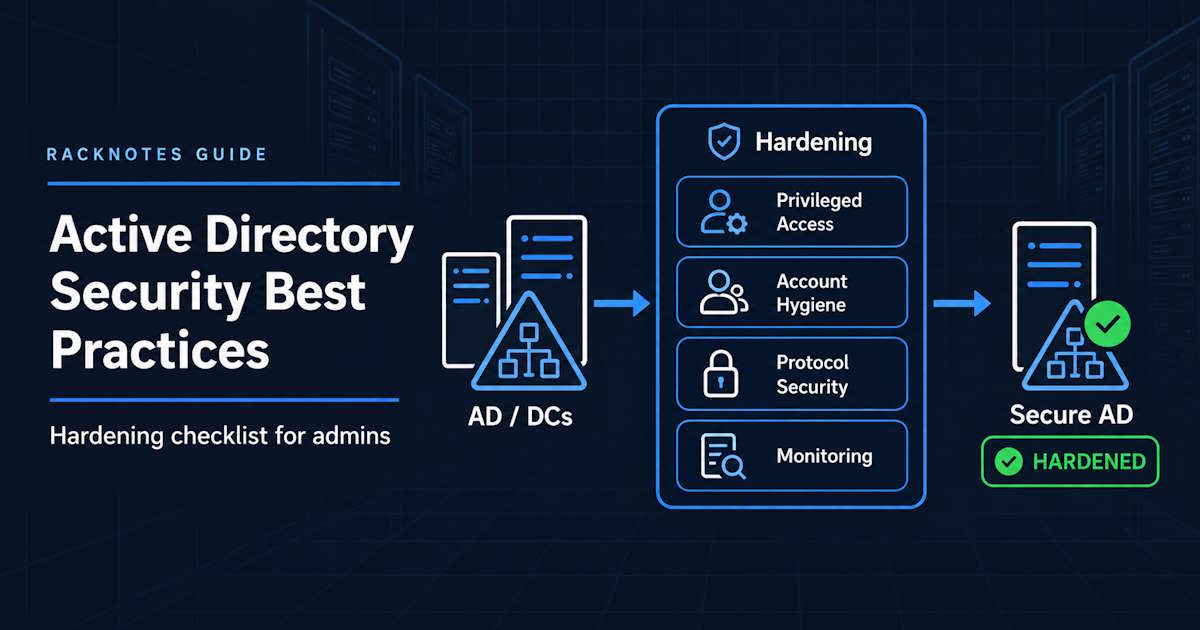
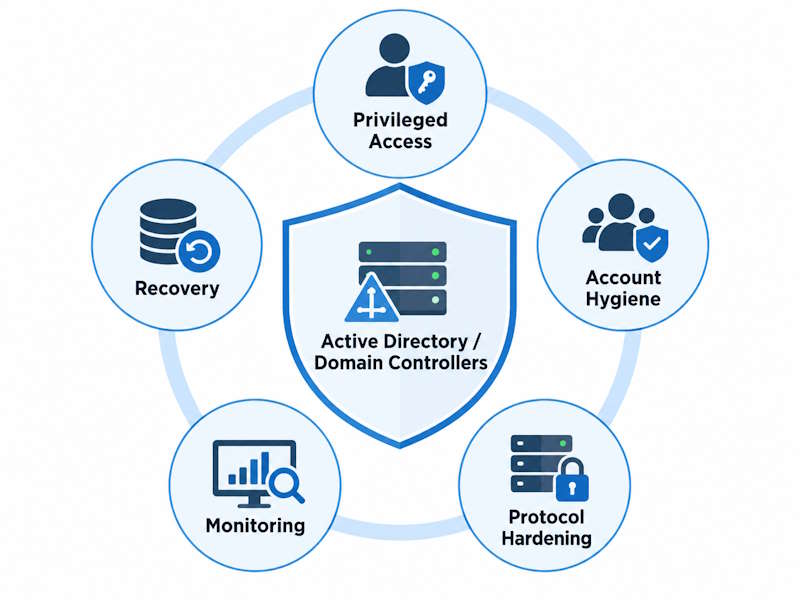
Active Directory security best practices focus on controlling privileged access, hardening domain controllers, reducing legacy authentication exposure, keeping accounts clean, monitoring directory changes, and maintaining a tested recovery path.
This checklist focuses on the controls that reduce the highest-impact AD risks while staying at the hardening level. Where implementation details are already covered elsewhere, it links to the relevant RackNotes guide.
- Keep Domain Admin, Enterprise Admin, and Schema Admin membership minimal
- Use separate admin accounts and hardened administrative workstations
- Patch and isolate domain controllers
- Reduce NTLM and harden LDAP where application compatibility allows
- Disable stale accounts and review service accounts regularly
- Monitor privileged changes and unusual authentication
- Maintain tested AD backups and a documented recovery plan
- Use the detailed checklist below to verify coverage
Active Directory Security Best Practices Checklist
| Area | Check |
|---|---|
| Privileged access | Domain Admin membership is minimal |
| Admin accounts | Separate privileged and daily-use accounts |
| Admin devices | Use hardened admin workstations |
| Domain controllers | Patched, dedicated, and restricted |
| Protocols | Legacy authentication reduced where possible |
| Passwords | Strong domain policy and weak-password blocking |
| Stale accounts | Disabled or removed |
| Service accounts | Reviewed and managed |
| Monitoring | Privileged and authentication events audited |
| Backups | System State and recovery procedures tested |
Use this table as a high-level scan; each item is explained in the sections below.
Protect Privileged Access
Privileged access is one of the highest-impact areas to secure because compromised administrative credentials can give an attacker broad control over the directory.
Minimize Domain Admin and Enterprise Admin Membership
Standing membership in Domain Admins, Enterprise Admins, and Schema Admins should be limited to accounts that genuinely require it on an ongoing basis. Adding an account to a privileged group for a one-off task and leaving it there is how membership creeps upward over time. Periodically remove accounts that no longer need standing privilege rather than accumulating them.
Use Separate Administrative Accounts
Use a dedicated privileged account for administrative work and a separate, lower-privilege account for daily-use activity like browsing, email, and routine productivity tasks. Entering privileged credentials on a system also used for everyday work exposes them to phishing, malware, and any other compromise that reaches that session.
Use Privileged Access Workstations or Hardened Admin Devices
Privileged credentials shouldn’t be entered on ordinary user workstations. Use dedicated or strongly hardened administrative endpoints for domain administration, separate from devices used for general computing.
Review Privileged Group Membership Regularly
Periodically review Domain Admins, Enterprise Admins, Schema Admins, Administrators, and any other high-impact delegated groups for membership that no longer belongs there. Security-group scope, nesting, and management are separate concerns; the focus here is regular review of privileged membership.
Harden Domain Controllers
Patch Domain Controllers Promptly
Domain controllers are high-value infrastructure, and unpatched vulnerabilities there have outsized consequences. Security updates should still go through a predictable testing and deployment cycle rather than being applied blindly the moment they’re released; operational validation matters as much as speed.
Keep Domain Controllers Dedicated
Avoid running unnecessary applications and roles on domain controllers. Every additional service increases attack surface and adds another dependency that can affect the directory if it fails. Keep management tooling on DCs to the minimum needed to run and support AD DS itself.
Restrict Interactive and Remote Logon
Limit who can log on locally or over RDP to domain controllers, and avoid treating a DC as a general-purpose admin workstation. Restrict interactive and remote logon to the administrators who genuinely need direct access to domain controllers.
Protect Backups and System State
AD backup is a security boundary in its own right. If backup credentials or backup storage are trivially reachable from a compromised domain admin account, the backup provides much less protection against that same administrative compromise. Maintain tested System State backups or a supported AD-aware backup solution; see How to Back Up Active Directory for the implementation and How to Restore a Domain Controller from Backup for the restore side.
Harden Authentication and Legacy Protocols
Reduce NTLM Where Possible
Kerberos should be the preferred authentication protocol in a healthy AD environment; NTLM persists mainly for compatibility with older applications and specific fallback scenarios. Inventory where NTLM is still used before restricting it. Disabling it blindly breaks whatever still depends on it.
Microsoft is also moving Windows toward disabling network NTLM by default. Windows 11, version 24H2 and Windows Server 2025 include enhanced auditing to identify remaining NTLM use, while Microsoft has announced additional Kerberos-compatibility work, including IAKerb and a local Key Distribution Center, before network NTLM becomes disabled by default in a future major release. Check Microsoft’s current NTLM roadmap before treating any phase date as fixed.
Require LDAP Signing and Channel Binding Where Supported
LDAP signing protects the integrity of LDAP traffic between clients and domain controllers, and channel binding strengthens protection against man-in-the-middle attacks, particularly for LDAP-over-TLS scenarios. New Windows Server 2025 Active Directory deployments use stronger LDAP security defaults, requiring signing out of the box, while upgraded environments preserve their existing settings to avoid unexpected compatibility breaks. See Microsoft’s LDAP signing documentation for the exact default behavior by version. Test application compatibility before enforcing signing and channel binding as required rather than optional, since some older LDAP clients and applications don’t support them.
Disable or Restrict Weak Legacy Protocols
Beyond NTLM, look at other legacy protocol dependencies that widen AD’s exposure: SMBv1, outdated TLS versions on domain-facing services, and authentication paths kept enabled mostly out of habit. Keep the focus on AD-relevant exposure rather than turning this into a generic Windows-hardening exercise.
Prefer Modern Service Account Patterns
Where the workload supports it, use Group Managed Service Accounts (gMSA) instead of a static, manually-managed service-account password. gMSA removes the shared static password from the equation and handles rotation automatically, reducing the credential-hygiene problems that static service accounts accumulate over time.
Improve Password and Account Hygiene
Use Strong Domain Password Policy
Password length, history, age rules, and weak-password controls affect how resistant domain credentials are to guessing, reuse, and predictable password behavior. See Active Directory Password Policy for the current settings, defaults, and domain password policy best practices, including Fine-Grained Password Policies for accounts that need stricter rules.
Block Common and Breached Passwords
Windows’ complexity requirement alone doesn’t check a password against known-breached or common password lists. Banned-password controls, such as Microsoft Entra Password Protection’s on-premises integration, add protection beyond what native complexity rules cover; see the password policy article for how that mechanism works.
Disable Stale Accounts
Review user accounts, and computer accounts where appropriate, for identities that are no longer in active use. Former employees, old test accounts, and forgotten one-off admin accounts are common examples. There’s no single universal staleness threshold, so define one that matches your environment’s normal usage patterns instead of assuming a specific day count applies everywhere.
Review Service Accounts
For each service account, know who owns it, what it’s actually used for, and whether it still needs the privileges it currently has. Remove service accounts that are no longer in use, and prefer managed service-account options over static credentials where the workload supports them.
Protect High-Risk Accounts
Privileged accounts, break-glass accounts, and highly privileged service identities need tighter monitoring, stricter credential handling, and clearly documented use.
Limit Lateral Movement and Administrative Exposure
Apply Least Privilege
Least privilege in AD terms means group membership, delegated rights, local admin rights, and service-account privilege that match what’s actually needed, not what’s convenient to grant. Broad grants made for short-term convenience tend to stay in place long after the reason for them is gone.
Separate Admin Tiers
Microsoft’s Enterprise Access Model expands the older AD tiering approach into control, management, and data/workload planes. The same core principle still applies in AD: highly privileged identity-management paths in the control plane need to stay isolated from lower-trust systems rather than being reachable from ordinary user endpoints. See Microsoft’s Enterprise Access Model documentation for the current framework.
Avoid Routine Admin Use on User Workstations
Don’t use domain admin or other highly privileged credentials for routine work on general-purpose user workstations. Keep those credentials confined to approved administrative systems.
Control Local Administrator Access
Avoid shared local administrator passwords across machines; a single leaked local admin password becomes a lateral-movement tool the moment it’s reused elsewhere. Windows LAPS manages unique, rotated local administrator passwords per machine and is worth using where local admin access needs to exist at all.
Audit and Monitor Active Directory
Focus monitoring on privileged changes, authentication anomalies, unexpected accounts, and directory health.
Audit Privileged Group Changes
Track privileged-group changes consistently, including additions, removals, and unexpected membership churn in Domain Admins, Enterprise Admins, and other privileged groups. Event-level investigation belongs in the dedicated event references.
Monitor Authentication Anomalies
Watch for patterns like unusual Kerberos activity, repeated failed logons, unexpected NTLM use where it should be rare, and authentication attempts from hosts that don’t normally generate them. These are starting points for monitoring, not a guarantee that any one tool will catch every anomaly automatically.
Review Stale and Unexpected Accounts
Monitoring and account hygiene overlap here: periodic review should also surface accounts that shouldn’t exist at all, not just ones that are simply old.
Monitor Replication and Directory Health
Replication failures, DNS issues, general domain controller health, and SYSVOL/DFSR problems all affect whether AD is actually enforcing the policies you think it’s enforcing. A domain controller that isn’t replicating properly can be silently out of sync with the security configuration you believe is in place domain-wide.
Prepare for Recovery
Recovery belongs in Active Directory security planning because a serious compromise can require more than preventive controls. See the Active Directory Disaster Recovery Plan for how these pieces fit into an overall recovery strategy.
Maintain Tested System-State Backups
Backups have to exist, and restores have to actually be tested, not just assumed to work. Backup copies also need to be protected from the same administrative compromise that might necessitate a restore in the first place.
Document Forest Recovery
Have a documented forest-recovery plan before you need one; see Active Directory Forest Recovery for the practical recovery sequence.
Protect Backup Credentials and Infrastructure
Isolate backup credentials and backup infrastructure from routine administrative access. The accounts and systems that can restore or destroy backups deserve the same scrutiny as those that can restore or destroy the domain itself.
Know When KRBTGT Reset Is Required
A KRBTGT password reset is an incident-recovery operation used when the KRBTGT secret or forged Kerberos ticket capability may have been compromised, not routine maintenance. The exact double-reset procedure, replication timing, and validation steps are outside the scope of this hardening checklist.
Common Active Directory Security Mistakes
Too many standing Domain Admins. Membership grows over time as one-off tasks turn into permanent access that never gets revoked.
Using privileged accounts for daily work. Every session on a privileged account is an opportunity for that credential to be exposed, regardless of what the session is actually doing.
Running unnecessary workloads on domain controllers. Extra roles and applications on a DC widen the attack surface of infrastructure that should have as little surface as possible.
Leaving legacy authentication enabled without understanding dependencies. Restricting NTLM or old protocols without first inventorying what depends on them turns a security improvement into an outage.
Ignoring stale accounts and service accounts. Old accounts and forgotten service identities accumulate privilege and attack surface quietly, with nobody actively deciding to keep them around.
Treating password complexity as the whole security strategy. Complexity rules block a narrow set of weak patterns; they don’t address breached passwords, privileged-access hygiene, or protocol exposure.
Monitoring nothing until an incident occurs. Without a baseline of what normal privileged and authentication activity looks like, unusual activity is invisible until the damage is already done.
Having backups but no tested recovery procedure. A backup that has never been test-restored is an assumption, not a recovery capability.
Frequently Asked Questions
What are the most important Active Directory security best practices?
Protecting privileged access, hardening domain controllers, reducing legacy protocol exposure, maintaining password and account hygiene, monitoring for unusual activity, and keeping a tested recovery path are the core categories that cover most of the practical risk.
How do I harden Active Directory?
Start with the checklist near the top of this article, then work through each category: privileged access, domain controllers, authentication protocols, account hygiene, monitoring, and recovery readiness.
How often should Active Directory security be reviewed?
Review continuously for privileged changes, and on a defined operational schedule for stale accounts, protocol dependencies, backups, and group memberships. There’s no single universal interval that fits every environment’s risk tolerance and compliance requirements.
Should Domain Admins be used for daily administration?
No. Use a separate privileged account for administrative work and a lower-privilege account for routine tasks.
Should NTLM be disabled?
Not blindly. Inventory where it’s still used, reduce and restrict it in a staged way, and validate compatibility before removing it entirely.
What should be monitored in Active Directory?
Privileged group changes, authentication anomalies, unexpected account changes, replication health, and unusual legacy-protocol use.
Are backups part of Active Directory security?
Yes. Recovery capability is part of security, because a severe compromise may require directory or forest recovery, not just preventive controls.
Bottom Line
Active Directory security is less about any single setting and more about a small number of categories reinforcing each other: privileged access stays minimal and separated, domain controllers stay patched and isolated, legacy protocols get reduced deliberately rather than left on by default, accounts stay clean, activity gets monitored, and recovery is tested rather than assumed.
Use the linked RackNotes guides for implementation details on password policy, AD backup, restoring a domain controller, and forest recovery rather than duplicating those procedures here.
Active Directory Series
25 articles – Windows Server 2025 · Forest & Domain · FSMO · GPO · Replication · DNS · Security · Backup & Recovery