
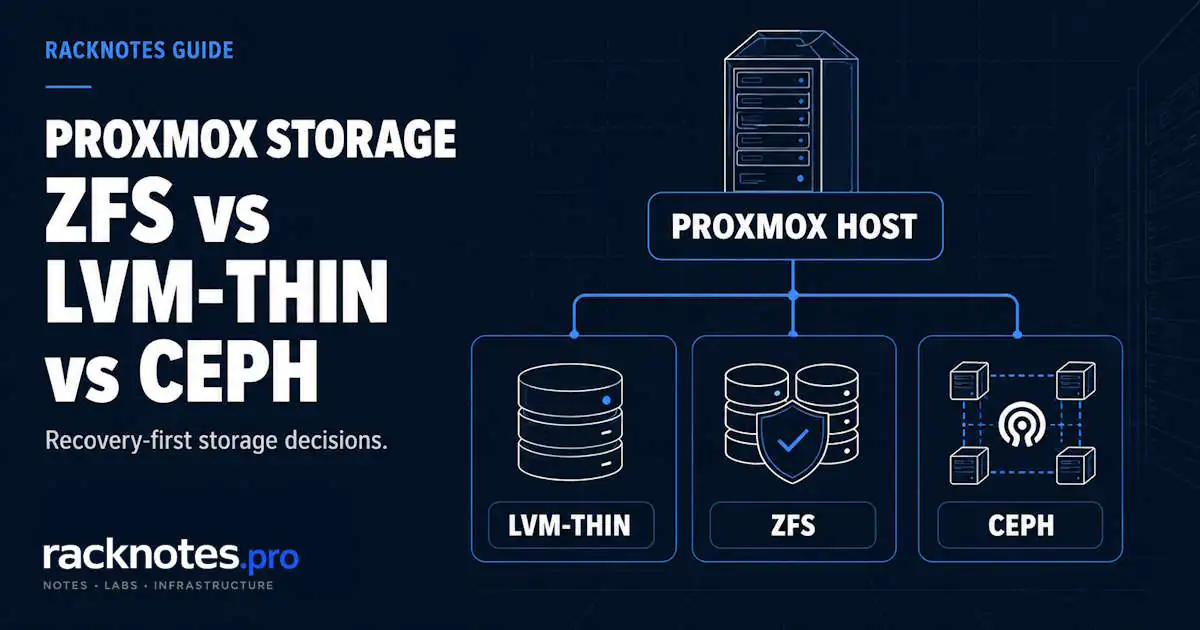
Proxmox storage decisions look cheap during installation and expensive during recovery. For most single-node hosts, the real choice is LVM-thin for low operational overhead, or ZFS when checksums, compression, snapshots, and replication justify the added memory and administration. Ceph is a different case entirely – distributed shared storage across a cluster, chosen only when the network, disks, and operational capacity can support it. There is no universal winner. The right backend matches the failure behavior, recovery path, and operational cost of the host or cluster you actually run.
Storage is not just performance. Storage determines how failures behave.
- LVM-thin: low overhead, simple tooling, snapshots and clones, no native checksums or compression
- ZFS: checksums, compression, snapshots, and Proxmox ZFS replication – in exchange for RAM and operational complexity
- Ceph: distributed shared storage for clusters that genuinely need it, not a casual choice
- Match the backend to what you actually run: first server – LVM-thin; single-node integrity-focused homelab – ZFS; multi-node cluster needing distributed storage – Ceph, only when justified
- Changing storage later is more expensive than choosing carefully now
Proxmox Storage: LVM-Thin vs ZFS vs Ceph – Quick Comparison
| Criterion | LVM-thin | ZFS | Ceph |
|---|---|---|---|
| Typical scope | Single node / local | Single node / local | Cluster / shared |
| RAM overhead | Low | Higher, configurable through ARC | Highest overall |
| Native data checksums | No | Yes | Yes – BlueStore data and metadata checksums |
| Compression | No native compression | Yes | Depends on Ceph stack and config |
| Snapshots | Yes | Yes | Yes through RBD |
| Redundancy model | Relies on underlying RAID | Pool/vdev topology (mirror, raidz1-3) | Replica/OSD placement across nodes |
| Native Proxmox ZFS replication | No | Yes | Not applicable – Ceph is already distributed |
| Shared storage | No | No (normal local ZFS is not shared) | Yes |
| Operational complexity | Low | Medium | High |
| Best fit | Simplicity, low overhead | Local integrity, features, replication | Distributed cluster storage |
For a normal first or single-node host, the real decision is LVM-thin vs ZFS. Ceph becomes relevant when the storage itself must be distributed across a cluster.
Proxmox Storage Types: Local vs Shared Backends
Proxmox supports multiple storage plugins, and not every backend serves the same role or content type. In broad terms, local backends run directly on the host’s own disks, shared backends are reachable from every node in a cluster, and Proxmox Backup Server is a backup target rather than a normal VM-disk backend.
| Type | Role |
|---|---|
| Directory | File-based local storage on ext4/XFS/etc.; raw/qcow2 images |
| LVM | Thick block storage; useful where full allocation or shared block LVM is appropriate |
| LVM-Thin | Local thin-provisioned block storage; snapshots and clones |
| ZFS | Local checksummed storage with snapshots, compression, redundancy, replication |
| BTRFS | Local copy-on-write backend where supported/appropriate |
| NFS | Shared file storage |
| CIFS/SMB | Shared file storage |
| iSCSI | Shared block storage |
| Ceph RBD | Distributed shared block storage |
| Proxmox Backup Server | Backup storage rather than a normal VM-disk backend |
LVM (thick) allocates logical volumes fully at creation time; unlike LVM-Thin, it does not provide the same thin-provisioned snapshot/clone model. It shows up mainly where full allocation or shared block LVM on existing SAN storage is the right fit, not as a default choice on a single-disk host.
Proxmox separates storage locations from storage backends, as documented in the Proxmox VE storage documentation. A storage location is defined in /etc/pve/storage.cfg and points to a specific path or device. The backend type determines how data is organized within that location.
Each storage location also defines which content types it may hold – VM disk images, container root directories, ISO images, templates, backup files, and snippets – and not every backend supports every type.
VM disks land in different places depending on the backend:
- LVM-thin: VM disks are logical volumes inside a thin pool. Visible via
lvs. The pool sits on a physical volume – usually a partition on the boot drive or a separate disk. - ZFS: VM disks are ZFS volumes (zvols) inside a ZFS pool. Visible via
zfs list -t volume. The pool is built from one or more vdevs. - Directory: VM disks are
.rawor.qcow2files inside a regular filesystem directory. The defaultlocaldirectory storage uses/var/lib/vz, with VM images normally stored belowimages/<VMID>/. Visible via standard filesystem tools. - Ceph (RBD): VM disks are RADOS Block Device images inside a Ceph pool. Visible via
rbd ls. The pool is distributed across multiple OSDs on multiple nodes. - NFS / CIFS/SMB / iSCSI: VM disks live on a remote storage server accessed over the network – a different operational model covered separately below.
The web UI hides this distinction, but the backend still determines the safe export and recovery toolchain. A stopped file-backed disk can use standard filesystem tools, ZFS commonly uses snapshots plus send/receive, and Ceph RBD provides native copy and export operations. For normal migrations and recovery, prefer Proxmox-supported move, backup, and restore workflows over manual backend-level copying.
LXC containers add a separate wrinkle: a container’s root filesystem lives on whichever backend it is assigned to, but bind mounts and host-path mount points are a distinct storage question. The LXC bind mounts guide covers that separately.
Local vs Shared Proxmox Storage
Local storage belongs to one node – its disks, its pools, its thin pools. Shared storage exposes the same underlying guest data to every node that needs it, which is what lets live migration skip a full disk copy and lets Proxmox HA restart a VM on a different node after a failure.
Ceph is shared and distributed by design – the cluster itself is the storage, with no external box required. NFS, CIFS, and iSCSI are external shared architectures: a NAS or SAN provides the share, and Proxmox nodes connect to it. Local ZFS is not shared storage on its own, even though Proxmox can replicate eligible ZFS guest volumes to another node on a schedule – that’s a separate, asynchronous, replicated-local architecture, not the same guarantee as a shared backend. Local-disk live migration is also possible in current Proxmox versions, transferring storage as part of the migration, but it takes longer and depends more on network throughput than migration between nodes that already share the same storage.
The Proxmox shared storage guide covers NFS, iSCSI, and Ceph as shared backends in detail, including the Shared flag, 2-node scenarios, and shared-storage validation.
Proxmox LVM-Thin Storage – Best When Simplicity Matters
Use LVM-thin storage in Proxmox when you want thin provisioning, snapshots and clones, low host overhead, and a straightforward local-storage model without ZFS or Ceph complexity. It builds thin-provisioned logical volumes on top of standard Linux LVM and is the most common starting point for Proxmox storage on a single-disk host. Space is allocated lazily: a 100GB VM disk that uses 20GB consumes 20GB on the physical volume. Multiple VMs share the thin pool’s free space.
What LVM-thin gives you: a simple operational model using standard Linux LVM tooling, low RAM overhead with no ARC or caching layer, predictable performance without compression/checksum CPU cost, and efficient thin provisioning, snapshots, and clones on ordinary block devices or hardware-RAID volumes.
What LVM-thin does not give you: native data checksums (no built-in layer detects silent corruption), native compression or deduplication, built-in ZFS-style replication, or pool-level redundancy across multiple disks – it relies on underlying RAID or accepts single-disk reality.
The tradeoff is simple: LVM-thin keeps Proxmox storage easy to operate until you need capabilities it does not provide.
Where LVM-thin fails: thin pool exhaustion (the pool runs out of space while VMs keep writing, and guest writes can fail or turn read-only until space is freed), single-disk failure with no underlying RAID (every VM on that pool becomes inaccessible), and metadata exhaustion (less common, harder to recover from than plain space exhaustion).
LVM-thin works well for: first Proxmox installations, single-disk hosts, homelabs where backups happen on external storage, environments where operational simplicity matters more than feature richness.
Proxmox ZFS Storage – Best When Integrity and Local Features Matter
Using ZFS for Proxmox storage buys integrity and recovery confidence at the cost of additional RAM and operational complexity. ZFS earns its complexity when failures happen. Checksums, snapshots, native replication, and compression can look unnecessary on day one, then become valuable when a disk fails, a VM is corrupted, or a host needs migration.
What ZFS gives you:
- Native data checksums that detect silent corruption
- Fast, space-efficient atomic snapshots, though they add capacity and metadata cost over time
- Native send/receive underlying Proxmox ZFS storage replication between hosts – it improves guest-volume redundancy and migration readiness, it does not replace independent backups
- Inline compression that often improves performance by reducing I/O
- Pool-level redundancy (mirrors, raidz1/raidz2/raidz3) and an ARC read cache that speeds up working sets that fit in RAM
- Periodic scrubs that catch problems before they cause failures
What ZFS costs you:
- RAM – ARC uses available memory for caching; check
zfs_arc_maxandarc_summaryon the actual host rather than assuming a size from total RAM. - Write amplification that varies by workload and device – consumer SSD endurance and power-loss behavior deserve more attention on ZFS, though the penalty depends on the workload rather than a fixed tax.
- RAIDZ expansion still needs planning: current OpenZFS can widen a vdev by adding a device, but old blocks don’t gain the new data-to-parity ratio automatically.
- Resilver time on a multi-TB pool can be long, with the pool running degraded during that window.
- Operational complexity – ZFS has its own vocabulary, tuning parameters, and failure modes.
ZFS can feel expensive until it detects a corrupted block that an LVM-thin stack without another integrity layer may surface only when the guest or another layer notices it. When a pool ends up degraded or a disk needs replacing, Proxmox ZFS Recovery covers the actual recovery workflow.
Where ZFS becomes expensive:
- Low-RAM hosts without a deliberate ARC cap and guest memory plan
- Consumer SSDs without power-loss protection, especially for sync-heavy workloads – a real risk, though not exclusive to ZFS
- Hosts with RAID controllers that are not passing raw disks through
- Operators who never check scrub results or resilver health
ZFS works well for: single-node serious homelabs with adequate RAM, hosts where data integrity matters, environments planning replication-based strategies, operators willing to invest time learning ZFS basics.
Proxmox Ceph Storage – Best When Storage Must Be Distributed
Ceph is not “ZFS for clusters.” It is a different category: a distributed object storage system that presents block storage to Proxmox. Operating it well requires understanding distributed consensus, network behavior, and recovery patterns that simply do not exist in single-node storage.
What Ceph gives you:
- Storage that stays available through supported node failures – Proxmox HA can restart affected VMs on surviving nodes, though that’s a restart with a detection-and-recovery gap, not zero-downtime execution
- Storage capacity that scales by adding OSDs across more nodes, eliminating a single storage-node point of failure when replicas and failure domains are designed correctly
- Live migration without separate shared storage hardware – Ceph is the shared storage
The three-node reality
With a typical three-node replicated pool (size=3, min_size=2), the cluster tolerates one host failure, but recovery headroom is thin – a second failure before the first resolves normally makes affected data unavailable until replica and quorum requirements are met again.
Network and resource requirements are significant: consumer 1Gbps networking is frequently inadequate, since rebalance traffic during recovery saturates the link. Proxmox’s hyper-converged Ceph guidance recommends at least three identical servers and at least 10 Gbps dedicated to Ceph traffic, more for faster media or larger clusters. Each OSD also runs as a service consuming RAM and CPU, so a three-node Ceph cluster has meaningfully less capacity left for VMs than the same cluster on local storage.
Where Ceph becomes operationally heavy:
- Operators on unstable or 1Gbps networking, where recovery traffic saturates the link
- Environments expecting Ceph to behave like a simple HA toggle rather than a distributed system with its own failure modes
- Environments where reliable backup and restore would already meet the actual recovery requirement, without adding a storage-layer failover system
ZFS is normally local storage with optional replication; Ceph is distributed shared storage. A deeper side-by-side comparison is a separate topic from this page. Ceph works well for clusters with dedicated SSD-backed networking sized to the actual workload and operators ready to learn distributed systems, when storage failover requirements genuinely justify the complexity. Live migration and HA implications for Ceph as shared storage are covered in the local-vs-shared section above.
Which Proxmox Storage Should You Use?
| Requirement | Better fit | Why |
|---|---|---|
| Lowest local-host complexity | LVM-thin | Thin provisioning, snapshots/clones, low overhead |
| Local integrity + compression + ZFS replication | ZFS | Checksums, compression, snapshots, replication |
| Shared distributed cluster storage | Ceph | Cluster-wide RBD and storage redundancy |
| Existing NAS/SAN shared storage | NFS / iSCSI | Reuse external shared storage |
| Low-RAM single-node host | LVM-thin | Leaves more RAM for guests |
| Single-node host where integrity is prioritized | ZFS | Checksums, scrubs, redundancy when designed accordingly |
| Multi-node HA cluster with dedicated network | Ceph | When network, disks, and operational overhead are justified |
Is LVM-thin or ZFS better for Proxmox? LVM-thin is usually simpler for low host overhead with reliable external backups already in place. ZFS is the stronger local-storage choice when checksums, compression, scrubs, and replication justify the extra memory and administration. Neither is universally better.
When should I use Ceph? When multiple Proxmox nodes need the same distributed block storage and the cluster has the network, disk, RAM, and operational headroom to tolerate recovery traffic – not simply because the cluster has three nodes.
Small homelab reality
The typical homelab has one SSD or HDD, 16-32GB RAM with no upgrade planned, a single mini PC or repurposed thin client, and occasional external backups. A realistic pattern is one host, LVM-thin or single-disk ZFS, and regular backups to external storage – accepting that a host failure means downtime until restore. Match the storage choice to the actual hardware and time available, not to what enterprise-grade homelabs run.
How to Add Storage to Proxmox
Adding a storage backend in Proxmox follows the same basic workflow in most cases. The differences are in the backend-specific fields, not the overall process.
- Prepare the underlying resource first – a disk or pool for local backends, or the NAS export, SAN target, or Ceph pool for shared/distributed backends.
- Open Datacenter → Storage → Add.
- Select the backend type.
- Configure the storage ID and the backend-specific fields (path, volume group, server address, pool name, and so on).
- Choose which content types this storage should hold.
- Restrict it to specific nodes if the storage shouldn’t be available everywhere.
- Save, then confirm with
pvesm status.
Datacenter → Storage → Add registers a backend with Proxmox. It does not create the underlying NAS export, iSCSI target, or disk pool. That preparation happens outside Proxmox first; skipping it is a common reason a newly added storage shows up but won’t activate. Network storage setup – NFS, iSCSI, and Ceph as shared backends – is covered step by step in the shared-storage guide referenced above.
Proxmox Storage Best Practices
- Choose storage based on recovery requirements, not benchmark numbers alone
- Monitor thin-pool, pool, and cluster capacity before it becomes urgent
- Keep independent backups regardless of which backend or redundancy model you run
- Separate shared-storage failure domains from compute failure domains when planning HA
- Validate storage behavior before enabling HA dependencies on it
- Plan temporary capacity before any backend migration, not during it
- Test restore and recovery procedures, not just backup completion
- Prefer Proxmox-supported move, backup, and restore operations over manual backend-level copying
RAM and Resource Overhead
| Backend | RAM overhead | Notes |
|---|---|---|
| LVM-thin | Low | Minimal kernel overhead beyond standard LVM |
| ZFS | Configurable through ARC | Check zfs_arc_max and arc_summary on the actual host; do not assume a fixed percentage |
| Ceph | Highest | OSD, monitor, and manager services consume RAM and CPU; budget generously and verify against the running cluster |
ZFS ARC: don’t size from a percentage of total RAM or a per-terabyte rule. ARC uses available memory for caching and normally releases it under pressure, but the effective ceiling depends on the Proxmox version and any explicit zfs_arc_max setting. Check both:
cat /sys/module/zfs/parameters/zfs_arc_max
arc_summary
Size ARC from the actual workload – active working set, VM count, I/O pattern, metadata – not from total pool capacity. Deduplication is a separate, much higher-memory feature. See Proxmox RAM Sizing for host-wide sizing guidance.
Ceph: Each OSD and Ceph service consumes measurable RAM and CPU, but the exact number depends on the Ceph release, osd_memory_target, device type, and workload. A node running several OSDs plus monitor/manager overhead needs meaningfully less RAM available for VMs than equivalent local storage.
Failure Modes and Monitoring
| Backend | Failure pattern to watch | First metrics |
|---|---|---|
| LVM-thin | Thin pool and metadata exhaustion; single-disk failure | lvs data/metadata percent, underlying disk SMART |
| ZFS | Pool degradation, checksum errors, capacity, fragmentation, RAM contention | zpool status, scrub results, resilver state, capacity, ARC hit rate |
| Ceph | OSD/network/recovery/placement issues | ceph status, OSD state, PG state, recovery/backfill, network throughput |
LVM-thin: Thin pool exhaustion is the primary risk. Set warning and critical thresholds early enough for the environment’s growth rate and recovery window, rather than waiting until the pool is nearly full, and monitor metadata usage separately from data usage.
ZFS failure detail:
- Host memory contention. ARC is reclaimable, but an overcommitted host still needs room for the kernel, services, ARC, and guests; poor sizing can leave too little memory for a VM to start.
- Resilver pain on large pools. A multi-TB disk replacement can run long, and a second device failure in the same RAIDZ1 vdev during that window can cause data loss – large degraded pools deserve close monitoring until redundancy is restored.
Ceph failure detail:
- Network instability causing OSD flapping. OSDs lose communication briefly, get marked down, then return – each flap triggers rebalancing.
- Monitor quorum, misread as fragility. Three monitors form a standard quorum and tolerate one failure; an even number doesn’t add the same protection the way the next odd number does.
- Recovery storms after node failures. Rebalance traffic saturates network and disk I/O, and VMs become slow or unresponsive until it settles.
HEALTH_WARN in Ceph can be expected during recovery or rebalance, but every warning should be explainable and should trend toward a clean state. Recovery duration depends on failed capacity, data volume, network throughput, disk performance, and Ceph recovery settings.
For ZFS, a regular automated scrub schedule is important; monthly is a common operational starting point, adjusted for pool size, workload, media, and maintenance window. For LVM-thin, the critical metric is thin pool free space – running out is much harder to recover from than running out of space in a regular filesystem.
Many storage problems provide warning through capacity, health, checksum, SMART, network, or recovery metrics before they become outages. Monitoring will not predict every sudden device or controller failure, but it catches a large class of avoidable incidents.
Changing Proxmox Storage Later
A Proxmox storage choice can be harder to change than it appears at install time.
What changing storage actually requires:
- VM migration windows. Each VM must be stopped or live-migrated to different storage; cold migration means downtime per VM.
- Restore-based migration. Backup, recreate on new storage, restore – each VM takes its backup window plus restore window.
- Snapshot history is usually not preserved across a cross-backend disk migration – verify the exact operation before assuming snapshots move with the disk.
- Replication redesign. Moving ZFS-replicated hosts to Ceph changes the entire replication architecture; PBS-based backups keep working, but in-host replication needs reconfiguration.
- Temporary capacity. Old and new VM disks may need to coexist until cutover is verified, so plan free capacity for both copies plus normal backup headroom.
- Configuration references update automatically with supported disk-move or migration operations; manual copying outside Proxmox tooling is what leaves stale or orphaned volumes behind.
A small lab may absorb a storage migration in one maintenance window. As VM count, disk size, and service dependencies grow, the migration becomes a staged project requiring more temporary capacity and cutover planning – one more reason to get the initial storage choice right and build new VMs from templates and clones that already assume the settled storage backend.
Choosing the right backend early can avoid a later local-storage migration if the same requirements still apply.
Snapshots, Backups, ZFS Replication, and Ceph Redundancy Are Different
These four mechanisms serve different purposes. Treating them as interchangeable can leave you without the recovery path you expected.
Snapshot: a local point-in-time rollback state living on the same storage as the original VM – storage failure destroys both. Snapshots roll back software changes; they don’t protect against storage failure.
Backup: an independent recoverable copy on separate storage, unaffected by failure on the source, at the cost of restore time. PBS-based backups with tested restores – see Proxmox Backup Server Restore – are the correct minimum.
Proxmox ZFS storage replication: scheduled, asynchronous replication of guest volumes to another node, reducing recovery time after a host failure. Because it’s asynchronous, failover can lose changes since the last completed replication – it does not replace an independent backup with historical restore points.
Ceph replication: internal distributed redundancy of objects across OSDs, keeping the cluster available during OSD or node failures. It does not create independent restore points with history.
| Mechanism | Protects against | Does not protect against |
|---|---|---|
| Snapshot | Software changes, configuration mistakes | Storage failure, fire, theft |
| Backup | Source failure, deletion, corruption | Time gap since last backup |
| ZFS replication | Source host failure (within replication lag) | Asynchronous lag, source corruption propagation |
| Ceph redundancy | OSD/node failure within quorum | Guest/application-level logical corruption or deletion; cluster-wide administrative failure |
Production-like environments use multiple layers: snapshots for fast rollback, backups for disaster recovery with tested restores, and replication or Ceph redundancy for faster failover. Homelabs usually start with backups only – the correct minimum – and add the other layers as needs grow. The misconception that snapshots are sufficient backup is the most common cause of “I had snapshots, why did I lose data?” incidents.
FAQ
What is the best storage for Proxmox?
Depends on the host or cluster: LVM-thin for a simple single-disk host with reliable external backups, ZFS when checksums, compression, and snapshots are worth the extra RAM, Ceph when multiple nodes genuinely need the same distributed storage. There’s no universal best.
What storage types does Proxmox support?
Local backends (Directory, LVM, LVM-Thin, ZFS, BTRFS) on the host’s own disks, shared backends (NFS, CIFS/SMB, iSCSI, Ceph RBD) reachable from multiple nodes, and Proxmox Backup Server as a dedicated backup target rather than a normal VM-disk backend.
Is LVM-thin or ZFS better for Proxmox storage?
Neither is universally better. LVM-thin is the simpler, lower-overhead Proxmox storage choice for a single-disk host with reliable external backups. ZFS earns its complexity when checksums, compression, snapshots, or ZFS storage replication actually matter – not because it sounds more advanced in the installer dropdown.
When should I use Ceph in Proxmox?
When multiple Proxmox nodes need the same distributed block storage and the cluster has the network, disk, RAM, and operational headroom to tolerate recovery traffic – not simply because the cluster has three nodes. For most homelabs, the actual requirement turns out to be reliable backup and restore, not live storage failover.
How do I add storage to Proxmox?
Datacenter → Storage → Add, pick the backend type, set the storage ID and backend-specific fields, choose content types, and validate with pvesm status. Proxmox registers the backend; it doesn’t create the underlying disk, NAS export, or SAN target.
Can Proxmox live-migrate VMs on local storage?
Sometimes, but shared storage is the easier path – it avoids copying the VM disk during migration. Local-disk migration still works but takes longer and depends more on network throughput, storage backend, and Proxmox version.
Is a ZFS snapshot the same as a backup?
No. A snapshot lives on the same storage as the original VM, so storage failure destroys both together. A backup copies data to genuinely separate storage – treating snapshots as sufficient backup is one of the most common ways operators lose data they thought was protected.
The Boring Storage Decision Is Usually the Right One
Proxmox storage choices can tempt operators toward unnecessary complexity. ZFS may look more advanced than LVM-thin, and Ceph more enterprise than ZFS. The risk is choosing what sounds capable rather than what fits operational reality.
For most first installations, LVM-thin covers the requirement. ZFS earns its complexity when integrity and local features justify the RAM and administration. Ceph fits only when distributed storage is the actual requirement, not an assumption that comes bundled with having a cluster. Match the storage to the hardware and operational capacity you actually have, not to what looks most capable in the installer dropdown.
The best storage layout is the one that fails predictably, recovers cleanly, and does not require rebuilding your infrastructure philosophy six months later.
Proxmox VE Series
28 articles – Installation · Storage · Networking · HA · Recovery